
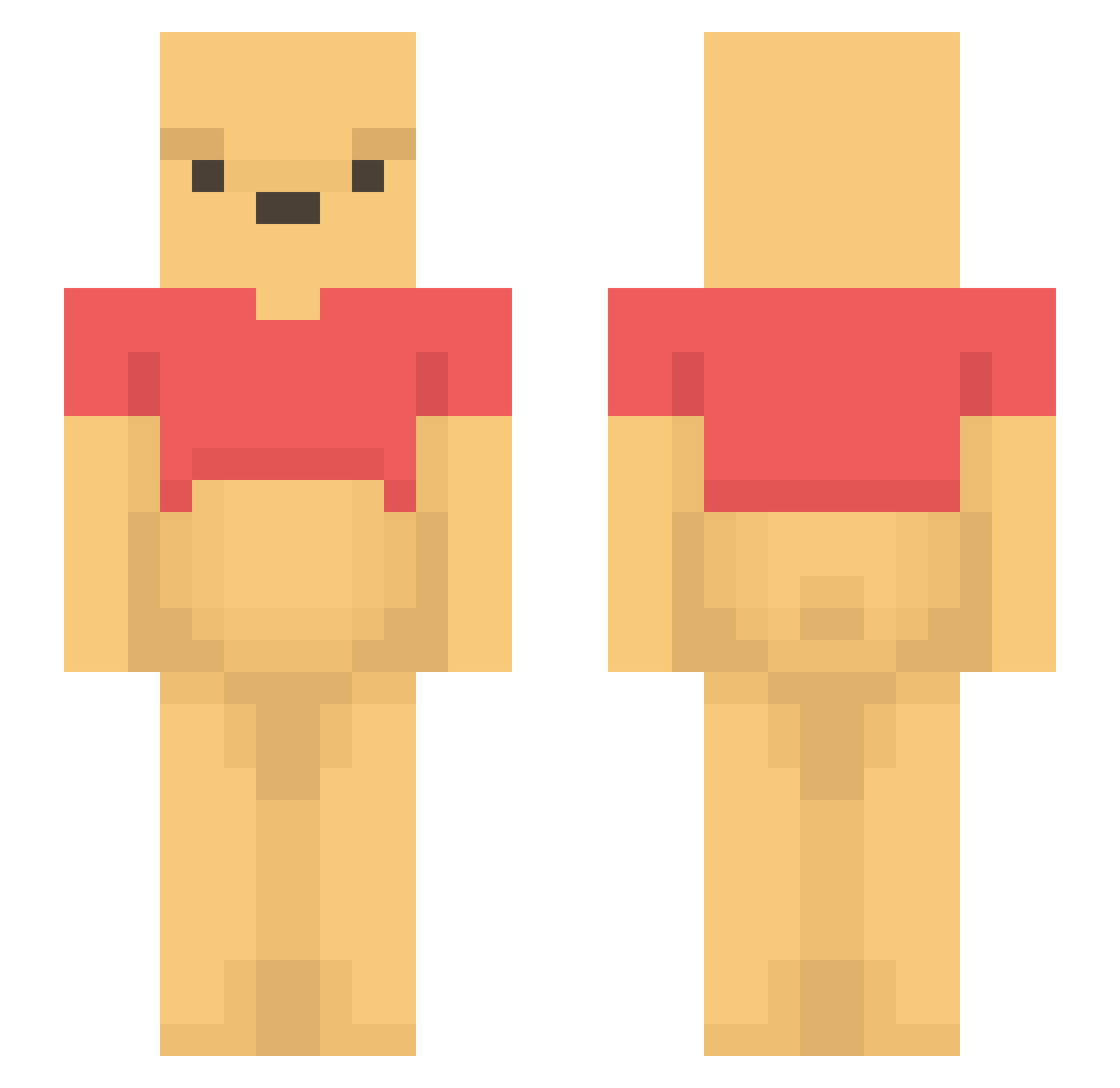
Current Minecraft skin of the player SzeretemATejet, loaded from the official Mojang API. Rotate the 3D model with your mouse or finger, then download the skin as a PNG file and use it in Minecraft: Bedrock Edition or Java Edition for free. When SzeretemATejet changes their skin, this page updates automatically and the old skin stays in the history below.
Other players with this skin (1101)
SzeretemATejet was the 279th player we have seen with this skin, first spotted on 17.08.2026. The same skin was seen on these players. Open a nickname to see their current skin and skin history.
 SORI707 Shiven59 kameda_3 cyan0912 Boxbred YuriTheDuck sea7221 takasi1234 michellexrgr sofa_bread WinnieDePooh_ 1Sugarbby KOMGUAM Aaqwer CrazyNicolas Sim0n_2006 BigFroggus 07Js Dobesbroz1 Yaniquee Direktheilung ryrb822 MiGiu ItsBambe uwu_nani MOONAEE Voronco Janglebutt GGoduck s1MON325 s6beiter elliebec3 SGMiX2 SeiKen__ Byungjinnn7 spretzly aronnnnnnnnnnn satisfacti0n miiickby Jama300 petitelala 005rs PaulanerNier Samtheman666 sauvvv SpreadPigu changsoon12 Thifleno LivvyThePooh danielprestige car_er my_Johnny_Depp simplysabs Aknu33 Reydawg911 RaRo0 nini_117 seungwoo0310 Cqqr FILIPO___
More Winnie The Pooh Minecraft skins
See all 292 Winnie The Pooh skins
How to install the SzeretemATejet skin
- Press the Download button above to save the skin as a PNG file.
- Minecraft: Bedrock Edition (PE): open the Dressing Room from the main menu (or tap your character → Edit Character), go to Classic Skins → Owned, press the + (new skin) button, choose the downloaded PNG and pick the Slim (Alex) model. Works on PC and mobile; consoles cannot import custom skins.
- Minecraft: Java Edition: open the Minecraft Launcher, go to the Skins tab, click New Skin, load the PNG, pick the Slim (Alex) model and press Save & Use. You can also upload it at minecraft.net → Profile → Change Skin.
The skin does not show up after import - what should I do?
Restart Minecraft and open the Dressing Room again - imported skins sometimes appear only after a restart. Also make sure you selected the imported skin and picked the Slim (Alex) model.
Which model should I choose, Classic or Slim?
This skin is designed for the Slim (Alex) model. If you pick the wrong model, the arms of the skin will look stretched or squeezed.
Is the skin of SzeretemATejet free to download?
Yes. Press Download, save the PNG file and use it in Minecraft: Bedrock Edition or Java Edition - no payment or registration needed. The skin also works on multiplayer servers and Realms.
More skins
Looking for more? Go back to all Minecraft skins and check the top skins of the week, month and all time, or find any player's skin by nickname.