
Samtheman666 - Minecraft Skins & Skin History
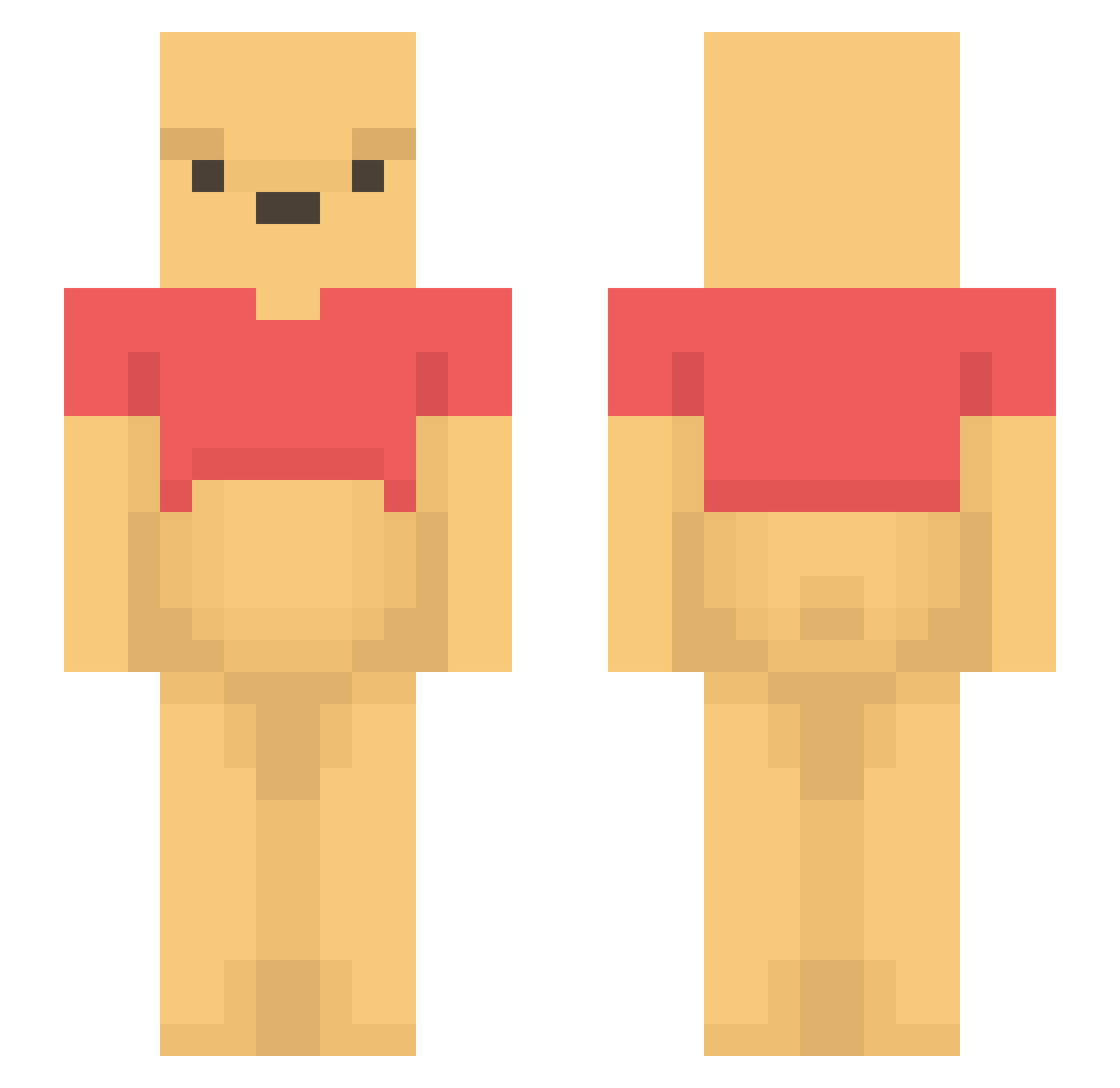
Current Minecraft skin of the player Samtheman666, loaded from the official Mojang API. Rotate the 3D model with your mouse or finger, then download the skin as a PNG file and use it in Minecraft: Bedrock Edition or Java Edition for free. When Samtheman666 changes their skin, this page updates automatically and the old skin stays in the history below.
Other players with this skin (1194)
Samtheman666 was the 259th player we have seen with this skin, first spotted on 15.08.2026. The same skin was seen on these players. Open a nickname to see their current skin and skin history.
 sauvvv PaulanerNier SpreadPigu miiickby Thifleno LivvyThePooh Byungjinnn7 s6beiter s1MON325 car_er my_Johnny_Depp simplysabs nini_117 MiGiu ryrb822 DarkNic Vysson Direktheilung Pouletfrit280 07Js BigFroggus ChrisTello bumsmuggler StreetMonkey199 RaizoTP CrazyNicolas Aaqwer aBlizZ Smeemen LinhCrestbykUwU AlbanianStallion WinnieDePooh_ michellexrgr takasi1234 sea7221 YuriTheDuck Boxbred zHRaki
 akemoriii _Raph06_ kameda_3 Uncle_Huddy luisillo50k jihoo88 Trancemage Mulyangzz SzeretemATejet TomMelb tipoto123 SORI707 Shiven59 Tuamoz IwillStealUrCat cyan0912 wnsduds100610 sofa_bread 1Sugarbby KOMGUAM Psilonemo rattyo0606
More Winnie The Pooh Minecraft skins
See all 305 Winnie The Pooh skins
How to install the Samtheman666 skin
- Press the Download button above to save the skin as a PNG file.
- Minecraft: Bedrock Edition (PE): open the Dressing Room from the main menu (or tap your character → Edit Character), go to Classic Skins → Owned, press the + (new skin) button, choose the downloaded PNG and pick the Slim (Alex) model. Works on PC and mobile; consoles cannot import custom skins.
- Minecraft: Java Edition: open the Minecraft Launcher, go to the Skins tab, click New Skin, load the PNG, pick the Slim (Alex) model and press Save & Use. You can also upload it at minecraft.net → Profile → Change Skin.
The skin does not show up after import - what should I do?
Restart Minecraft and open the Dressing Room again - imported skins sometimes appear only after a restart. Also make sure you selected the imported skin and picked the Slim (Alex) model.
Which model should I choose, Classic or Slim?
This skin is designed for the Slim (Alex) model. If you pick the wrong model, the arms of the skin will look stretched or squeezed.
Is the skin of Samtheman666 free to download?
Yes. Press Download, save the PNG file and use it in Minecraft: Bedrock Edition or Java Edition - no payment or registration needed. The skin also works on multiplayer servers and Realms.
More skins
Looking for more? Go back to all Minecraft skins and check the top skins of the week, month and all time, or find any player's skin by nickname.