
Syrix337 - Minecraft Skins & Skin History
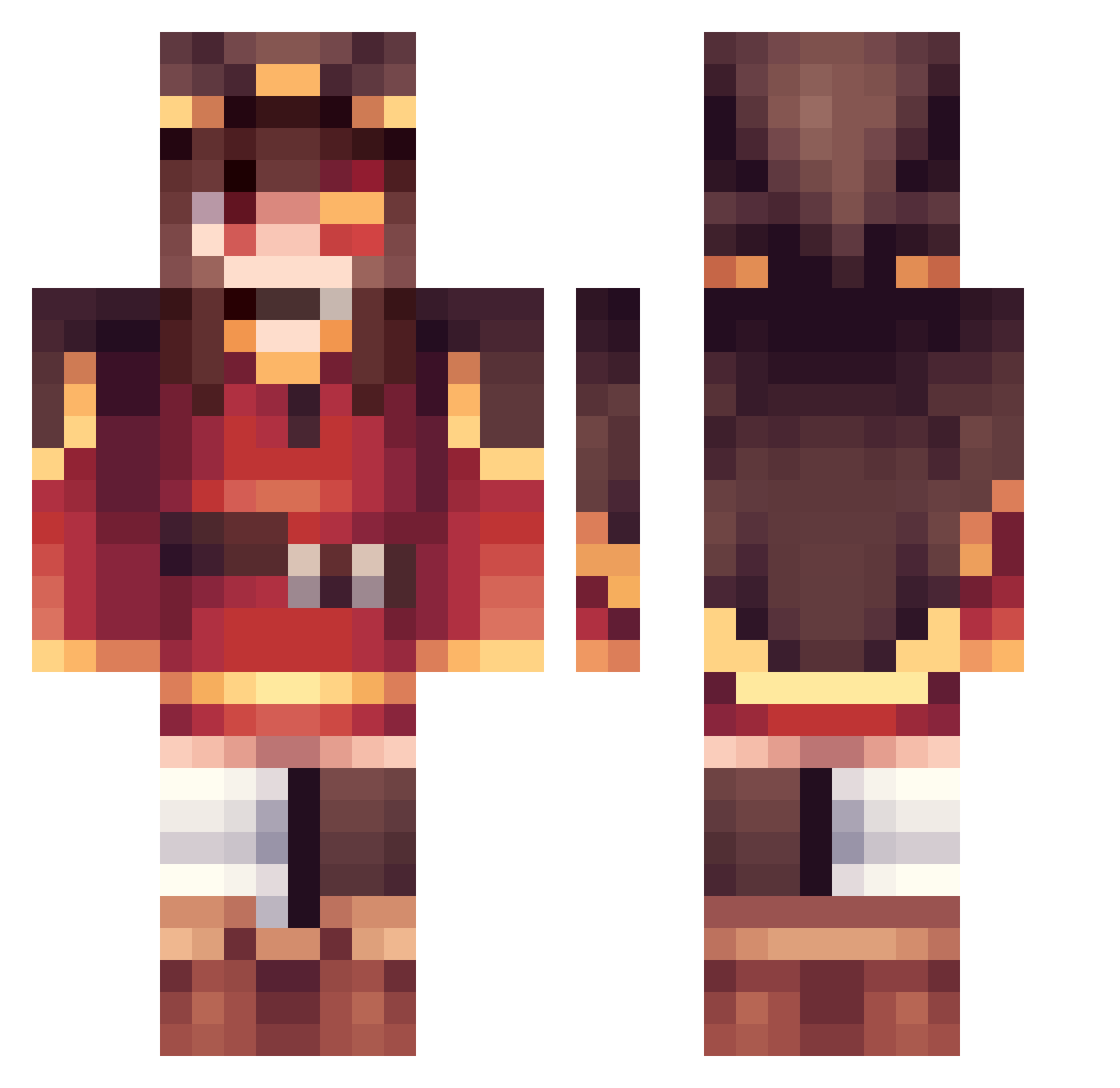
Current Minecraft skin of the player Syrix337, loaded from the official Mojang API. Rotate the 3D model with your mouse or finger, then download the skin as a PNG file and use it in Minecraft: Bedrock Edition or Java Edition for free. When Syrix337 changes their skin, this page updates automatically and the old skin stays in the history below.
Other players with this skin (360)
Syrix337 was the 230th player we have seen with this skin, first spotted on 01.10.2026. The same skin was seen on these players. Open a nickname to see their current skin and skin history.
 CNF24 KubaFaec SSlingyun zongerpp verbyn mdastarou Amaterasu_Mori Bambooyo777 Rexius6521 Nout_Ella HotDog577 Eueke mintsomething anotherBee123 FrozenShadow310 Shingi001 Aquileius Chunchunmaru01 SavitarGB raymond__1218 MugenSoul Lilly213 zshx MeguminReal chrislocones Dummiam EkniFive Skin30140 HongWolf Bochuelas The_bacon55 MATTHEWTHEBEST20 FEARLES5 092528 chomukat Earthwormjim994_ clausmic DR5E SeHy0518 AcerOver Hakaana TheExplosionLord cute_jo324 ZKlink peko321 OneExplosionGirl Automised xylucent EddyMtg97 JK_tree Weiyl20_Liu ChaoticProphet04 Mikus_Knights Sarudisu Me_gumin YourNham insono Bien8786_ ado1024imokenp_ timmmmm111
More Megumin Minecraft skins
How to install the Syrix337 skin
- Press the Download button above to save the skin as a PNG file.
- Minecraft: Bedrock Edition (PE): open the Dressing Room from the main menu (or tap your character → Edit Character), go to Classic Skins → Owned, press the + (new skin) button, choose the downloaded PNG and pick the Classic (Steve) model. Works on PC and mobile; consoles cannot import custom skins.
- Minecraft: Java Edition: open the Minecraft Launcher, go to the Skins tab, click New Skin, load the PNG, pick the Classic (Steve) model and press Save & Use. You can also upload it at minecraft.net → Profile → Change Skin.
The skin does not show up after import - what should I do?
Restart Minecraft and open the Dressing Room again - imported skins sometimes appear only after a restart. Also make sure you selected the imported skin and picked the Classic (Steve) model.
Which model should I choose, Classic or Slim?
This skin is designed for the Classic (Steve) model. If you pick the wrong model, the arms of the skin will look stretched or squeezed.
Is the skin of Syrix337 free to download?
Yes. Press Download, save the PNG file and use it in Minecraft: Bedrock Edition or Java Edition - no payment or registration needed. The skin also works on multiplayer servers and Realms.
More skins
Looking for more? Go back to all Minecraft skins and check the top skins of the week, month and all time, or find any player's skin by nickname.