
Sydalish - Minecraft Skins & Skin History
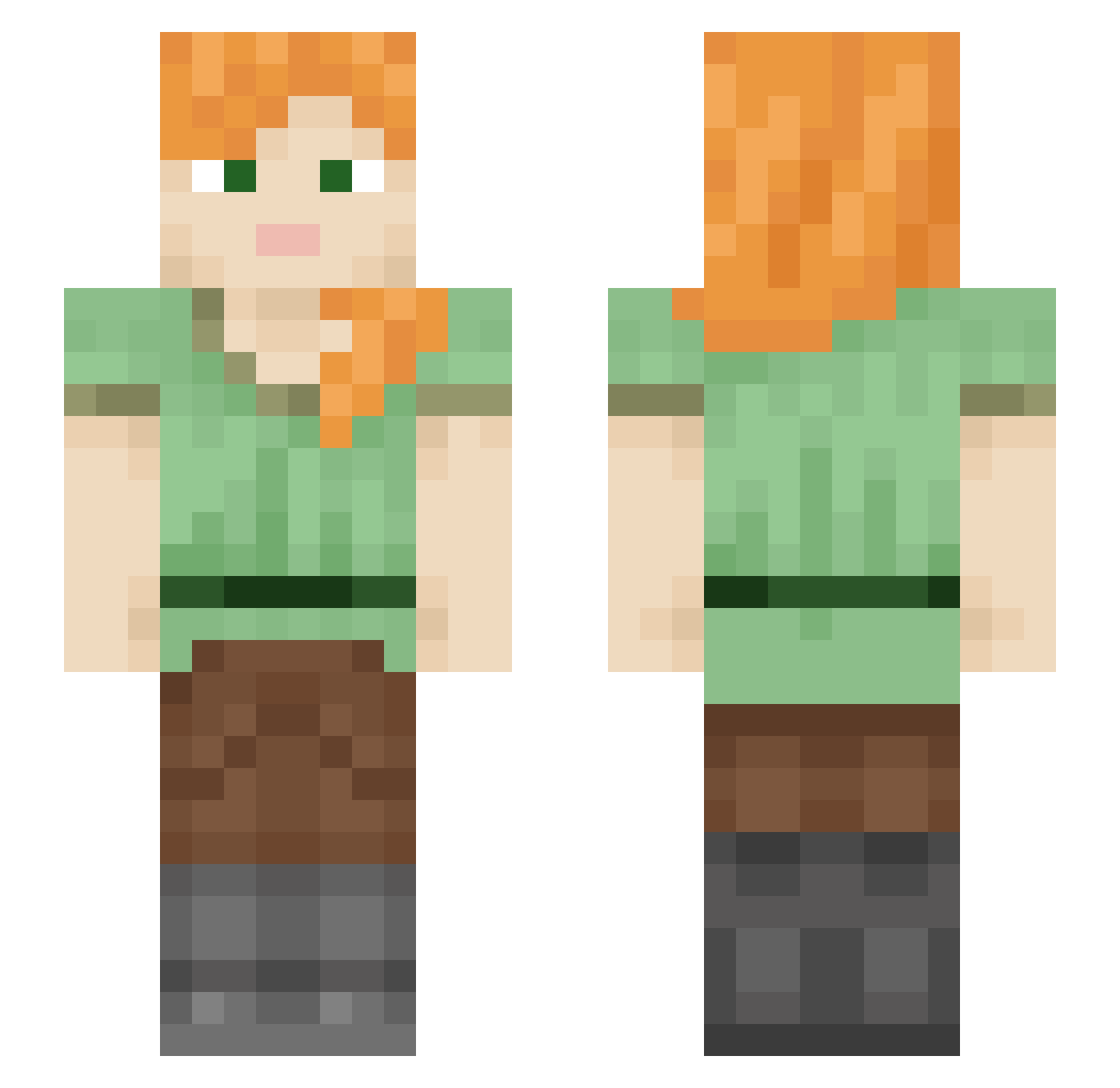
Current Minecraft skin of the player Sydalish, loaded from the official Mojang API. Rotate the 3D model with your mouse or finger, then download the skin as a PNG file and use it in Minecraft: Bedrock Edition or Java Edition for free. When Sydalish changes their skin, this page updates automatically and the old skin stays in the history below.
Other players with this skin (599)
Sydalish was the 445th player we have seen with this skin, first spotted on 15.10.2026. The same skin was seen on these players. Open a nickname to see their current skin and skin history.
 Saris06 GhostLucien JiuSiG Nat080 zoatlow WG666 Blue_Aeroplane GiGiWasabiX13 MUYEXIHU Abyss12 Renate95 chuckystig Watermelon0821 5binky Jujubug98 aquiles22 pelusita_uwu 0fpsxd CrystalClaw123 ach55 Eilan17 shu8ka bikabukaaa pomolimsy AuntyNoArms_14 PrettyElysia biggestdiao Revocatas As2037 RavenTheParadox clandestinekilla Pandamonium1233 ZihZih floralyellow DoGather12 Kirolka acetaminophen03 eieit Fearian Frwere paji123 Xidney aopink_0501 Jbabe20 Sblurks Unicorn_AMB sujiqiu marblecoffee Dawn_88 Nastja888 DinoGirl48 Martieemar KyoungSu Msstallion Dragonblack3324 LINK16161 Mirven AULASSSSSS FloDoggy123 MGnano19
How to install the Sydalish skin
- Press the Download button above to save the skin as a PNG file.
- Minecraft: Bedrock Edition (PE): open the Dressing Room from the main menu (or tap your character → Edit Character), go to Classic Skins → Owned, press the + (new skin) button, choose the downloaded PNG and pick the Slim (Alex) model. Works on PC and mobile; consoles cannot import custom skins.
- Minecraft: Java Edition: open the Minecraft Launcher, go to the Skins tab, click New Skin, load the PNG, pick the Slim (Alex) model and press Save & Use. You can also upload it at minecraft.net → Profile → Change Skin.
The skin does not show up after import - what should I do?
Restart Minecraft and open the Dressing Room again - imported skins sometimes appear only after a restart. Also make sure you selected the imported skin and picked the Slim (Alex) model.
Which model should I choose, Classic or Slim?
This skin is designed for the Slim (Alex) model. If you pick the wrong model, the arms of the skin will look stretched or squeezed.
Is the skin of Sydalish free to download?
Yes. Press Download, save the PNG file and use it in Minecraft: Bedrock Edition or Java Edition - no payment or registration needed. The skin also works on multiplayer servers and Realms.
More skins
Looking for more? Go back to all Minecraft skins and check the top skins of the week, month and all time, or find any player's skin by nickname.