
SwgRush - Minecraft Skins & Skin History
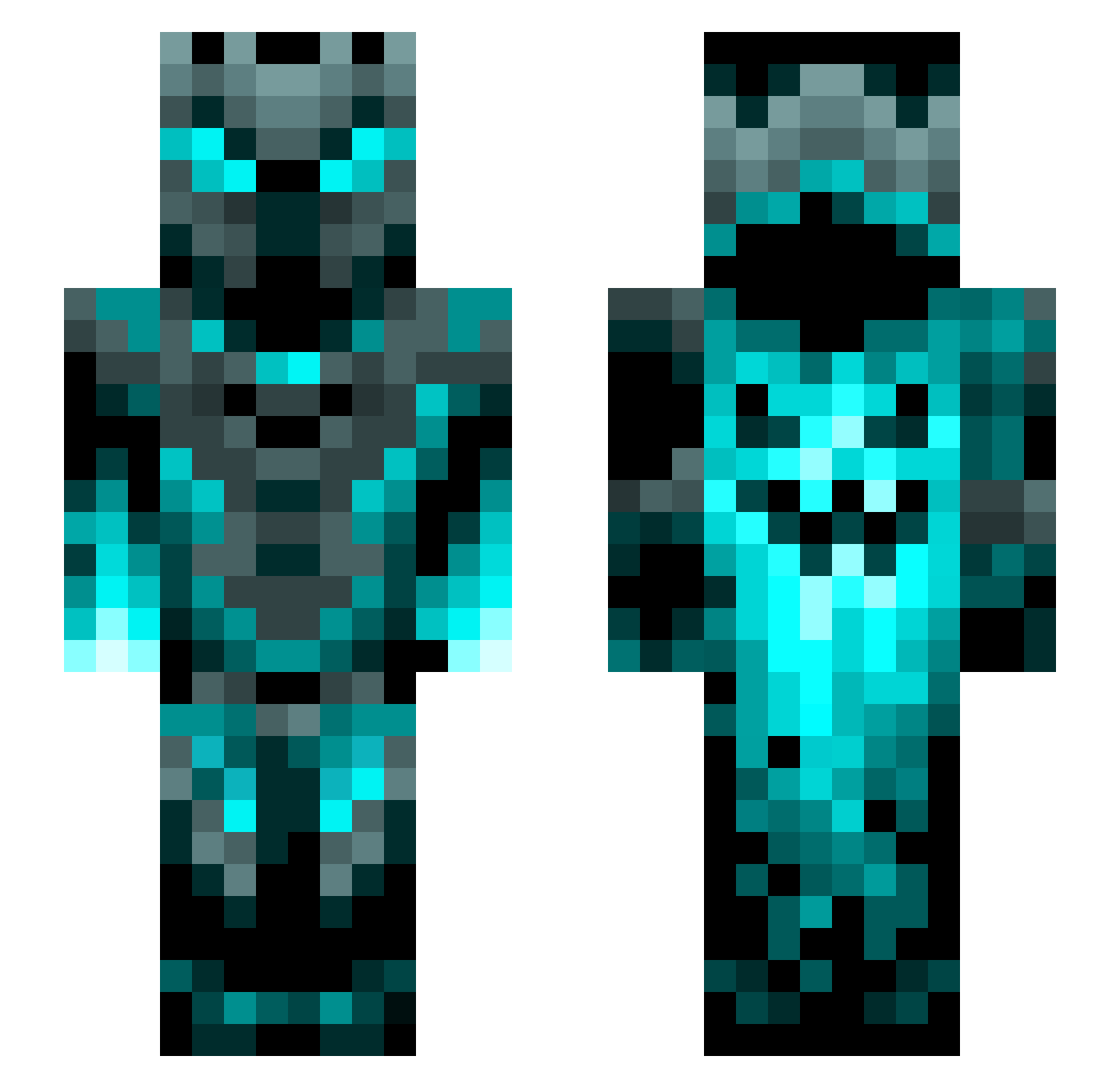
Current Minecraft skin of the player SwgRush, loaded from the official Mojang API. Rotate the 3D model with your mouse or finger, then download the skin as a PNG file and use it in Minecraft: Bedrock Edition or Java Edition for free. When SwgRush changes their skin, this page updates automatically and the old skin stays in the history below.
Other players with this skin (1272)
SwgRush was the 152nd player we have seen with this skin, first spotted on 08.08.2026. The same skin was seen on these players. Open a nickname to see their current skin and skin history.
 BUSCHHHHHHLT JaxDragon hitachi2009 Marv2006 CHAD_BENTLEY Sokol_Zero Gangster4702 rainypenguin373 riffgod24 Parralax4 tony108311 tomerlavi Conperr Cala_00 carcrusher944 antek235 Kajasaurus18 OneCrazyDude92 TheVoidfex FuryAmsterdam gandSion KDG_mighty Timthecreator1 Itzhanz165 JUNGSCHIjojo AStarck joe7hx Sophie_Anne97 Baracouto Hipeoples0786 Thom314 bosmuha_ metalzone2103 Onesmus Akumadas alvarog31 Dragran Knorroc GHT_VMP Mthai19 NinOrion Hardaboss gaijinlag Slate197 dj_lucky _ItZeroTwo_ Botbrainz5 Xamarento Klettercarl J0rdanK rrangeronee JohnsonLiao ilovedogs503 GreazyWookie Nabby803 Nubhu Gergo2468 slicknick2727 Gustinator3000 Cryptedbeast
More Phantom Minecraft skins
How to install the SwgRush skin
- Press the Download button above to save the skin as a PNG file.
- Minecraft: Bedrock Edition (PE): open the Dressing Room from the main menu (or tap your character → Edit Character), go to Classic Skins → Owned, press the + (new skin) button, choose the downloaded PNG and pick the Slim (Alex) model. Works on PC and mobile; consoles cannot import custom skins.
- Minecraft: Java Edition: open the Minecraft Launcher, go to the Skins tab, click New Skin, load the PNG, pick the Slim (Alex) model and press Save & Use. You can also upload it at minecraft.net → Profile → Change Skin.
The skin does not show up after import - what should I do?
Restart Minecraft and open the Dressing Room again - imported skins sometimes appear only after a restart. Also make sure you selected the imported skin and picked the Slim (Alex) model.
Which model should I choose, Classic or Slim?
This skin is designed for the Slim (Alex) model. If you pick the wrong model, the arms of the skin will look stretched or squeezed.
Is the skin of SwgRush free to download?
Yes. Press Download, save the PNG file and use it in Minecraft: Bedrock Edition or Java Edition - no payment or registration needed. The skin also works on multiplayer servers and Realms.
More skins
Looking for more? Go back to all Minecraft skins and check the top skins of the week, month and all time, or find any player's skin by nickname.