
Swarlos1 - Minecraft Skins & Skin History
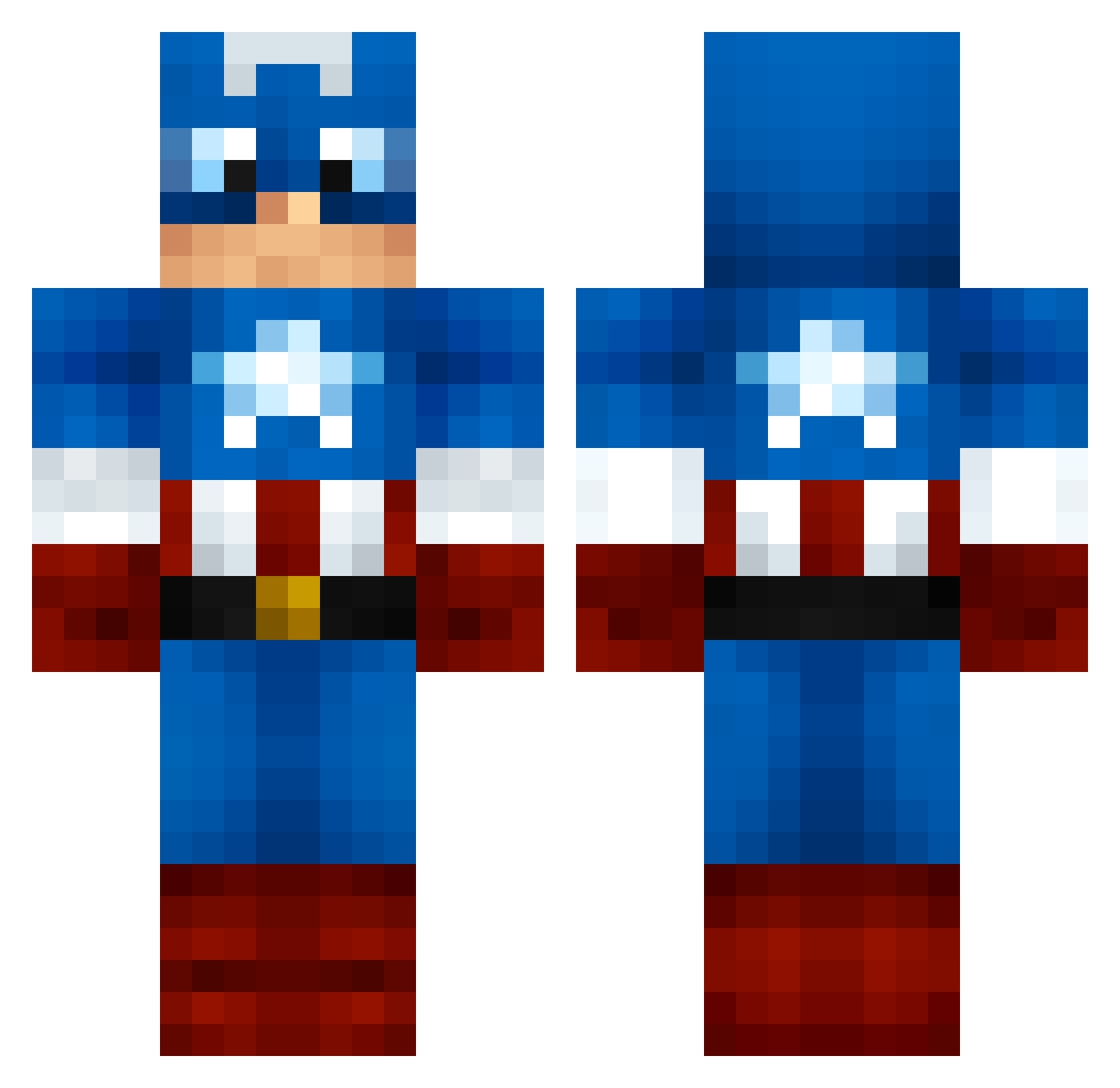
Current Minecraft skin of the player Swarlos1, loaded from the official Mojang API. Rotate the 3D model with your mouse or finger, then download the skin as a PNG file and use it in Minecraft: Bedrock Edition or Java Edition for free. When Swarlos1 changes their skin, this page updates automatically and the old skin stays in the history below.
Other players with this skin (159)
Swarlos1 was the 21st player we have seen with this skin, first spotted on 09.08.2026. The same skin was seen on these players. Open a nickname to see their current skin and skin history.
 brunoliegi Verturox JavaJunkie RobbinInDaHood Brian_jan05 Nuubven Xx_nubidu36_xX PwanPwan BeuHckY EagleEye314 The_SP1KE yuyyun1 Peachro Divyansh2203 lappp fennel8901 murabitop Bigglesworth20 mad_chad04 Sen_Luo Hetrovono masterking4952 kentaomura BeornXL Lupo01 WillisTV aCanadiansCousin dubu10 Anson0925 taupvp WDK_duckle fngkestrel seniag143 PresageRevenant Deathangel0182 Zendril19 MatiStar67 xAntonRoughx fluffydomin8tor keithonmona God_is_in Demidra Appology qiaofeng DefiantBeast111 NamedTree PPsol LittleTreat Watson0808 symbos70 LAVASTEP xXGoldinaXx starfighter501 Cook22_ CRMalark emoAMING crunchy_ducky1 AB0TZ Mystyrion7 Psyym
More Captain America Minecraft skins
See all 147 Captain America skins
How to install the Swarlos1 skin
- Press the Download button above to save the skin as a PNG file.
- Minecraft: Bedrock Edition (PE): open the Dressing Room from the main menu (or tap your character → Edit Character), go to Classic Skins → Owned, press the + (new skin) button, choose the downloaded PNG and pick the Classic (Steve) model. Works on PC and mobile; consoles cannot import custom skins.
- Minecraft: Java Edition: open the Minecraft Launcher, go to the Skins tab, click New Skin, load the PNG, pick the Classic (Steve) model and press Save & Use. You can also upload it at minecraft.net → Profile → Change Skin.
The skin does not show up after import - what should I do?
Restart Minecraft and open the Dressing Room again - imported skins sometimes appear only after a restart. Also make sure you selected the imported skin and picked the Classic (Steve) model.
Which model should I choose, Classic or Slim?
This skin is designed for the Classic (Steve) model. If you pick the wrong model, the arms of the skin will look stretched or squeezed.
Is the skin of Swarlos1 free to download?
Yes. Press Download, save the PNG file and use it in Minecraft: Bedrock Edition or Java Edition - no payment or registration needed. The skin also works on multiplayer servers and Realms.
More skins
Looking for more? Go back to all Minecraft skins and check the top skins of the week, month and all time, or find any player's skin by nickname.