
Mystyrion7 - Minecraft Skins & Skin History
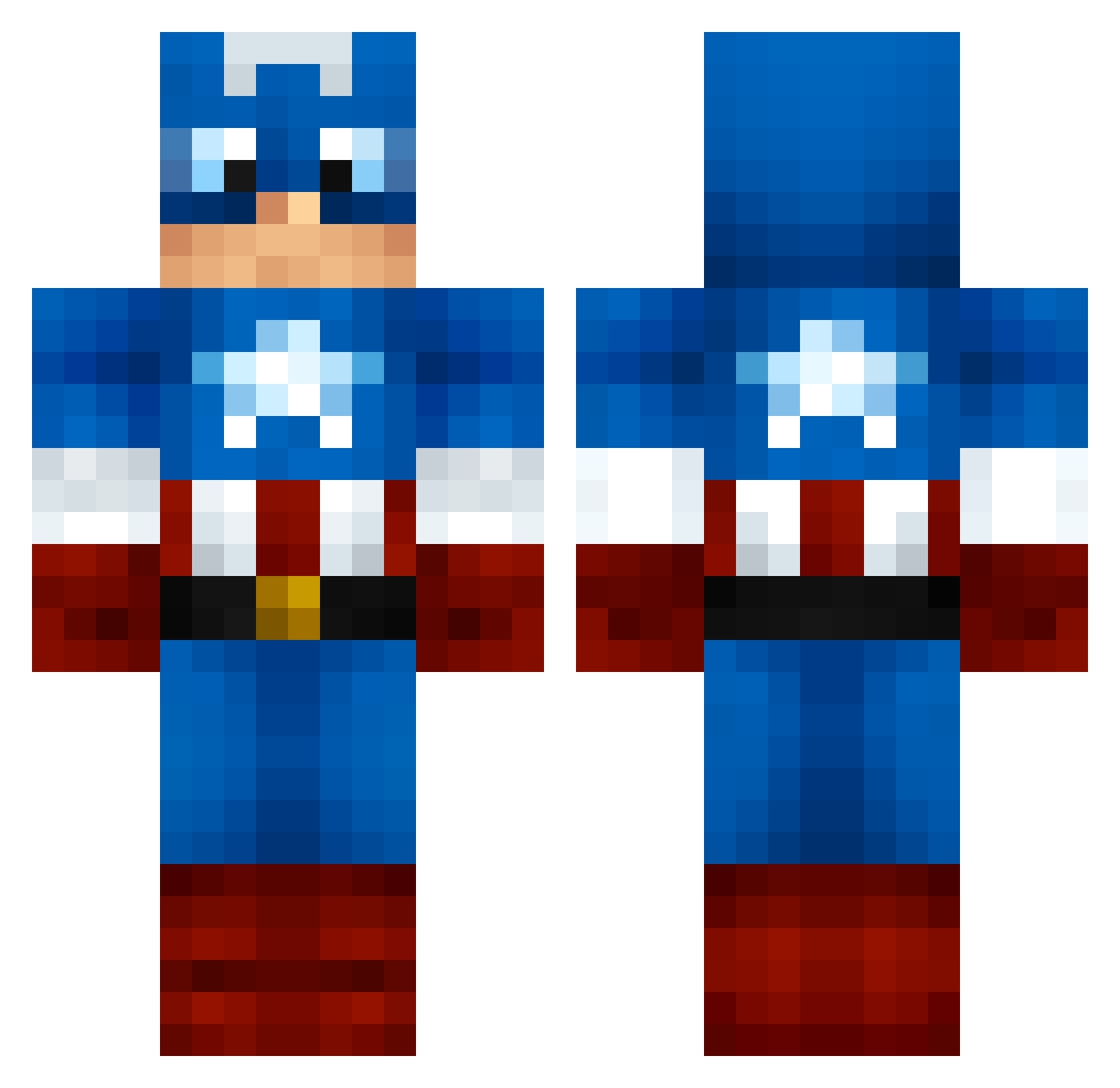
Current Minecraft skin of the player Mystyrion7, loaded from the official Mojang API. Rotate the 3D model with your mouse or finger, then download the skin as a PNG file and use it in Minecraft: Bedrock Edition or Java Edition for free. When Mystyrion7 changes their skin, this page updates automatically and the old skin stays in the history below.
Other players with this skin (159)
Mystyrion7 was the 60th player we have seen with this skin, first spotted on 08.09.2026. The same skin was seen on these players. Open a nickname to see their current skin and skin history.
 Psyym Myst_Pres yxc4747 AB0TZ tyggis02 crunchy_ducky1 emoAMING StarkillerRA Little_Allon CRMalark jaejade101 Cook22_ Stryckr Oduk9 starfighter501 xXGoldinaXx ReformedChip290 LAVASTEP symbos70 Skunk32 _KidCharlemagne_ Watson0808 LittleTreat PPsol Monkeyshine626 xiao5_666 DefiantBeast111 perish Captain_Snackin Eclairs007 bananaman444 ColonelsBy90 Krullknull qiaofeng Appology TopShelfSniper29 IM_rafaX002 TheMeanDane God_is_in IsaiahAyea zalejxwao Salatutu fluffydomin8tor Crazy4Bacon1 Rington xAntonRoughx Jbooger123 Neri_Lopez2014 DaFirstBrovenger bigpicture16 Saikou_ KingCrassus POLMAN91 nzyongki fngkestrel windheadon Eagle1Fox5 MrAwesome808 taupvp Westaria
More Captain America Minecraft skins
See all 147 Captain America skins
How to install the Mystyrion7 skin
- Press the Download button above to save the skin as a PNG file.
- Minecraft: Bedrock Edition (PE): open the Dressing Room from the main menu (or tap your character → Edit Character), go to Classic Skins → Owned, press the + (new skin) button, choose the downloaded PNG and pick the Classic (Steve) model. Works on PC and mobile; consoles cannot import custom skins.
- Minecraft: Java Edition: open the Minecraft Launcher, go to the Skins tab, click New Skin, load the PNG, pick the Classic (Steve) model and press Save & Use. You can also upload it at minecraft.net → Profile → Change Skin.
The skin does not show up after import - what should I do?
Restart Minecraft and open the Dressing Room again - imported skins sometimes appear only after a restart. Also make sure you selected the imported skin and picked the Classic (Steve) model.
Which model should I choose, Classic or Slim?
This skin is designed for the Classic (Steve) model. If you pick the wrong model, the arms of the skin will look stretched or squeezed.
Is the skin of Mystyrion7 free to download?
Yes. Press Download, save the PNG file and use it in Minecraft: Bedrock Edition or Java Edition - no payment or registration needed. The skin also works on multiplayer servers and Realms.
More skins
Looking for more? Go back to all Minecraft skins and check the top skins of the week, month and all time, or find any player's skin by nickname.