
Swag_hond - Minecraft Skins & Skin History
Current Minecraft skin of the player Swag_hond, loaded from the official Mojang API. Rotate the 3D model with your mouse or finger, then download the skin as a PNG file and use it in Minecraft: Bedrock Edition or Java Edition for free. When Swag_hond changes their skin, this page updates automatically and the old skin stays in the history below.
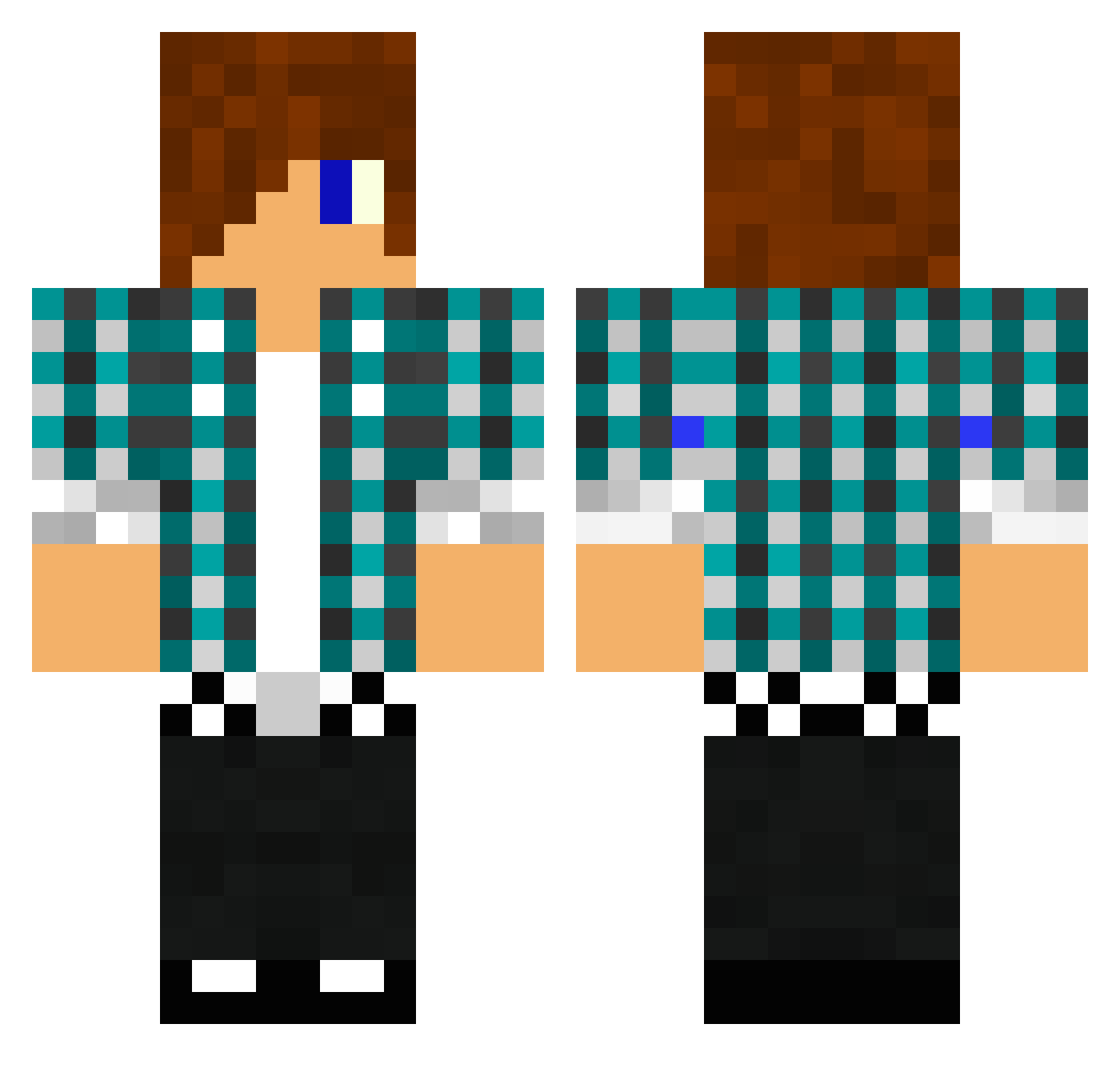
Other players with this skin (1476)
Swag_hond was the 1234th player we have seen with this skin, first spotted on 26.10.2026. The same skin was seen on these players. Open a nickname to see their current skin and skin history.
 Wolksnz CJunderwood Omjonake creepytind bigface2012 probuilder992 olivermoberg brodyand11 sundell1 KaareFl firefoxman101 OverlordPuma kbloo segasi skenboy Namikaze10 DJMIKEYP Thomasserra KebabSlayer2K Andy_1904 Baddog696 janjanosch SteveRulz2013 EnzohAlt3 ryan1boss DnDR3aCTioNs DanneW99 xxl3g1tsw4gxx23 wolflover866 BMCG7 Anner3008 17dmcquilkin mrminer1104 spidermansam04 marconi7255 adam9824 rikesera neharad monkeyuser1225 DSLxProspect TrashBukket GrimKid96 patrickminott hulluk2 RebelToxin LindaFortney8564 Chiinn _nofex_ God4ce Maccas_Wifi stormvirgo1441 toddh7896 Exportings17 ymerphillip iceman44424 smcmasan trippin47 octosqiddy zoltan7 DustDevilMan
More Emo Minecraft skins
How to install the Swag_hond skin
- Press the Download button above to save the skin as a PNG file.
- Minecraft: Bedrock Edition (PE): open the Dressing Room from the main menu (or tap your character → Edit Character), go to Classic Skins → Owned, press the + (new skin) button, choose the downloaded PNG and pick the Classic (Steve) model. Works on PC and mobile; consoles cannot import custom skins.
- Minecraft: Java Edition: open the Minecraft Launcher, go to the Skins tab, click New Skin, load the PNG, pick the Classic (Steve) model and press Save & Use. You can also upload it at minecraft.net → Profile → Change Skin.
The skin does not show up after import - what should I do?
Restart Minecraft and open the Dressing Room again - imported skins sometimes appear only after a restart. Also make sure you selected the imported skin and picked the Classic (Steve) model.
Which model should I choose, Classic or Slim?
This skin is designed for the Classic (Steve) model. If you pick the wrong model, the arms of the skin will look stretched or squeezed.
Is the skin of Swag_hond free to download?
Yes. Press Download, save the PNG file and use it in Minecraft: Bedrock Edition or Java Edition - no payment or registration needed. The skin also works on multiplayer servers and Realms.
More skins
Looking for more? Go back to all Minecraft skins and check the top skins of the week, month and all time, or find any player's skin by nickname.