
Superopa - Minecraft Skins & Skin History
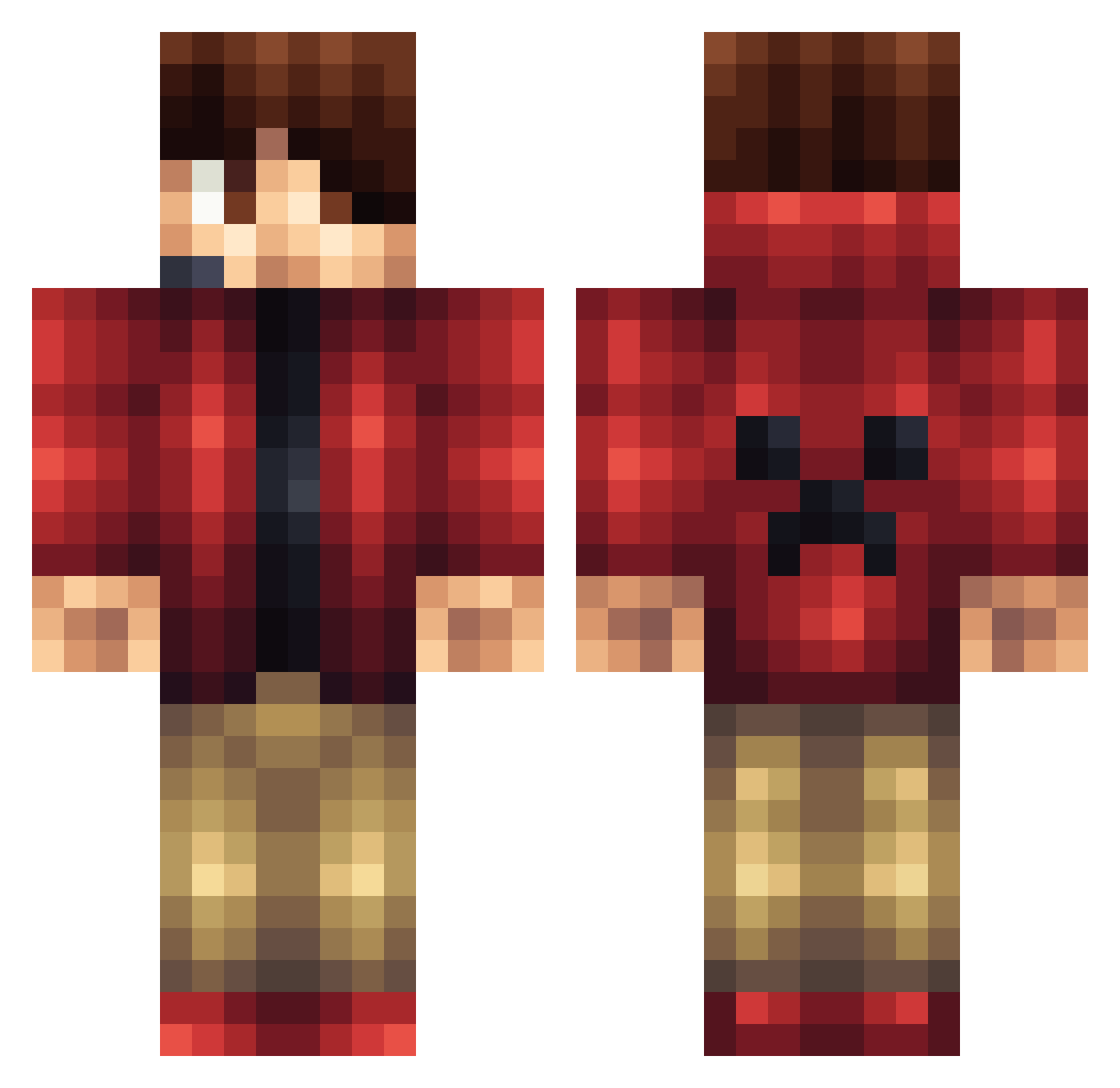
Current Minecraft skin of the player Superopa, loaded from the official Mojang API. Rotate the 3D model with your mouse or finger, then download the skin as a PNG file and use it in Minecraft: Bedrock Edition or Java Edition for free. When Superopa changes their skin, this page updates automatically and the old skin stays in the history below.
Other players with this skin (1164)
Superopa was the 262nd player we have seen with this skin, first spotted on 19.08.2026. The same skin was seen on these players. Open a nickname to see their current skin and skin history.
 Oskar1z fishfish6 CuriosityCola Solo1656 MbRocker OPxWOLF xxBrutieColtxx craftingstar376 Fridge3 AdrianFagerjord puppet_of_hd ConnectedCameron TexanPvP thiesenjn Ghost_Rider_214 Trolli456 Caseyboy423 ecoleriverside22 DawnHydra Mrboo1 alexnoprob Goat179 Ligones Tikytom thrasher723 Dantes_ss Choispher Lord_Gunner Rubik011 leowmartin deepestyeti4349 JakeTheKidd Sinema4De TrolleHakko ImaginePanda ushimp3 jancosambaer MonoxideHero l_renz darkskillot wms366 elliotgoward Cody_the_VIPER Anup Riley613 Rename360 ItsAnDo TheeNinja Viktory0504 HuenYu XloreX gamerpxl jonasengdahl LachieXx Camby78 dannyballyk m1101 chaserspacers8 iNombie blackjack_45
More Headset Minecraft skins
How to install the Superopa skin
- Press the Download button above to save the skin as a PNG file.
- Minecraft: Bedrock Edition (PE): open the Dressing Room from the main menu (or tap your character → Edit Character), go to Classic Skins → Owned, press the + (new skin) button, choose the downloaded PNG and pick the Classic (Steve) model. Works on PC and mobile; consoles cannot import custom skins.
- Minecraft: Java Edition: open the Minecraft Launcher, go to the Skins tab, click New Skin, load the PNG, pick the Classic (Steve) model and press Save & Use. You can also upload it at minecraft.net → Profile → Change Skin.
The skin does not show up after import - what should I do?
Restart Minecraft and open the Dressing Room again - imported skins sometimes appear only after a restart. Also make sure you selected the imported skin and picked the Classic (Steve) model.
Which model should I choose, Classic or Slim?
This skin is designed for the Classic (Steve) model. If you pick the wrong model, the arms of the skin will look stretched or squeezed.
Is the skin of Superopa free to download?
Yes. Press Download, save the PNG file and use it in Minecraft: Bedrock Edition or Java Edition - no payment or registration needed. The skin also works on multiplayer servers and Realms.
More skins
Looking for more? Go back to all Minecraft skins and check the top skins of the week, month and all time, or find any player's skin by nickname.