
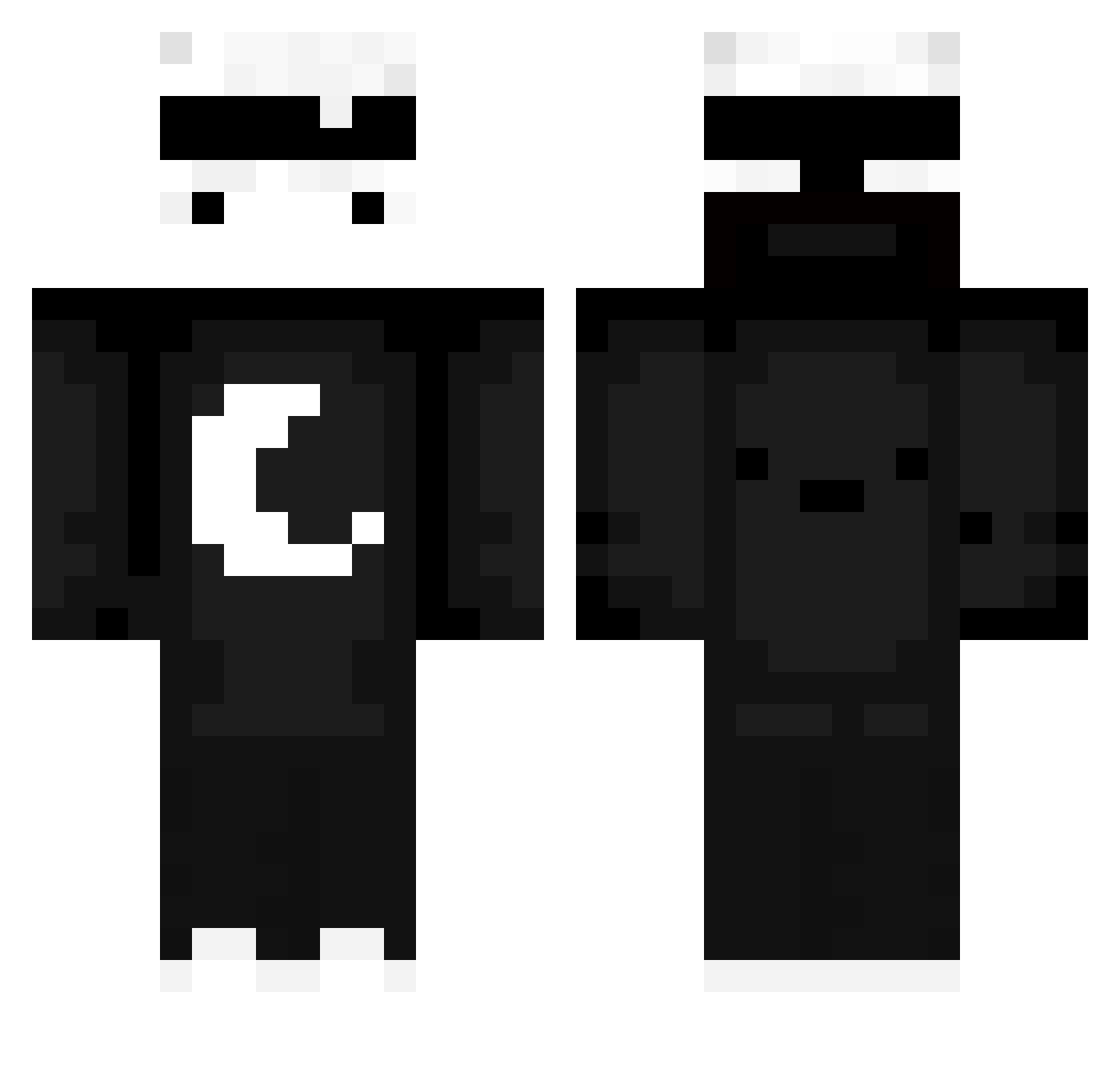
Current Minecraft skin of the player Sunzecks_1, loaded from the official Mojang API. Rotate the 3D model with your mouse or finger, then download the skin as a PNG file and use it in Minecraft: Bedrock Edition or Java Edition for free. When Sunzecks_1 changes their skin, this page updates automatically and the old skin stays in the history below.
Other players with this skin (534)
Sunzecks_1 was the 293rd player we have seen with this skin, first spotted on 16.09.2026. The same skin was seen on these players. Open a nickname to see their current skin and skin history.
 Aiktz kttmcrj tonieszymus Joppie07 Zero070 KomboBaum Shadow4323 1Cipher Woodkidliffe OrionSnow0 asaispipars12345 TabularCloth881 Lightpro11 xuinsao Xonex_5 CrusyAce BigRaxen0222 _BladimirP_ Titanx04 RobyW PRB_ t1ng_EZ XxVILEX Supreme_GAMER233 Tevaaa yosoybabiii AchLezz Manddi 2benji1 soooobin_o3o DrZoomii IchBinHolsteiner Nemo0120 ADN18 Sotox_ C_ribug Citzory MaxiRush _Fragezeichen wakacyjnie tetetris danjoe111 samuca0078
 xodia_24 Dreesmi TadeoElSinNovia charlieboy77k KeksuByczq AUTI5 iTzAsaro fang67 Vivreno Simul8tor Artem1ck PCritDrakerX wroniasty XXX_3li_XXX youngerdeim Tasmo_3 Mandohunis1129
More Moon Minecraft skins
How to install the Sunzecks_1 skin
- Press the Download button above to save the skin as a PNG file.
- Minecraft: Bedrock Edition (PE): open the Dressing Room from the main menu (or tap your character → Edit Character), go to Classic Skins → Owned, press the + (new skin) button, choose the downloaded PNG and pick the Classic (Steve) model. Works on PC and mobile; consoles cannot import custom skins.
- Minecraft: Java Edition: open the Minecraft Launcher, go to the Skins tab, click New Skin, load the PNG, pick the Classic (Steve) model and press Save & Use. You can also upload it at minecraft.net → Profile → Change Skin.
The skin does not show up after import - what should I do?
Restart Minecraft and open the Dressing Room again - imported skins sometimes appear only after a restart. Also make sure you selected the imported skin and picked the Classic (Steve) model.
Which model should I choose, Classic or Slim?
This skin is designed for the Classic (Steve) model. If you pick the wrong model, the arms of the skin will look stretched or squeezed.
Is the skin of Sunzecks_1 free to download?
Yes. Press Download, save the PNG file and use it in Minecraft: Bedrock Edition or Java Edition - no payment or registration needed. The skin also works on multiplayer servers and Realms.
More skins
Looking for more? Go back to all Minecraft skins and check the top skins of the week, month and all time, or find any player's skin by nickname.