
Sunsandseamoons - Minecraft Skins & Skin History
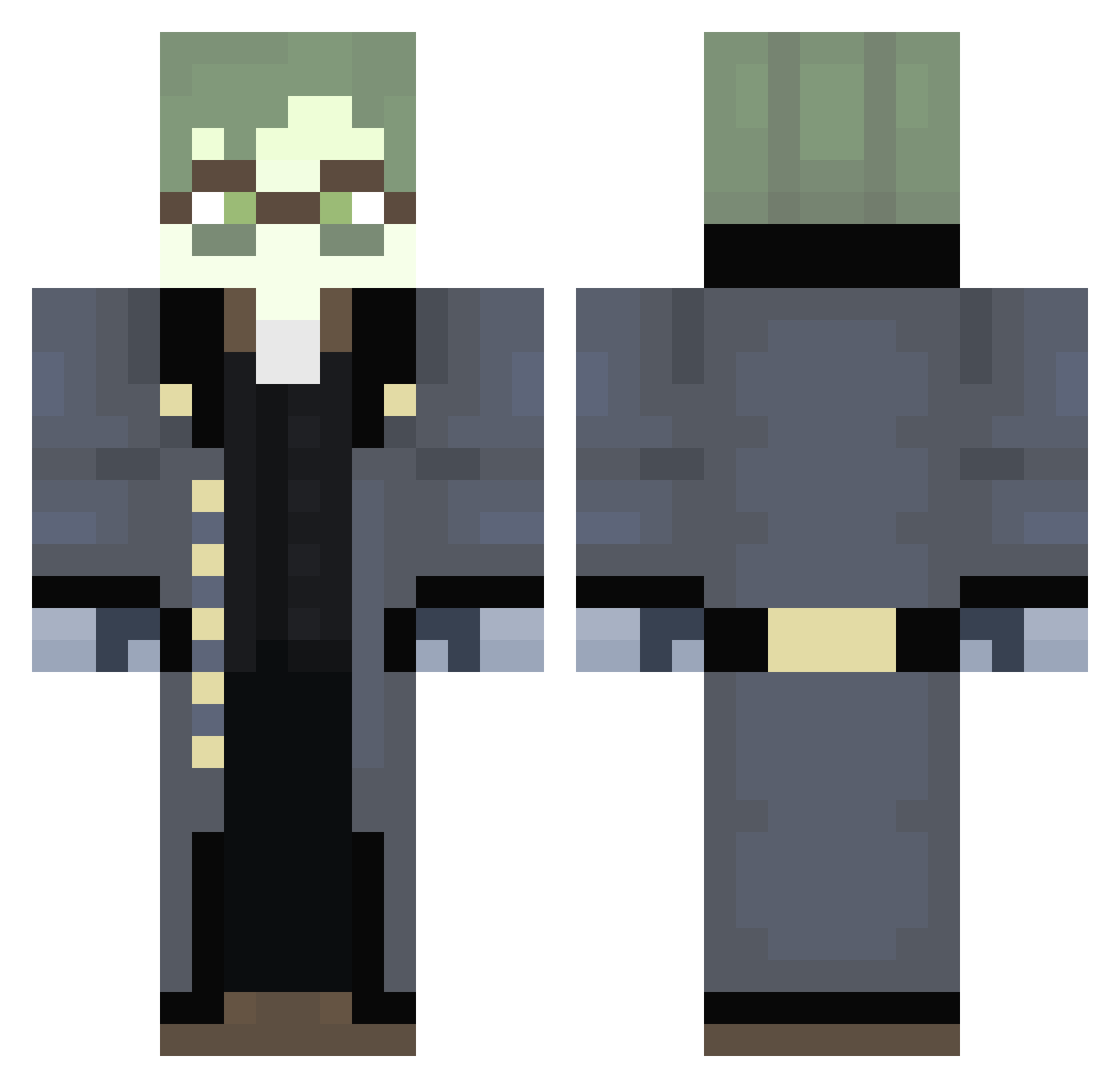
Current Minecraft skin of the player Sunsandseamoons, loaded from the official Mojang API. Rotate the 3D model with your mouse or finger, then download the skin as a PNG file and use it in Minecraft: Bedrock Edition or Java Edition for free. When Sunsandseamoons changes their skin, this page updates automatically and the old skin stays in the history below.
Other players with this skin (293)
Sunsandseamoons was the 37th player we have seen with this skin, first spotted on 08.08.2026. The same skin was seen on these players. Open a nickname to see their current skin and skin history.
 AmIBigBrain Bored4rtist Iontknowyet ftmcky LinhzYneJ0623 CarterFarter121 hotshotkkzz
 TheVerminMan TwifMan h0ky12 Sonergur DukeErisia Stel0bas Slain_Master Banktzy sharkypizza111 GlobalOval paraslaakimies Boblies StinkBombBaker _Tougs08 aasyraa Orphan423 constable3 jesterian RinnYeet KurtSilly MrW4ffless Leowashere360 The2000Vixon
 TheDukeErisia Rondeath OkayWinnerYT dr_dolphln BurntThanatoast _Ferry_man_ labbanana AllusionsGuy Magitora Jonasvsingh PABLOBUSTER25 Maurss dragonscki FazzaFake Himshire Blankerthanyou LensWok Wodkiii iicmal zyblock casualityyy JBOY26 Alex_82 Darth_Beezers Armin556 m1sonsnowy UnPot2Nutella Sympanties pipe10n DanteN0va
More Detective Minecraft skins
How to install the Sunsandseamoons skin
- Press the Download button above to save the skin as a PNG file.
- Minecraft: Bedrock Edition (PE): open the Dressing Room from the main menu (or tap your character → Edit Character), go to Classic Skins → Owned, press the + (new skin) button, choose the downloaded PNG and pick the Classic (Steve) model. Works on PC and mobile; consoles cannot import custom skins.
- Minecraft: Java Edition: open the Minecraft Launcher, go to the Skins tab, click New Skin, load the PNG, pick the Classic (Steve) model and press Save & Use. You can also upload it at minecraft.net → Profile → Change Skin.
The skin does not show up after import - what should I do?
Restart Minecraft and open the Dressing Room again - imported skins sometimes appear only after a restart. Also make sure you selected the imported skin and picked the Classic (Steve) model.
Which model should I choose, Classic or Slim?
This skin is designed for the Classic (Steve) model. If you pick the wrong model, the arms of the skin will look stretched or squeezed.
Is the skin of Sunsandseamoons free to download?
Yes. Press Download, save the PNG file and use it in Minecraft: Bedrock Edition or Java Edition - no payment or registration needed. The skin also works on multiplayer servers and Realms.
More skins
Looking for more? Go back to all Minecraft skins and check the top skins of the week, month and all time, or find any player's skin by nickname.