
SugarDaddyT - Minecraft Skins & Skin History
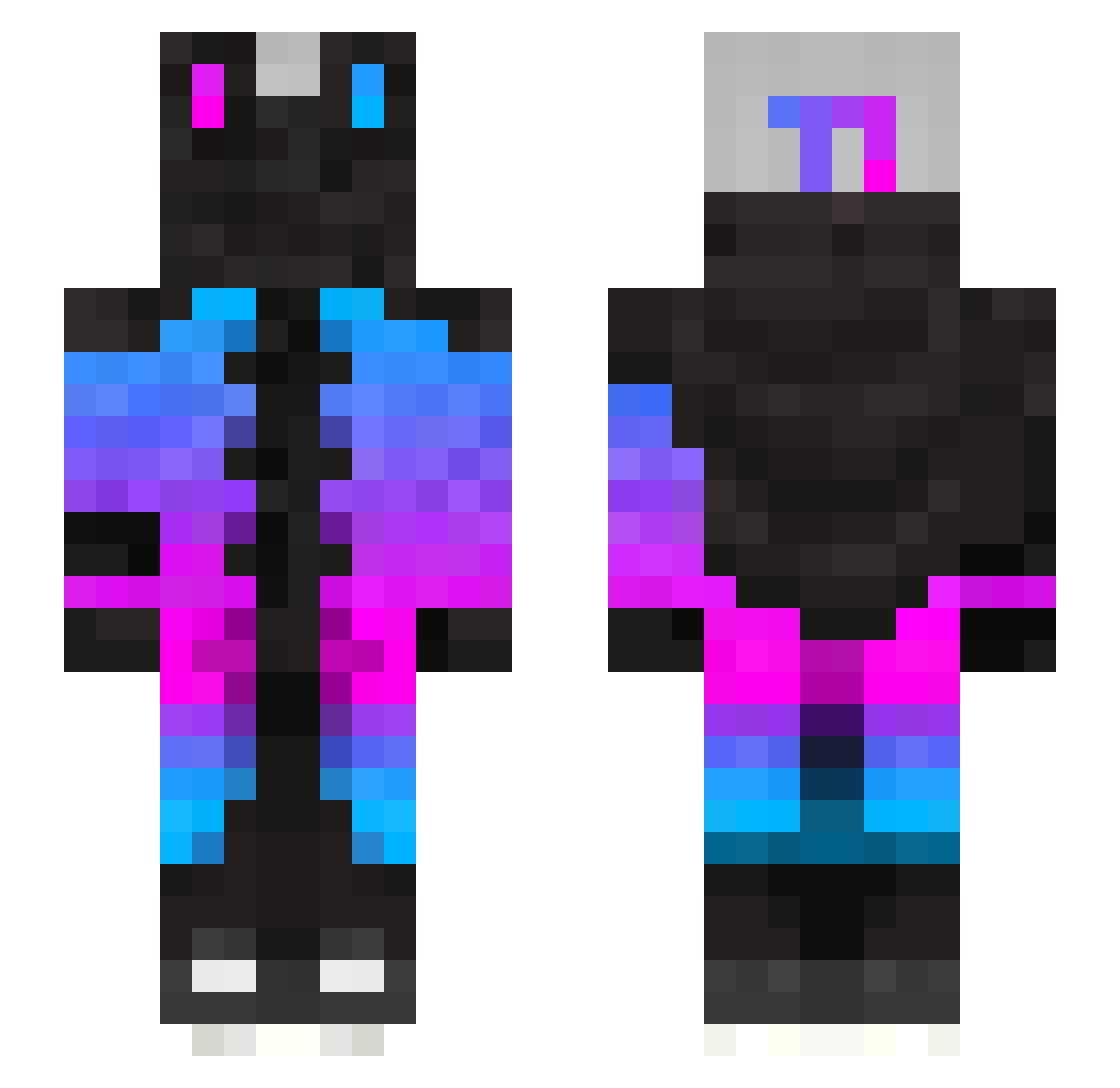
Current Minecraft skin of the player SugarDaddyT, loaded from the official Mojang API. Rotate the 3D model with your mouse or finger, then download the skin as a PNG file and use it in Minecraft: Bedrock Edition or Java Edition for free. When SugarDaddyT changes their skin, this page updates automatically and the old skin stays in the history below.
Other players with this skin (274)
SugarDaddyT was the 50th player we have seen with this skin, first spotted on 17.08.2026. The same skin was seen on these players. Open a nickname to see their current skin and skin history.
 StilOff DavidMaxWolf PikachuTheSpark KILLER1412 Light_Nevrox Zeus_xz Wispex_ UR3KMAZIN0 majespik Rams150 Pippinpack03 Ghostowl0312 W00D_ Ke3_par Iwona_Niewazkosc kooaidjammerss hatch2820 Sislich HyperNavy420 Kaikou101 John1782 HDMAN1AC XXxWAFFLESxXx McPlayer2k19 LockedCat69 mack0604 KANG_H_J l0c4_ GorillaGrey kajms Macha141 Aviid0w FoFo_master it9171 BOBER4732 Cadmiel ElProMortiiiii T7Moon Etheriah MTCMARTIN HyperChain31000 Mr_VieMc Falkyn_ Kiritox16 st1nger13_ Baimi_ TASUUKUU Acllmmo cartuchius Alex_x_xcrasher keeeeeeeeeeeeeei bibi22310 YusufforWIN KomputerZnasa55 DrSylveon Juankraut wunkin simple3139 heyitzgarcia The_Biggest_YEET
More Gradient Minecraft skins
How to install the SugarDaddyT skin
- Press the Download button above to save the skin as a PNG file.
- Minecraft: Bedrock Edition (PE): open the Dressing Room from the main menu (or tap your character → Edit Character), go to Classic Skins → Owned, press the + (new skin) button, choose the downloaded PNG and pick the Slim (Alex) model. Works on PC and mobile; consoles cannot import custom skins.
- Minecraft: Java Edition: open the Minecraft Launcher, go to the Skins tab, click New Skin, load the PNG, pick the Slim (Alex) model and press Save & Use. You can also upload it at minecraft.net → Profile → Change Skin.
The skin does not show up after import - what should I do?
Restart Minecraft and open the Dressing Room again - imported skins sometimes appear only after a restart. Also make sure you selected the imported skin and picked the Slim (Alex) model.
Which model should I choose, Classic or Slim?
This skin is designed for the Slim (Alex) model. If you pick the wrong model, the arms of the skin will look stretched or squeezed.
Is the skin of SugarDaddyT free to download?
Yes. Press Download, save the PNG file and use it in Minecraft: Bedrock Edition or Java Edition - no payment or registration needed. The skin also works on multiplayer servers and Realms.
More skins
Looking for more? Go back to all Minecraft skins and check the top skins of the week, month and all time, or find any player's skin by nickname.