
Suens123 - Minecraft Skins & Skin History
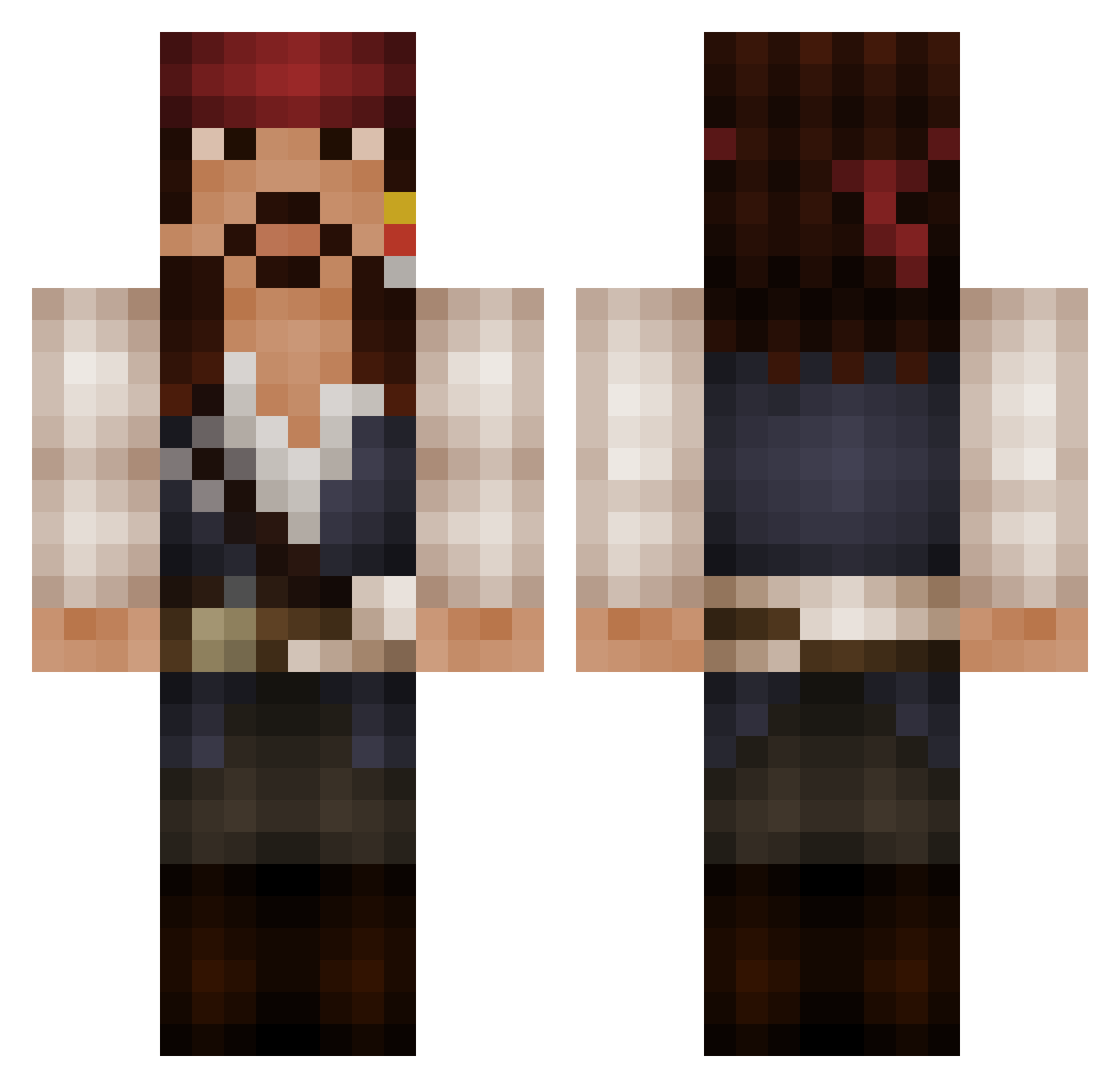
Current Minecraft skin of the player Suens123, loaded from the official Mojang API. Rotate the 3D model with your mouse or finger, then download the skin as a PNG file and use it in Minecraft: Bedrock Edition or Java Edition for free. When Suens123 changes their skin, this page updates automatically and the old skin stays in the history below.
Other players with this skin (525)
Suens123 was the 288th player we have seen with this skin, first spotted on 23.09.2026. The same skin was seen on these players. Open a nickname to see their current skin and skin history.
 _takemaru_ Lightstalker88 PinkMyst HansZer NickBolas vandenhark upton0good CutieOliver kai_b97 KensCrazy renopants Crazy_Panda_Team Davis4975 basti540 Lyndarien _Double_ EpiicCupcake Bpige MasterBater94 guinnane Talbasaurus yashi1009 Gnomulf Taiguy35 Critterzcraft GreatSpiritEx CaptainJack326 Notorious_wigger budgieelf1 Hammydeluxe VoodooBlast starskyplays iiKaBoOm JanMarco2000 Rexus_be CaptianArchie08 mainari01 Kineko leehendo TheBlackHammer2 Mitchoez Zetze83 Mofodrag0n LucSr Adelinne flashaxeMC Nephilim167 Tarzanino Ninja040710 Snekkerjon Amsdala celp05 tor_1 SirCutCut XUgandanKnuckles Math1303 erlendos crazedsauron Ossydk123 JackMarcelito
More Jack Sparrow Minecraft skins
See all 108 Jack Sparrow skins
How to install the Suens123 skin
- Press the Download button above to save the skin as a PNG file.
- Minecraft: Bedrock Edition (PE): open the Dressing Room from the main menu (or tap your character → Edit Character), go to Classic Skins → Owned, press the + (new skin) button, choose the downloaded PNG and pick the Classic (Steve) model. Works on PC and mobile; consoles cannot import custom skins.
- Minecraft: Java Edition: open the Minecraft Launcher, go to the Skins tab, click New Skin, load the PNG, pick the Classic (Steve) model and press Save & Use. You can also upload it at minecraft.net → Profile → Change Skin.
The skin does not show up after import - what should I do?
Restart Minecraft and open the Dressing Room again - imported skins sometimes appear only after a restart. Also make sure you selected the imported skin and picked the Classic (Steve) model.
Which model should I choose, Classic or Slim?
This skin is designed for the Classic (Steve) model. If you pick the wrong model, the arms of the skin will look stretched or squeezed.
Is the skin of Suens123 free to download?
Yes. Press Download, save the PNG file and use it in Minecraft: Bedrock Edition or Java Edition - no payment or registration needed. The skin also works on multiplayer servers and Realms.
More skins
Looking for more? Go back to all Minecraft skins and check the top skins of the week, month and all time, or find any player's skin by nickname.