
SuB_Zero846 - Minecraft Skins & Skin History
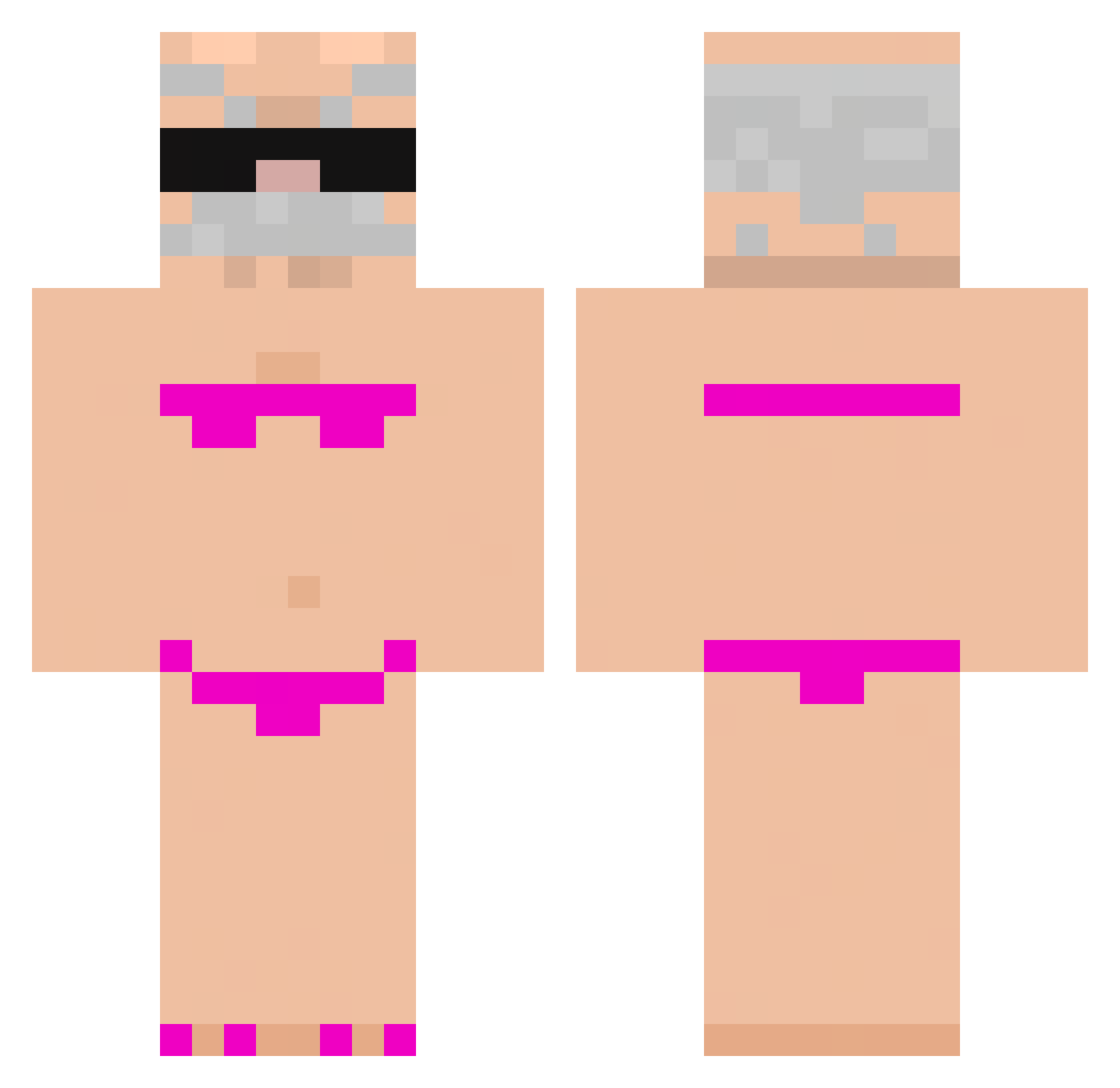
Current Minecraft skin of the player SuB_Zero846, loaded from the official Mojang API. Rotate the 3D model with your mouse or finger, then download the skin as a PNG file and use it in Minecraft: Bedrock Edition or Java Edition for free. When SuB_Zero846 changes their skin, this page updates automatically and the old skin stays in the history below.
Other players with this skin (937)
SuB_Zero846 was the 672nd player we have seen with this skin, first spotted on 11.10.2026. The same skin was seen on these players. Open a nickname to see their current skin and skin history.
 mo_hagi Rujae_ SmokyCanoe62123 PooPooSthick igor1424 Askoe_ Bassowb HHUAA Liv2258 ZingyMage56840 TatoA7x Bubbii1729 Cookiesmp6 Jouelbrou 6zoinks lukyyuu BurningLight uwubakamonster MazaZurka EoHzz ZHEWEIIIIIIIIIII PixelGuru5193 X_Matti_X KowalskiPeter10 Monkeydemo negro10469 dudezin Miojin2102 shendou777 BlackLoco yudongdong jjm2206 Mumota55 Remary Primo_ib CallMeQuix YuSimo666 kidnapping_apple XTaurix Telefonitis U_Pakistanais DakPlayLegenda vr1xa vini0204 LEEROY_JENNINGS abyel007 eduuuuardin SantosS2GOSTOSO mizaardo Nivad0 LillyTheChicken Pixel68Rush JWTtoken Shoeggls Mendrhug0 MatiKujoCZ D29x Sk1lliissue Lucay0809 PO7H3AD
More Karl Marx Minecraft skins
How to install the SuB_Zero846 skin
- Press the Download button above to save the skin as a PNG file.
- Minecraft: Bedrock Edition (PE): open the Dressing Room from the main menu (or tap your character → Edit Character), go to Classic Skins → Owned, press the + (new skin) button, choose the downloaded PNG and pick the Classic (Steve) model. Works on PC and mobile; consoles cannot import custom skins.
- Minecraft: Java Edition: open the Minecraft Launcher, go to the Skins tab, click New Skin, load the PNG, pick the Classic (Steve) model and press Save & Use. You can also upload it at minecraft.net → Profile → Change Skin.
The skin does not show up after import - what should I do?
Restart Minecraft and open the Dressing Room again - imported skins sometimes appear only after a restart. Also make sure you selected the imported skin and picked the Classic (Steve) model.
Which model should I choose, Classic or Slim?
This skin is designed for the Classic (Steve) model. If you pick the wrong model, the arms of the skin will look stretched or squeezed.
Is the skin of SuB_Zero846 free to download?
Yes. Press Download, save the PNG file and use it in Minecraft: Bedrock Edition or Java Edition - no payment or registration needed. The skin also works on multiplayer servers and Realms.
More skins
Looking for more? Go back to all Minecraft skins and check the top skins of the week, month and all time, or find any player's skin by nickname.