
Strykerflash - Minecraft Skins & Skin History
Current Minecraft skin of the player Strykerflash, loaded from the official Mojang API. Rotate the 3D model with your mouse or finger, then download the skin as a PNG file and use it in Minecraft: Bedrock Edition or Java Edition for free. When Strykerflash changes their skin, this page updates automatically and the old skin stays in the history below.
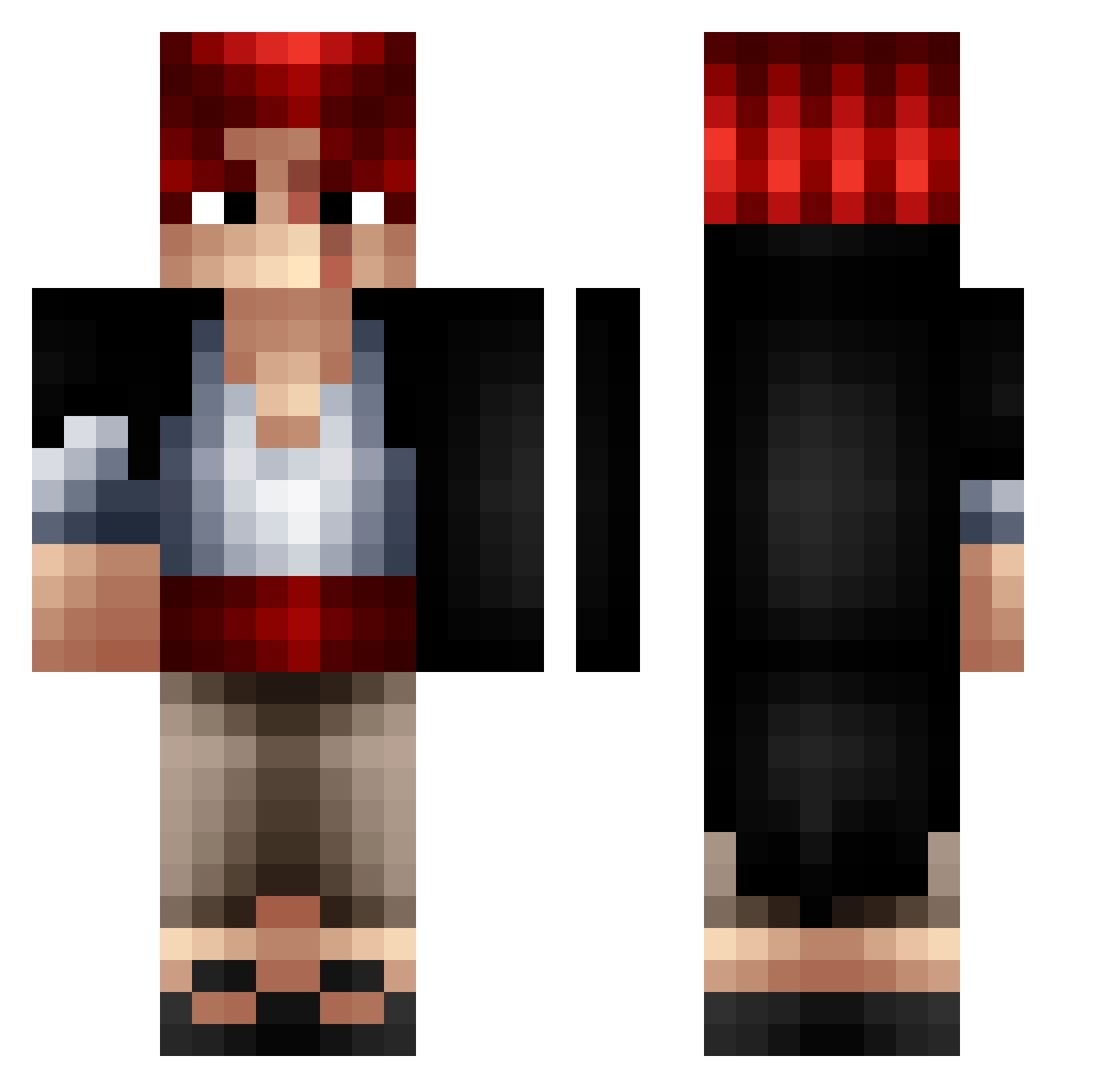
Other players with this skin (319)
Strykerflash was the 58th player we have seen with this skin, first spotted on 10.08.2026. The same skin was seen on these players. Open a nickname to see their current skin and skin history.
 MuhVemBrr DemonicWinner14 frankRSC EN_T3YB Pipolapi Paff_JuanaBubatz tintin_1919 Fab567 Keleritas theooosg RIPTresflex EDOBARBA MDMarkus DZ_GANG vl1v4 Furir_u __PARISH__ Jeropa420 taga57 MC_MAKAKISON PontijePilates Nagarri ByDarkZ GustavoLaPatata_ PoneyQuiBrille VOTREBANQUIER Mkhaw RiA64 puh_devourer Luiis_Ed raptormajeur REDHAIRUTA ippo_9 TLSWave noeuf7 Jucob_69 AlexandreDJ90 eXeClude kiri0700 Leze107 btxb Riccardo_29 kallroktpass MrGMpov Ammar7777 dualz_ Die_go_06_ lonleybat Terror_MC LePapyy Dan7110 Shankz_480 Sanks__ Thundurus3 SK_Jess Bardokc
 darkestw bi0ke2 L_By702 YohannLaStar
More Shanks Minecraft skins
How to install the Strykerflash skin
- Press the Download button above to save the skin as a PNG file.
- Minecraft: Bedrock Edition (PE): open the Dressing Room from the main menu (or tap your character → Edit Character), go to Classic Skins → Owned, press the + (new skin) button, choose the downloaded PNG and pick the Classic (Steve) model. Works on PC and mobile; consoles cannot import custom skins.
- Minecraft: Java Edition: open the Minecraft Launcher, go to the Skins tab, click New Skin, load the PNG, pick the Classic (Steve) model and press Save & Use. You can also upload it at minecraft.net → Profile → Change Skin.
The skin does not show up after import - what should I do?
Restart Minecraft and open the Dressing Room again - imported skins sometimes appear only after a restart. Also make sure you selected the imported skin and picked the Classic (Steve) model.
Which model should I choose, Classic or Slim?
This skin is designed for the Classic (Steve) model. If you pick the wrong model, the arms of the skin will look stretched or squeezed.
Is the skin of Strykerflash free to download?
Yes. Press Download, save the PNG file and use it in Minecraft: Bedrock Edition or Java Edition - no payment or registration needed. The skin also works on multiplayer servers and Realms.
More skins
Looking for more? Go back to all Minecraft skins and check the top skins of the week, month and all time, or find any player's skin by nickname.