
Strominik - Minecraft Skins & Skin History
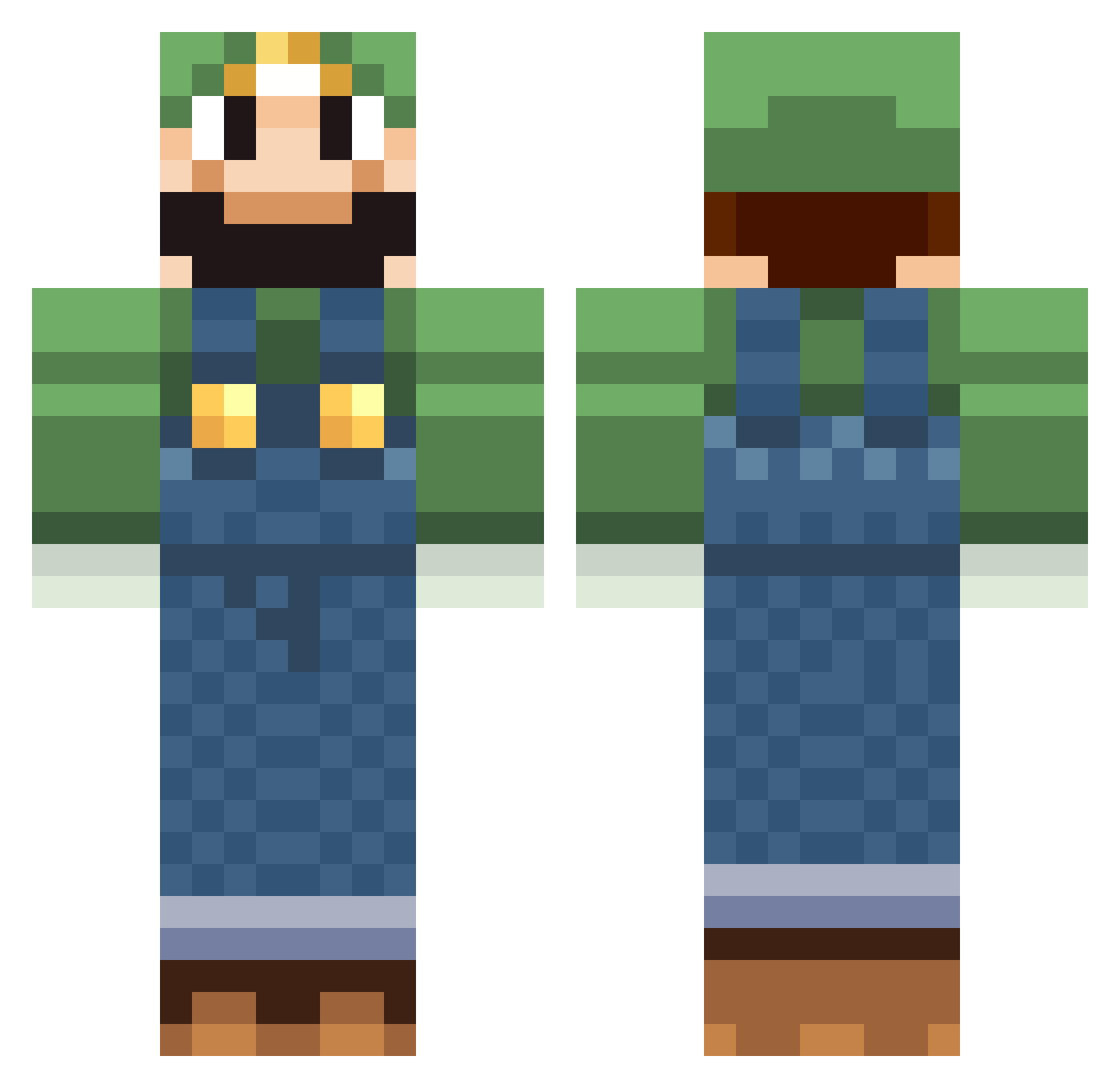
Current Minecraft skin of the player Strominik, loaded from the official Mojang API. Rotate the 3D model with your mouse or finger, then download the skin as a PNG file and use it in Minecraft: Bedrock Edition or Java Edition for free. When Strominik changes their skin, this page updates automatically and the old skin stays in the history below.
Other players with this skin (518)
Strominik was the 480th player we have seen with this skin, first spotted on 25.10.2026. The same skin was seen on these players. Open a nickname to see their current skin and skin history.
 Heavenly_Buster SteveTheGuy1613 Rhynselias Recas95 lando4321 AustinWingert gumdealer328 BenTube200 robotichydra Ph0enix99 john447429 TvManPwns lightshadow123 billyds alessmadoka Jacob_Simon skopey DonLuigi54 OGLuigi Brunsie Jbordz Jag5473 NicV402 jakeypoo43 ScaryStickMan CouchWombat TwoTouKen Yutasa FrankBoy1 X7lol RacoonWolf frankiehamster arbolito IsGubben skum64 WilkoLindemann JoeyBDL alecerullo Flying_Bat RyanandRex rookiesniper SpectacularPwn PyroShoots 4licia YumCreamPie AlexStach BrandontheWise loyduss adventurer_matt Bludseeker goergeprof Kushcommander Sparky4543 Olaisen Beans_is_SEX xmaself peepster ToadandPie buildmaniac47 TheLongRod
More Luigi Minecraft skins
How to install the Strominik skin
- Press the Download button above to save the skin as a PNG file.
- Minecraft: Bedrock Edition (PE): open the Dressing Room from the main menu (or tap your character → Edit Character), go to Classic Skins → Owned, press the + (new skin) button, choose the downloaded PNG and pick the Classic (Steve) model. Works on PC and mobile; consoles cannot import custom skins.
- Minecraft: Java Edition: open the Minecraft Launcher, go to the Skins tab, click New Skin, load the PNG, pick the Classic (Steve) model and press Save & Use. You can also upload it at minecraft.net → Profile → Change Skin.
The skin does not show up after import - what should I do?
Restart Minecraft and open the Dressing Room again - imported skins sometimes appear only after a restart. Also make sure you selected the imported skin and picked the Classic (Steve) model.
Which model should I choose, Classic or Slim?
This skin is designed for the Classic (Steve) model. If you pick the wrong model, the arms of the skin will look stretched or squeezed.
Is the skin of Strominik free to download?
Yes. Press Download, save the PNG file and use it in Minecraft: Bedrock Edition or Java Edition - no payment or registration needed. The skin also works on multiplayer servers and Realms.
More skins
Looking for more? Go back to all Minecraft skins and check the top skins of the week, month and all time, or find any player's skin by nickname.