
Stoyx - Minecraft Skins & Skin History
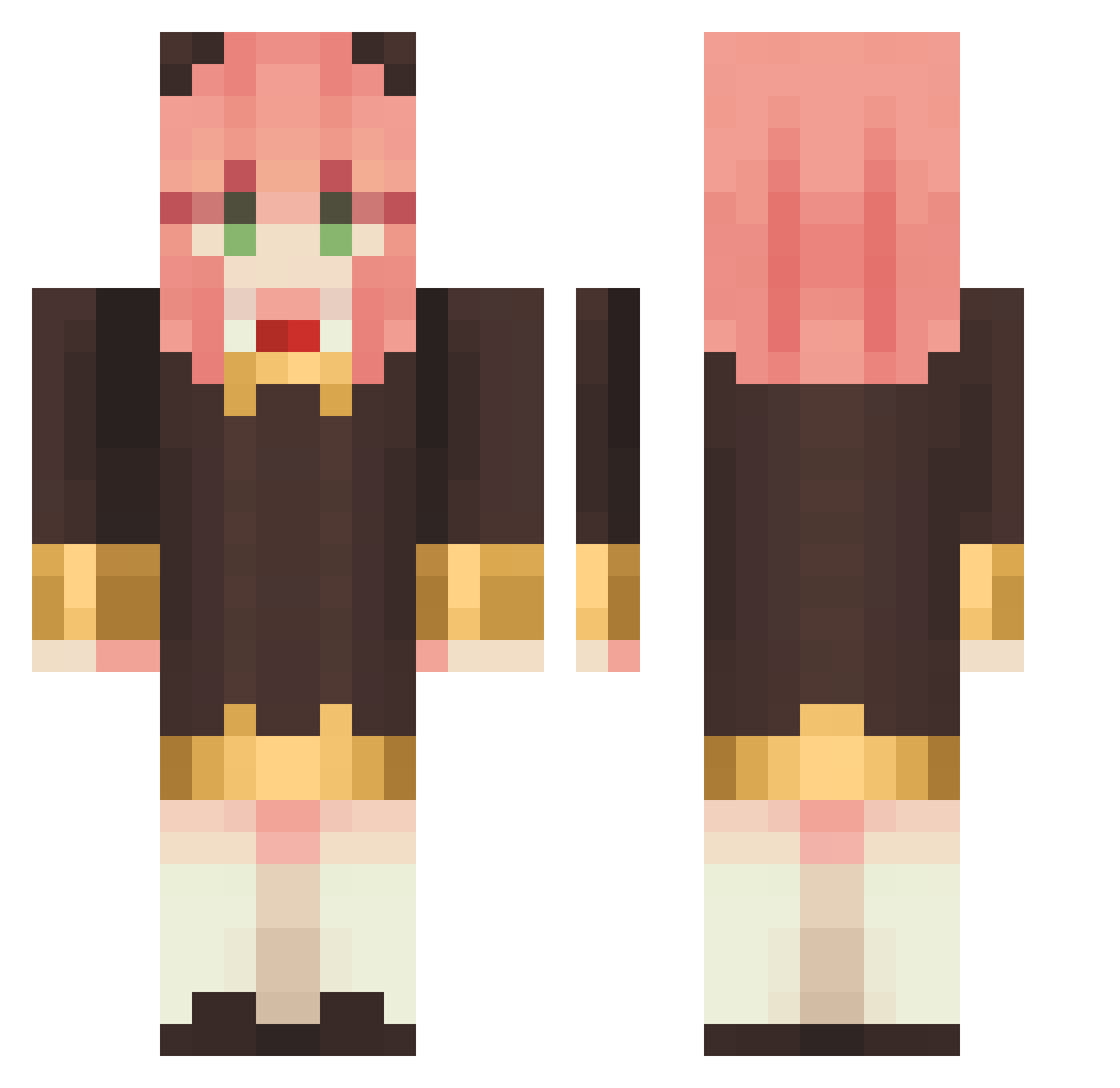
Current Minecraft skin of the player Stoyx, loaded from the official Mojang API. Rotate the 3D model with your mouse or finger, then download the skin as a PNG file and use it in Minecraft: Bedrock Edition or Java Edition for free. When Stoyx changes their skin, this page updates automatically and the old skin stays in the history below.
Other players with this skin (1145)
Stoyx was the 580th player we have seen with this skin, first spotted on 22.09.2026. The same skin was seen on these players. Open a nickname to see their current skin and skin history.
 AiDeN574 l1ghtvolt kuramao0822 YJ46 Thoviss Sim_card01668 weiwill NewBww JessePinkFloyd indnogyunyuyasan blackliquid primerQ NightMuffin6911 scaahr yannn33 KABBUNG Neoti_810 Rollee BladeChaser_ AnyaStarlight Nakajin_eguri myl06 ChangAn_ Smiith6152 mowiwi SuperMoonxd Starbase_ ymellokh nifarein razeneyot Bellectsx Knusby rqkiq earlgrey73 Eldened 610__ midooooo Whelved_ GsTsun home0205 KNOKNOKNO Winivensio sa_kura21 elwich Slvia98 HAKATAGANG Liyuu_Official Carl051203 JBalvin408 Kuropatti WhosWater KDH1230 sinotoro Azeiite TMCSGG dlsrbff Gothii4 Smalllan_OHO Mamebozo HaniaLove
More Anya Forger Minecraft skins
How to install the Stoyx skin
- Press the Download button above to save the skin as a PNG file.
- Minecraft: Bedrock Edition (PE): open the Dressing Room from the main menu (or tap your character → Edit Character), go to Classic Skins → Owned, press the + (new skin) button, choose the downloaded PNG and pick the Classic (Steve) model. Works on PC and mobile; consoles cannot import custom skins.
- Minecraft: Java Edition: open the Minecraft Launcher, go to the Skins tab, click New Skin, load the PNG, pick the Classic (Steve) model and press Save & Use. You can also upload it at minecraft.net → Profile → Change Skin.
The skin does not show up after import - what should I do?
Restart Minecraft and open the Dressing Room again - imported skins sometimes appear only after a restart. Also make sure you selected the imported skin and picked the Classic (Steve) model.
Which model should I choose, Classic or Slim?
This skin is designed for the Classic (Steve) model. If you pick the wrong model, the arms of the skin will look stretched or squeezed.
Is the skin of Stoyx free to download?
Yes. Press Download, save the PNG file and use it in Minecraft: Bedrock Edition or Java Edition - no payment or registration needed. The skin also works on multiplayer servers and Realms.
More skins
Looking for more? Go back to all Minecraft skins and check the top skins of the week, month and all time, or find any player's skin by nickname.