
Stoney42 - Minecraft Skins & Skin History
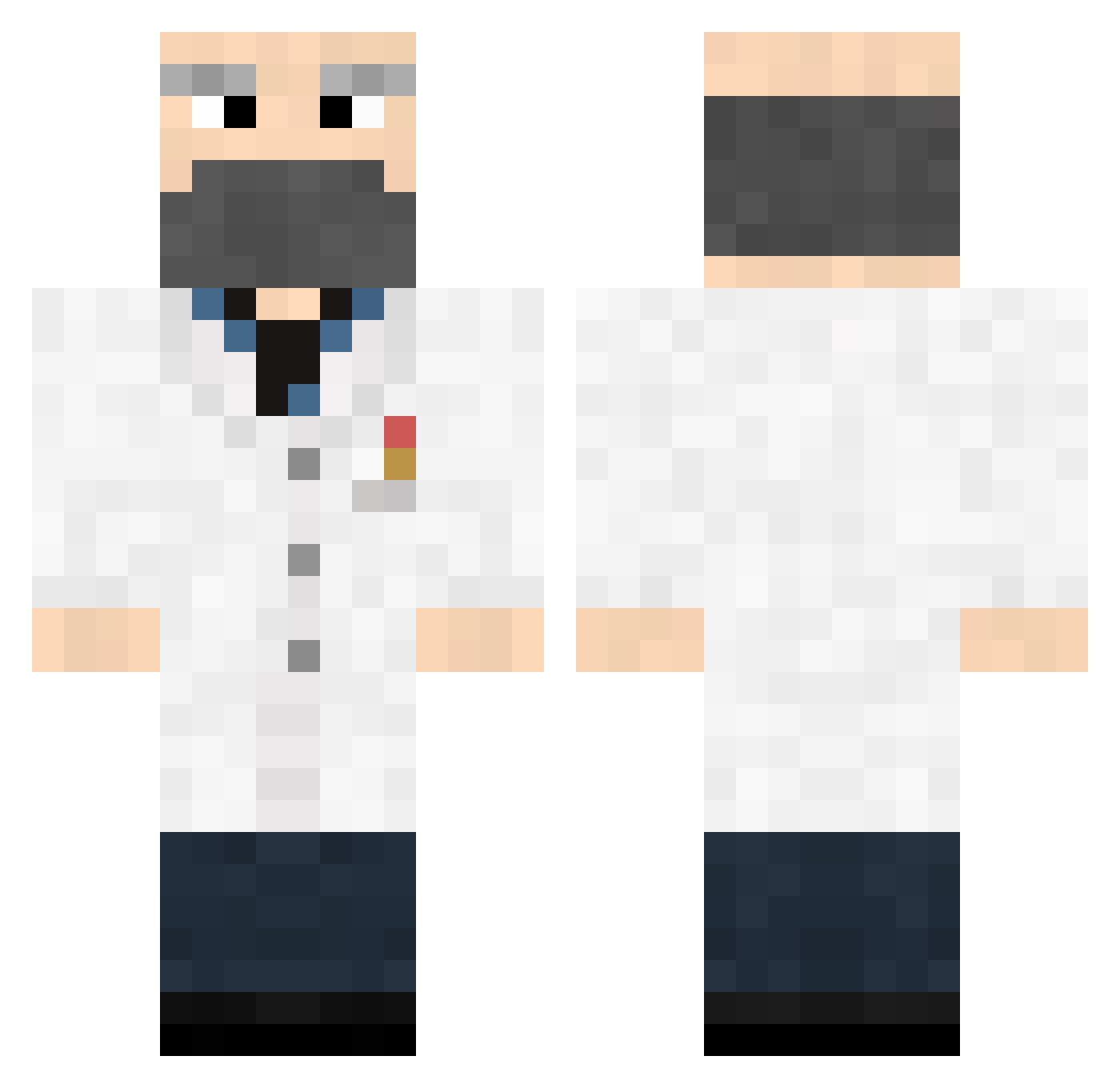
Current Minecraft skin of the player Stoney42, loaded from the official Mojang API. Rotate the 3D model with your mouse or finger, then download the skin as a PNG file and use it in Minecraft: Bedrock Edition or Java Edition for free. When Stoney42 changes their skin, this page updates automatically and the old skin stays in the history below.
Other players with this skin (372)
Stoney42 was the 358th player we have seen with this skin, first spotted on 18.10.2026. The same skin was seen on these players. Open a nickname to see their current skin and skin history.
 Richard_Biscuits Razorcheese xxmalinxx Quanalogy wazborn Nath_Hale Cheeze300 zerkky69 UffDuff Miclos krimeh AtahanSnr wizardymushrooms Tilks scolou2 stiltzkin_ UnSchooled codeConjurer Kyler_The_Great3 joungsw ChaseHiggins astrovei omNOMinator noktalivirgul Donkememe Aryze Dr_Ahsim scottjr95 robbanvest MiiLuX luvtool middeman GentryKyler anuket95 Fox228 Sir_Diablo PaS0a VinnieVanilli Szybki_Zbys Fawfaw Keen96 Tonster321 Rokholt firebird11 magico55 Slinge Connor_Vincent1 TheKeendyMan deformedlizard Galeleo Sukerfish legander Nosey_Newton OmarSirius Valkanyz Prof_Crocodile Yrogirg thiger99 Ollius mrcurmudgeon
More Doctor Minecraft skins
How to install the Stoney42 skin
- Press the Download button above to save the skin as a PNG file.
- Minecraft: Bedrock Edition (PE): open the Dressing Room from the main menu (or tap your character → Edit Character), go to Classic Skins → Owned, press the + (new skin) button, choose the downloaded PNG and pick the Classic (Steve) model. Works on PC and mobile; consoles cannot import custom skins.
- Minecraft: Java Edition: open the Minecraft Launcher, go to the Skins tab, click New Skin, load the PNG, pick the Classic (Steve) model and press Save & Use. You can also upload it at minecraft.net → Profile → Change Skin.
The skin does not show up after import - what should I do?
Restart Minecraft and open the Dressing Room again - imported skins sometimes appear only after a restart. Also make sure you selected the imported skin and picked the Classic (Steve) model.
Which model should I choose, Classic or Slim?
This skin is designed for the Classic (Steve) model. If you pick the wrong model, the arms of the skin will look stretched or squeezed.
Is the skin of Stoney42 free to download?
Yes. Press Download, save the PNG file and use it in Minecraft: Bedrock Edition or Java Edition - no payment or registration needed. The skin also works on multiplayer servers and Realms.
More skins
Looking for more? Go back to all Minecraft skins and check the top skins of the week, month and all time, or find any player's skin by nickname.