
Stiksys - Minecraft Skins & Skin History
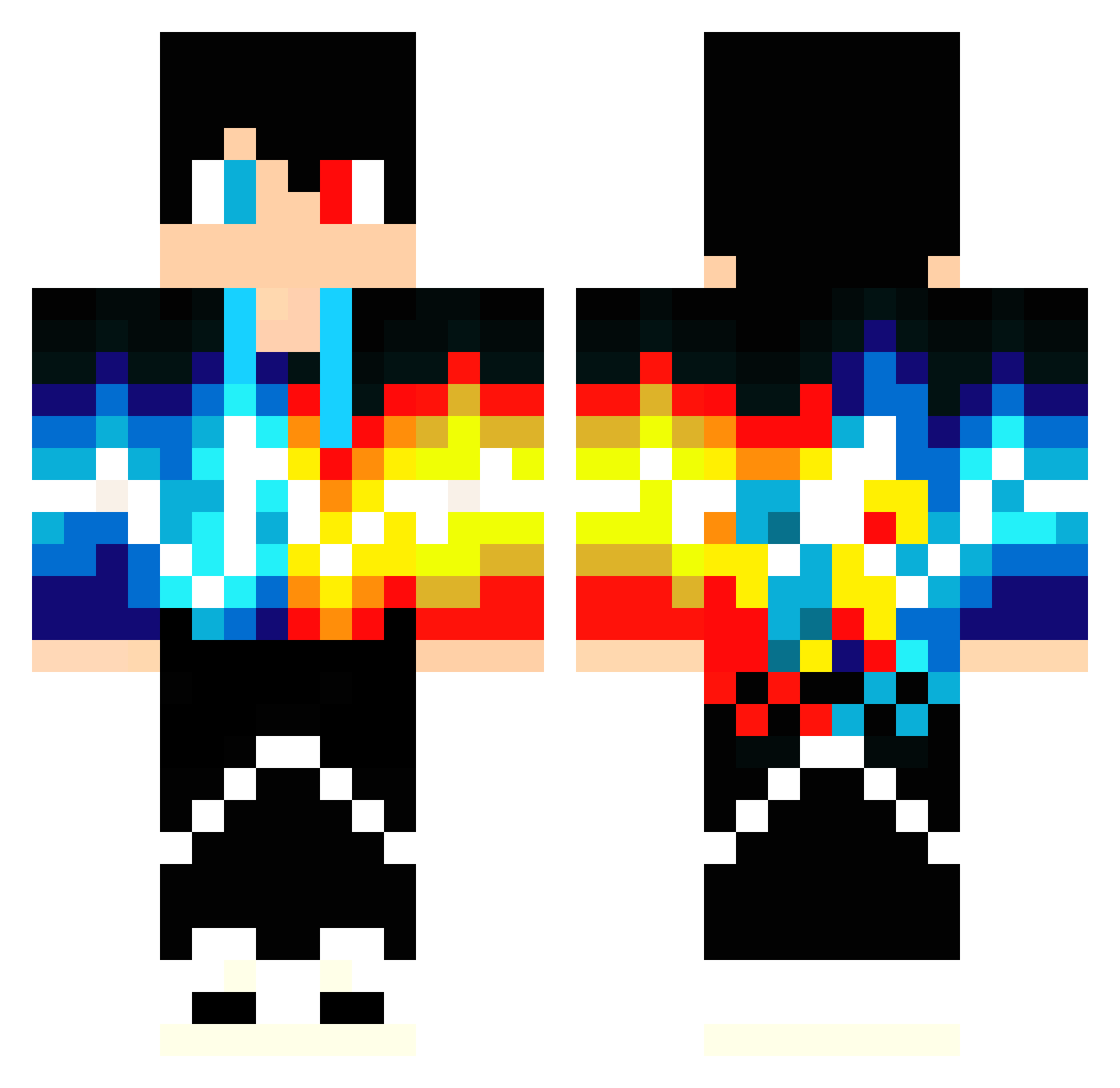
Current Minecraft skin of the player Stiksys, loaded from the official Mojang API. Rotate the 3D model with your mouse or finger, then download the skin as a PNG file and use it in Minecraft: Bedrock Edition or Java Edition for free. When Stiksys changes their skin, this page updates automatically and the old skin stays in the history below.
Other players with this skin (48)
Stiksys was the 13th player we have seen with this skin, first spotted on 16.08.2026. The same skin was seen on these players. Open a nickname to see their current skin and skin history.
 einznoah armyjaxx_ bangai22 ffsdfsd Doudoupizza Donnerbaer Nestyym Asdrubaloso stupidCAT5 YoSteve17 goldwollf731 Atravan EBERT1392 Ruupeli poziloi MarcelKlein JulesB30 Snuselademad xevi123 MSIGaMeR1992 tsengwen crazyboy310 IaMX92 Spiderkm10 XuanMing123 Meteorbright TopFryGuy nres22 aqua_ty Filip1523 haifan1 Franguillo_123 Ivanrz01 AlexSme11 FlameLord2011 Cranktryx Sincerehg Leonard483 warningstinky IlMagnificoLeo SSEASY EvtNoCHEN idan0509 ShengXia_WeiLan Mowa4 HunterCity xiaomiao1314520 LaggyDude22
More Lightning Minecraft skins
How to install the Stiksys skin
- Press the Download button above to save the skin as a PNG file.
- Minecraft: Bedrock Edition (PE): open the Dressing Room from the main menu (or tap your character → Edit Character), go to Classic Skins → Owned, press the + (new skin) button, choose the downloaded PNG and pick the Classic (Steve) model. Works on PC and mobile; consoles cannot import custom skins.
- Minecraft: Java Edition: open the Minecraft Launcher, go to the Skins tab, click New Skin, load the PNG, pick the Classic (Steve) model and press Save & Use. You can also upload it at minecraft.net → Profile → Change Skin.
The skin does not show up after import - what should I do?
Restart Minecraft and open the Dressing Room again - imported skins sometimes appear only after a restart. Also make sure you selected the imported skin and picked the Classic (Steve) model.
Which model should I choose, Classic or Slim?
This skin is designed for the Classic (Steve) model. If you pick the wrong model, the arms of the skin will look stretched or squeezed.
Is the skin of Stiksys free to download?
Yes. Press Download, save the PNG file and use it in Minecraft: Bedrock Edition or Java Edition - no payment or registration needed. The skin also works on multiplayer servers and Realms.
More skins
Looking for more? Go back to all Minecraft skins and check the top skins of the week, month and all time, or find any player's skin by nickname.