
StevEdo - Minecraft Skins & Skin History
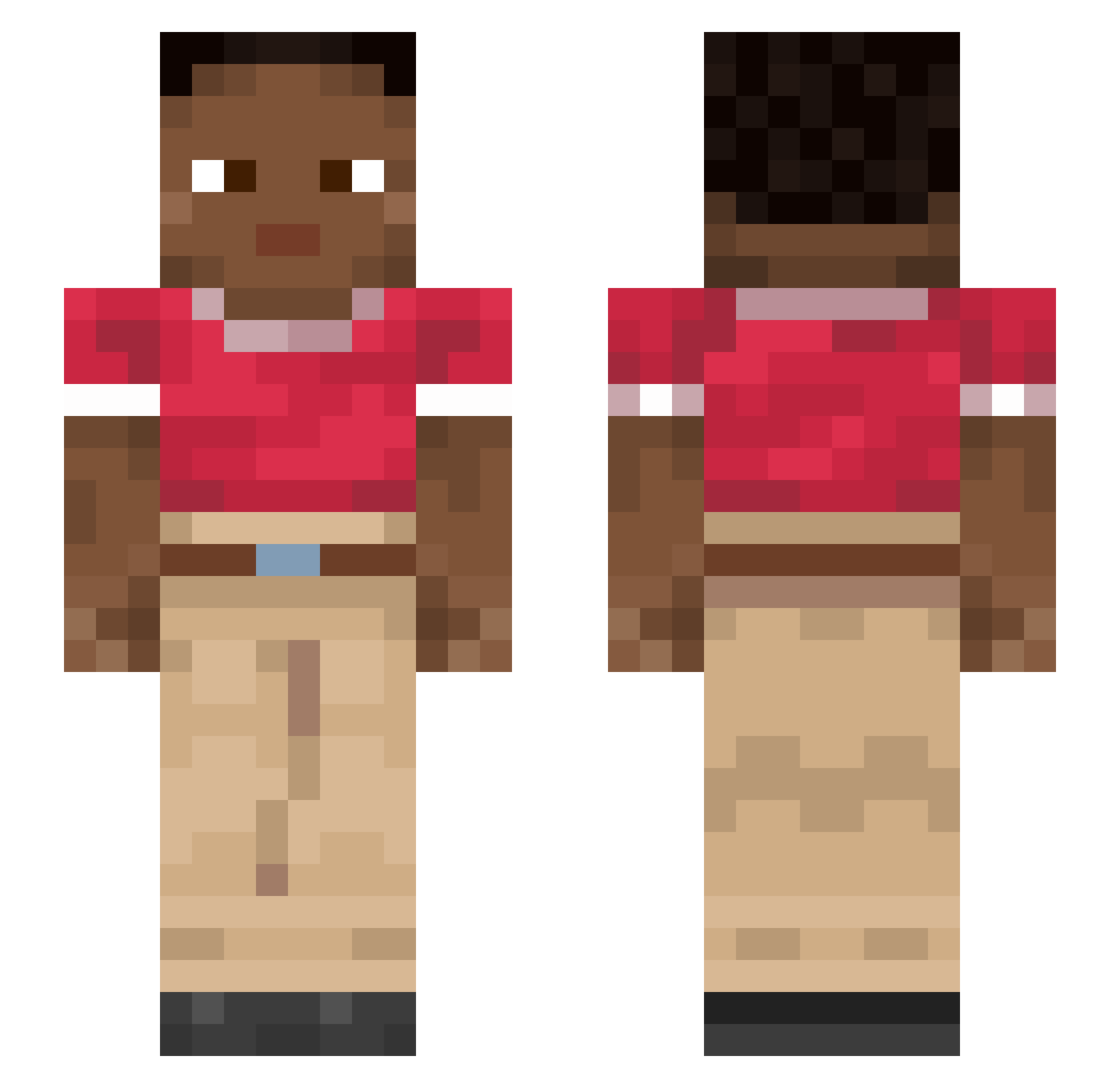
Current Minecraft skin of the player StevEdo, loaded from the official Mojang API. Rotate the 3D model with your mouse or finger, then download the skin as a PNG file and use it in Minecraft: Bedrock Edition or Java Edition for free. When StevEdo changes their skin, this page updates automatically and the old skin stays in the history below.
Other players with this skin (915)
StevEdo was the 422nd player we have seen with this skin, first spotted on 13.09.2026. The same skin was seen on these players. Open a nickname to see their current skin and skin history.
 wogns305 top_guy_88 smorebro mahasFODELAO Demiking Langate Familia Precautions Utilising anakes Shotman Mumming ChrisPatane Kay_Jnssn Millirem mizzenmast Represses Kapuka Teleia Triazine Glass intransparent Divinely gentrice Josomar__1234 MinuSoCiu carcan Irenic JoHeiTec Marcos1092 BigWaldemar loiters Funambulist sunjeet Cosmicalss BrN09 Gliadin seamas ChocoMongoose
 Mikobykov2 benzonitrile noiwy EXOPOD ben02q33 gunster imponderous BongH1T Astrologer Drophead Withery Futuremender376 deurmat749 fasciola smp21123 bandon FraPiaz23 Byroad Adumbrate hctr00 SolidStache
How to install the StevEdo skin
- Press the Download button above to save the skin as a PNG file.
- Minecraft: Bedrock Edition (PE): open the Dressing Room from the main menu (or tap your character → Edit Character), go to Classic Skins → Owned, press the + (new skin) button, choose the downloaded PNG and pick the Slim (Alex) model. Works on PC and mobile; consoles cannot import custom skins.
- Minecraft: Java Edition: open the Minecraft Launcher, go to the Skins tab, click New Skin, load the PNG, pick the Slim (Alex) model and press Save & Use. You can also upload it at minecraft.net → Profile → Change Skin.
The skin does not show up after import - what should I do?
Restart Minecraft and open the Dressing Room again - imported skins sometimes appear only after a restart. Also make sure you selected the imported skin and picked the Slim (Alex) model.
Which model should I choose, Classic or Slim?
This skin is designed for the Slim (Alex) model. If you pick the wrong model, the arms of the skin will look stretched or squeezed.
Is the skin of StevEdo free to download?
Yes. Press Download, save the PNG file and use it in Minecraft: Bedrock Edition or Java Edition - no payment or registration needed. The skin also works on multiplayer servers and Realms.
More skins
Looking for more? Go back to all Minecraft skins and check the top skins of the week, month and all time, or find any player's skin by nickname.