
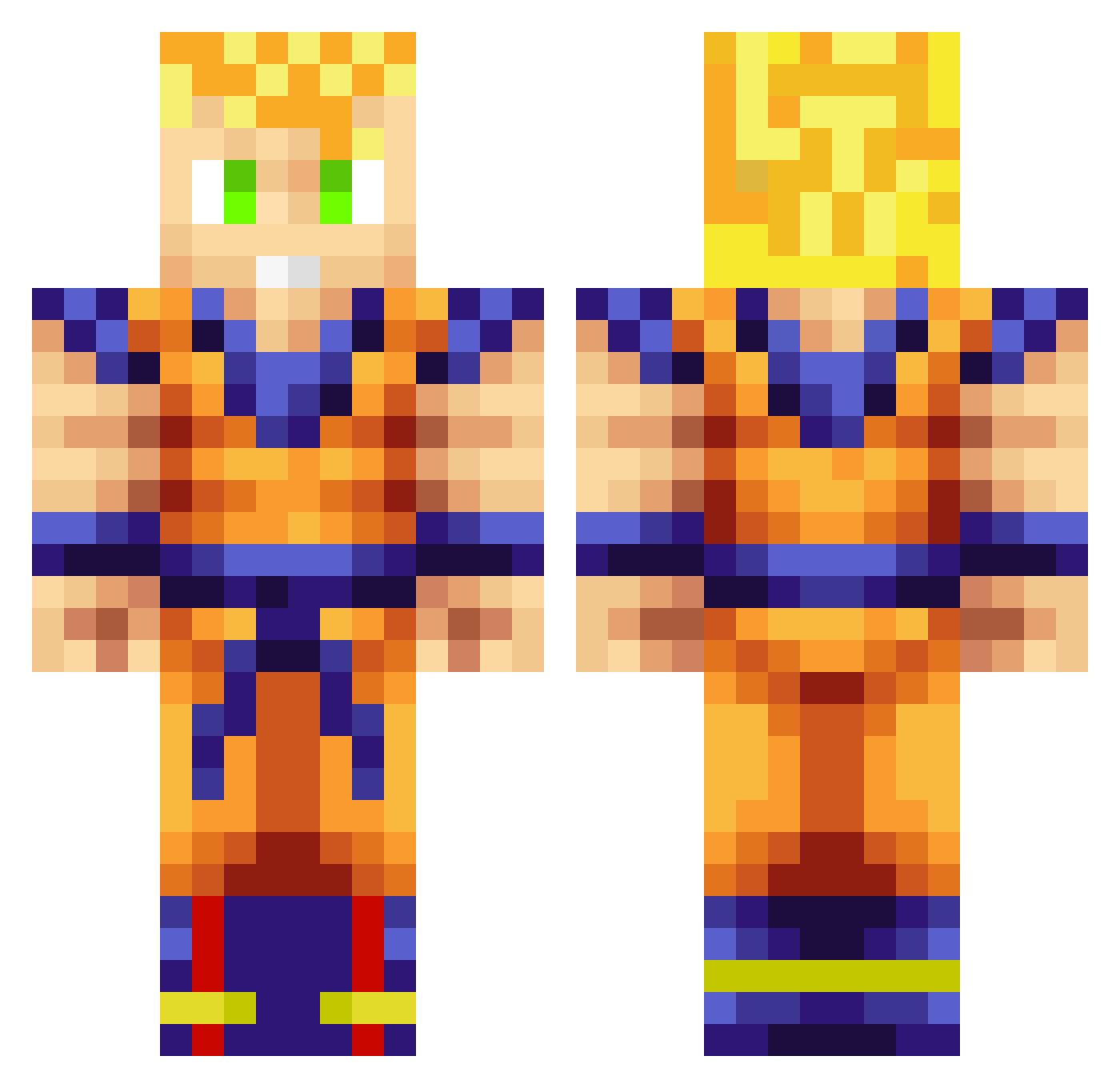
Current Minecraft skin of the player Sternalis, loaded from the official Mojang API. Rotate the 3D model with your mouse or finger, then download the skin as a PNG file and use it in Minecraft: Bedrock Edition or Java Edition for free. When Sternalis changes their skin, this page updates automatically and the old skin stays in the history below.
Other players with this skin (705)
Sternalis was the 123rd player we have seen with this skin, first spotted on 08.08.2026. The same skin was seen on these players. Open a nickname to see their current skin and skin history.
 Phantazym ImSorryRumHamm Sylver_Z Kilianjustin OnlyRektYou hunter33489 wintersrage AwesomeSonic937 Zozorak B1G_daddy98 HoodieDre b4haMas xSa3NdrO Dragnoila Wasabi992 KennyZorro Pedoberad Goranious Spaceboob Sulam DZigler airdog1148 daemon95131 An_Ardvark Azoxide39 Pacheco_001 fivetailedfox Ande9150 minecraft4tW Kefff3 _Darkmattix_06 t0rres98 TriickZ_Alt40 mrrafa2002 Sneids_Bro Ziim0 R3IC ToBlackKids Chikinn Voltu23 gokuss33 CigBunt lennonboggs imthepvpnoob Dromancer Astral_Myth demonwings112 W00DHEAD TuMachoMen rick2006rick JorEL03 Diacaru72826 Swagovitch EseDonJuan K1RFY OrganikSauce gunnarbengen00 Icewalker48 Malbobro Ricardioo
More Goku Minecraft skins
How to install the Sternalis skin
- Press the Download button above to save the skin as a PNG file.
- Minecraft: Bedrock Edition (PE): open the Dressing Room from the main menu (or tap your character → Edit Character), go to Classic Skins → Owned, press the + (new skin) button, choose the downloaded PNG and pick the Classic (Steve) model. Works on PC and mobile; consoles cannot import custom skins.
- Minecraft: Java Edition: open the Minecraft Launcher, go to the Skins tab, click New Skin, load the PNG, pick the Classic (Steve) model and press Save & Use. You can also upload it at minecraft.net → Profile → Change Skin.
The skin does not show up after import - what should I do?
Restart Minecraft and open the Dressing Room again - imported skins sometimes appear only after a restart. Also make sure you selected the imported skin and picked the Classic (Steve) model.
Which model should I choose, Classic or Slim?
This skin is designed for the Classic (Steve) model. If you pick the wrong model, the arms of the skin will look stretched or squeezed.
Is the skin of Sternalis free to download?
Yes. Press Download, save the PNG file and use it in Minecraft: Bedrock Edition or Java Edition - no payment or registration needed. The skin also works on multiplayer servers and Realms.
More skins
Looking for more? Go back to all Minecraft skins and check the top skins of the week, month and all time, or find any player's skin by nickname.