
StepToFuture - Minecraft Skins & Skin History
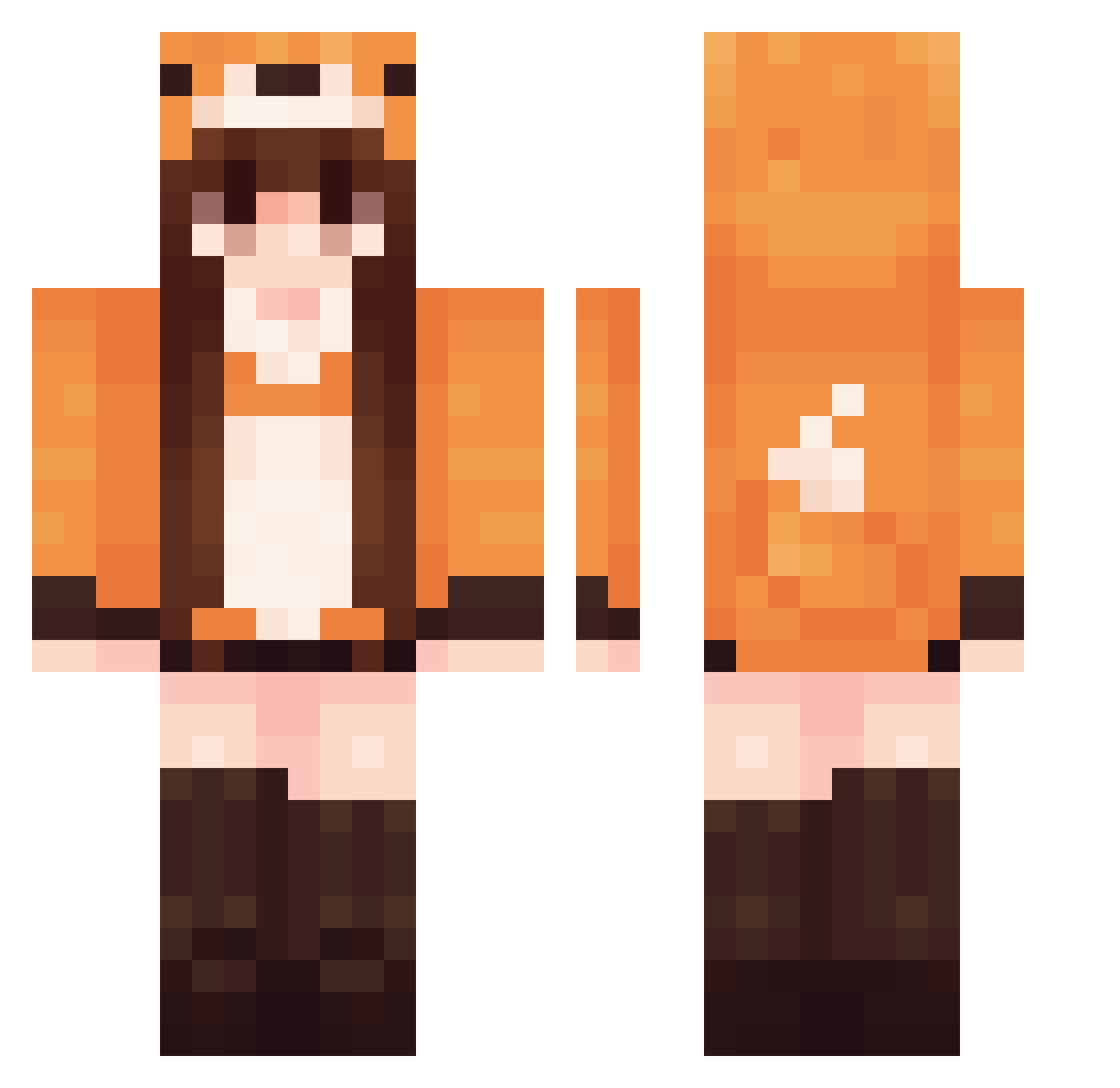
Current Minecraft skin of the player StepToFuture, loaded from the official Mojang API. Rotate the 3D model with your mouse or finger, then download the skin as a PNG file and use it in Minecraft: Bedrock Edition or Java Edition for free. When StepToFuture changes their skin, this page updates automatically and the old skin stays in the history below.
Other players with this skin (547)
StepToFuture was the 396th player we have seen with this skin, first spotted on 10.10.2026. The same skin was seen on these players. Open a nickname to see their current skin and skin history.
 Dogga219 yuukiiiiiiii Sylverjack zoepuppy akofoxy Saudad3 silkypandahands Angel_pedersen LwBCaQ alefresita12 ElsaPelsa67 AmaseCocoa Hacya32 hallym4206 Ashfur2017 tugskin msjang04 ChronicallyCash nedyyyy Brooklynn_1 LittleWitch020 Calycow affiii Coltgun Hyunhee01 FoxoAmber Dragonheart735 phoenixdash Charls5238 matchamochi01 lulu_7503 Fersita29 LaRosalia longxi16 lasmudge _xxMoonchildxx_ Bryteside lefu_fox Kamyonette scythebaby Avocagirl Smacksonn Huhli01 Makarovka Spiritseer ks2un1 popo_ring Xiaotian9205 Wisienka_7777777 rmyp Choolive Confusian LOLO_777 Lastmemo czekoladka3 mel44 TheMonkeyLova SuperLycra 165022 im_auto_
More Fox Tail Minecraft skins
How to install the StepToFuture skin
- Press the Download button above to save the skin as a PNG file.
- Minecraft: Bedrock Edition (PE): open the Dressing Room from the main menu (or tap your character → Edit Character), go to Classic Skins → Owned, press the + (new skin) button, choose the downloaded PNG and pick the Classic (Steve) model. Works on PC and mobile; consoles cannot import custom skins.
- Minecraft: Java Edition: open the Minecraft Launcher, go to the Skins tab, click New Skin, load the PNG, pick the Classic (Steve) model and press Save & Use. You can also upload it at minecraft.net → Profile → Change Skin.
The skin does not show up after import - what should I do?
Restart Minecraft and open the Dressing Room again - imported skins sometimes appear only after a restart. Also make sure you selected the imported skin and picked the Classic (Steve) model.
Which model should I choose, Classic or Slim?
This skin is designed for the Classic (Steve) model. If you pick the wrong model, the arms of the skin will look stretched or squeezed.
Is the skin of StepToFuture free to download?
Yes. Press Download, save the PNG file and use it in Minecraft: Bedrock Edition or Java Edition - no payment or registration needed. The skin also works on multiplayer servers and Realms.
More skins
Looking for more? Go back to all Minecraft skins and check the top skins of the week, month and all time, or find any player's skin by nickname.