
StenchQuench - Minecraft Skins & Skin History
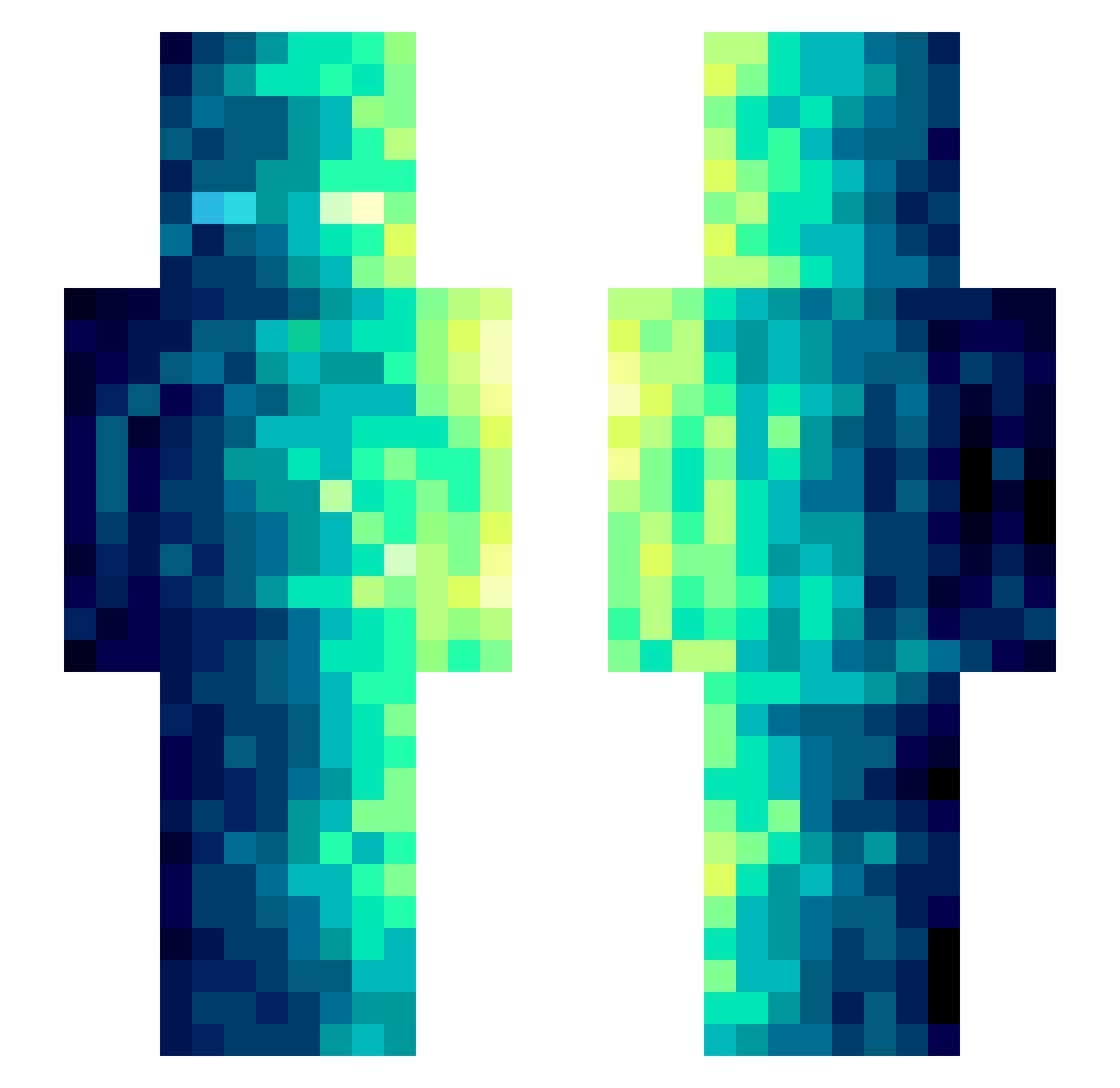
Current Minecraft skin of the player StenchQuench, loaded from the official Mojang API. Rotate the 3D model with your mouse or finger, then download the skin as a PNG file and use it in Minecraft: Bedrock Edition or Java Edition for free. When StenchQuench changes their skin, this page updates automatically and the old skin stays in the history below.
Other players with this skin (371)
StenchQuench was the 298th player we have seen with this skin, first spotted on 03.10.2026. The same skin was seen on these players. Open a nickname to see their current skin and skin history.
 llcart Dartifisa76 Erynion485 FivePencils MQQQ1208 Dusk_996 nanshann Yesland Afonselas2010 AngelSnipes Dot7x_ benji1709207 Fynerzy yYa_81Np7v_04_18 JaFantasyvA DEAD_824 Vilamth KeLlke Uroboros0831 Zsz02 Bacon1223 KleeGoBoom THEird22 MCXIAOXAIO RexyAnd1202 VG7502 Granvilletang NeverBeLate collage128 XHZG UmbrellaStar Alga369 TaborW yiyiyiyi123 FailedComic Vampaier DenFell MrBromkiwi eikeland257 maoshifu MedicGo AbyssalRyftyl ShangSheng Someu XGrizzyGrizzX DKHWB Touma_kA UlveJake naris2626 neb99999 Ice__K Seth_Rogan Ultramarines701 hhswv2 svart87 MineDL Coluichesogna godblesseq BorisDasBeil GiantGundyr
How to install the StenchQuench skin
- Press the Download button above to save the skin as a PNG file.
- Minecraft: Bedrock Edition (PE): open the Dressing Room from the main menu (or tap your character → Edit Character), go to Classic Skins → Owned, press the + (new skin) button, choose the downloaded PNG and pick the Slim (Alex) model. Works on PC and mobile; consoles cannot import custom skins.
- Minecraft: Java Edition: open the Minecraft Launcher, go to the Skins tab, click New Skin, load the PNG, pick the Slim (Alex) model and press Save & Use. You can also upload it at minecraft.net → Profile → Change Skin.
The skin does not show up after import - what should I do?
Restart Minecraft and open the Dressing Room again - imported skins sometimes appear only after a restart. Also make sure you selected the imported skin and picked the Slim (Alex) model.
Which model should I choose, Classic or Slim?
This skin is designed for the Slim (Alex) model. If you pick the wrong model, the arms of the skin will look stretched or squeezed.
Is the skin of StenchQuench free to download?
Yes. Press Download, save the PNG file and use it in Minecraft: Bedrock Edition or Java Edition - no payment or registration needed. The skin also works on multiplayer servers and Realms.
More skins
Looking for more? Go back to all Minecraft skins and check the top skins of the week, month and all time, or find any player's skin by nickname.