
Spud406 - Minecraft Skins & Skin History
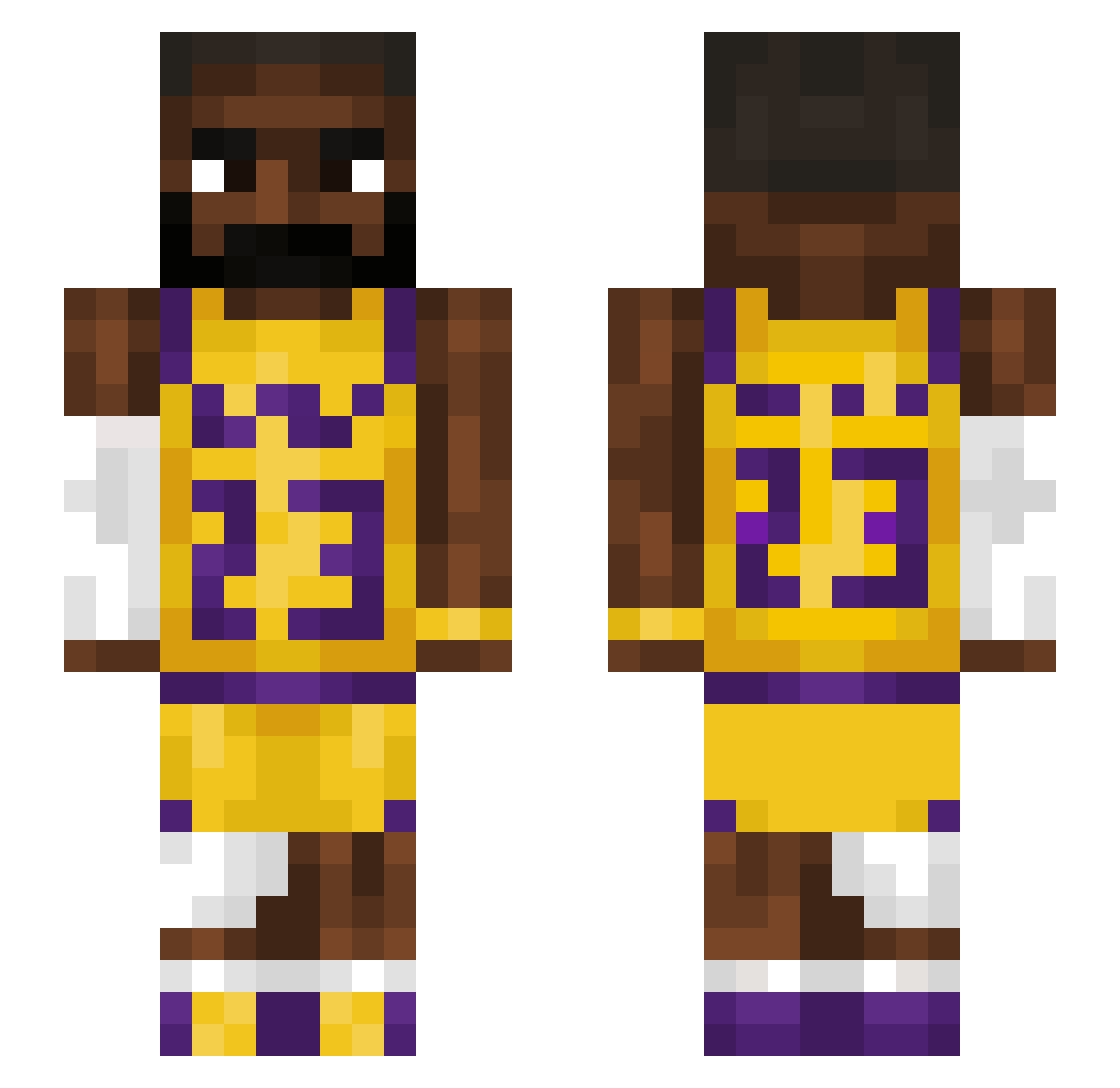
Current Minecraft skin of the player Spud406, loaded from the official Mojang API. Rotate the 3D model with your mouse or finger, then download the skin as a PNG file and use it in Minecraft: Bedrock Edition or Java Edition for free. When Spud406 changes their skin, this page updates automatically and the old skin stays in the history below.
Other players with this skin (1207)
Spud406 was the 798th player we have seen with this skin, first spotted on 26.09.2026. The same skin was seen on these players. Open a nickname to see their current skin and skin history.
 seninpic grasssblockk lilhomey802 Pastic89 BengtTholf69 SonchiM GenghisDong420 KGamer1219 T_Herms Charlienkx Cracky555 swaggyman10 PuddinJW bakkuda LuccaT13 Isaacsz_21 xxSpeedyNoobX abbysmg BlkRasputin ev_bot matrix65 Fettkopf_Sam Svekz _Saint_Pablo_ Insert777 GugaBlockBlaster efka256 Toby625 N0RTN Vysotzkyy TheGlove3_14 Izeko10 BigBanana98 ItzLuxz 1cuttothechase1 kingscom AbyssV ReeceYamsBatty DIXSONIX pardonn Kingcobra446 Heisenberg55555 TheBlackNinja0 soviet_dog69 Noahh_GT07 SITBISH handsomepersonxx zyxL32 lebronjames724 HarambesNephew the0ix Azirr BigED68 Muko_HD kulegamer123456 BennyMac0330 UncleDrw WailingTorch Hubertgral moseswashere
More Lakers Minecraft skins
How to install the Spud406 skin
- Press the Download button above to save the skin as a PNG file.
- Minecraft: Bedrock Edition (PE): open the Dressing Room from the main menu (or tap your character → Edit Character), go to Classic Skins → Owned, press the + (new skin) button, choose the downloaded PNG and pick the Slim (Alex) model. Works on PC and mobile; consoles cannot import custom skins.
- Minecraft: Java Edition: open the Minecraft Launcher, go to the Skins tab, click New Skin, load the PNG, pick the Slim (Alex) model and press Save & Use. You can also upload it at minecraft.net → Profile → Change Skin.
The skin does not show up after import - what should I do?
Restart Minecraft and open the Dressing Room again - imported skins sometimes appear only after a restart. Also make sure you selected the imported skin and picked the Slim (Alex) model.
Which model should I choose, Classic or Slim?
This skin is designed for the Slim (Alex) model. If you pick the wrong model, the arms of the skin will look stretched or squeezed.
Is the skin of Spud406 free to download?
Yes. Press Download, save the PNG file and use it in Minecraft: Bedrock Edition or Java Edition - no payment or registration needed. The skin also works on multiplayer servers and Realms.
More skins
Looking for more? Go back to all Minecraft skins and check the top skins of the week, month and all time, or find any player's skin by nickname.