
Sptempra - Minecraft Skins & Skin History
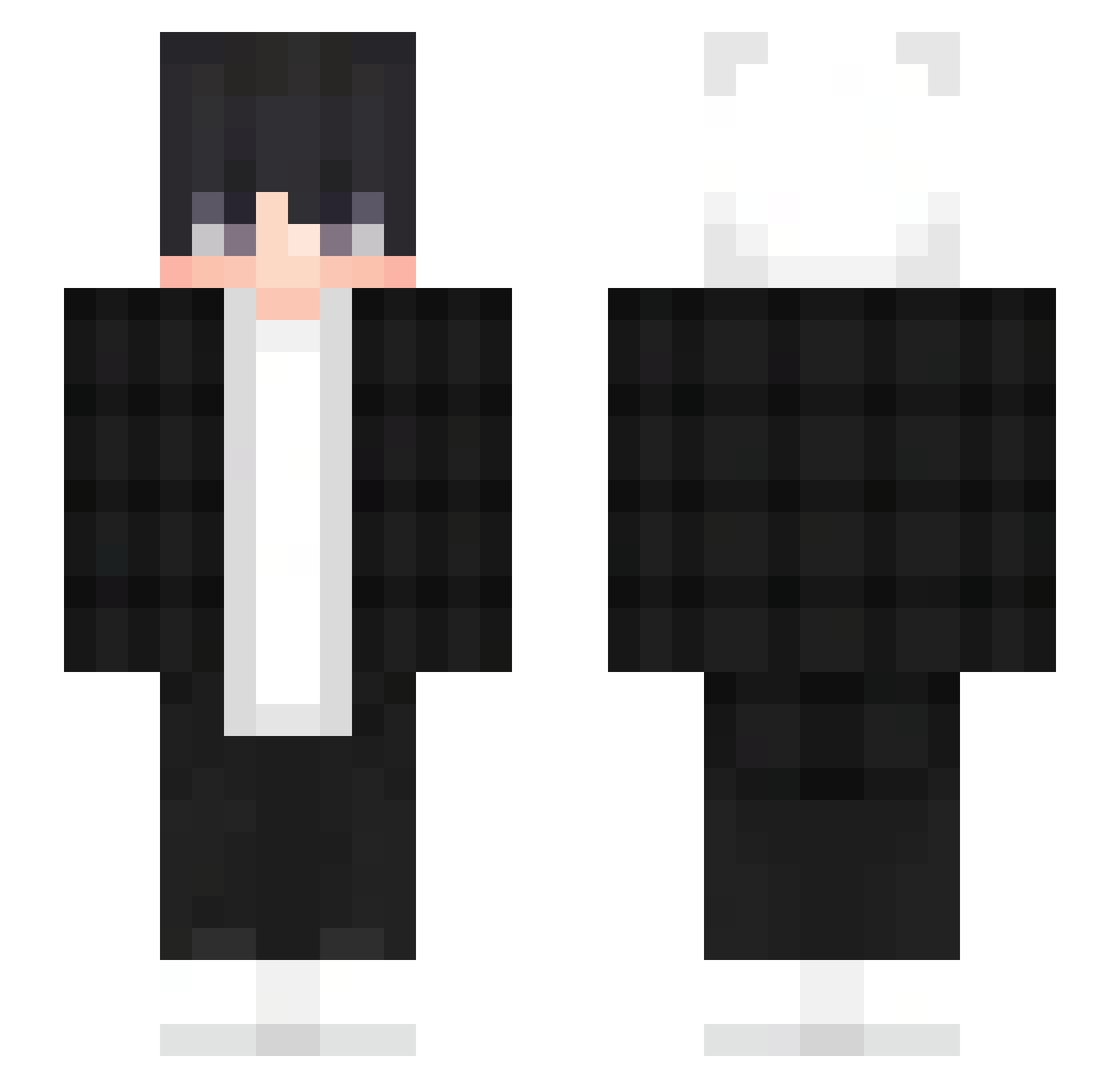
Current Minecraft skin of the player Sptempra, loaded from the official Mojang API. Rotate the 3D model with your mouse or finger, then download the skin as a PNG file and use it in Minecraft: Bedrock Edition or Java Edition for free. When Sptempra changes their skin, this page updates automatically and the old skin stays in the history below.
Other players with this skin (357)
Sptempra was the 254th player we have seen with this skin, first spotted on 05.10.2026. The same skin was seen on these players. Open a nickname to see their current skin and skin history.
 martaziolo JAHS18 Comfort444 mohdnosch Shaberner174 HassAlt_IGAqYh Janlius czaroaro16 syldywdh Heetang9 Wiktor3101 jwd1080 Askoza riki_37 Emirsara fer_hEFJs_1226 dumpling249 phuhu Zyntr4x_ JHoracio19 Mars588magical Jope1970 DyniaggPL sTAHuuuUu Wya36 LAA9 LilPeepLil MANTHOL YHYmiss joseb_0103 Fireblade688 Nothing1335 VintageVibz Ochenkd ball3rz18 jhofjos18 Mariaszek MrPingu69 ruanling FantasyMilo yoonchanhotdog Ghost925 LUCASFL33 uijtgey FestiveTechno BUNNY_212 KazuyaKirin 4rzv_ Qiaok R4zyy mid_ong Sikasai RackLkinG Toxicologists HYEONGJUN08 MrDeividGT ZackCody Ryere_0216 Hezzu__ IWNBE
How to install the Sptempra skin
- Press the Download button above to save the skin as a PNG file.
- Minecraft: Bedrock Edition (PE): open the Dressing Room from the main menu (or tap your character → Edit Character), go to Classic Skins → Owned, press the + (new skin) button, choose the downloaded PNG and pick the Slim (Alex) model. Works on PC and mobile; consoles cannot import custom skins.
- Minecraft: Java Edition: open the Minecraft Launcher, go to the Skins tab, click New Skin, load the PNG, pick the Slim (Alex) model and press Save & Use. You can also upload it at minecraft.net → Profile → Change Skin.
The skin does not show up after import - what should I do?
Restart Minecraft and open the Dressing Room again - imported skins sometimes appear only after a restart. Also make sure you selected the imported skin and picked the Slim (Alex) model.
Which model should I choose, Classic or Slim?
This skin is designed for the Slim (Alex) model. If you pick the wrong model, the arms of the skin will look stretched or squeezed.
Is the skin of Sptempra free to download?
Yes. Press Download, save the PNG file and use it in Minecraft: Bedrock Edition or Java Edition - no payment or registration needed. The skin also works on multiplayer servers and Realms.
More skins
Looking for more? Go back to all Minecraft skins and check the top skins of the week, month and all time, or find any player's skin by nickname.