
Spiroo_ - Minecraft Skins & Skin History
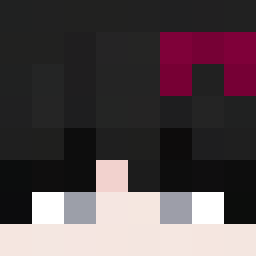
Current Minecraft skin of the player Spiroo_, loaded from the official Mojang API. Rotate the 3D model with your mouse or finger, then download the skin as a PNG file and use it in Minecraft: Bedrock Edition or Java Edition for free. When Spiroo_ changes their skin, this page updates automatically and the old skin stays in the history below.

Other players with this skin (352)
Spiroo_ was the 64th player we have seen with this skin, first spotted on 14.08.2026. The same skin was seen on these players. Open a nickname to see their current skin and skin history.
 zambik_ fransisko777 4kira0927 Itz_Revxnge Faustak AC_Parjo DaniEn45
 Meiyu_Nihilist KoAJU
 Mats0606
 Itz_Lowky and__rew Goodinhoo Capable_Kevin1 Psycotyk STORM0223 SIBA555 _RxMd Phourshette Aglwxg LcY_T
 HarrioBear R3D_MAH1TO ISIPRO007 DrunkenRook Frostnebel FancyAsh Zbl3je Bryann0088 Tl_Kissme Zhoulaoshi Eri07 Der_Kev1n niklas_mc_2015 Frenmiir KiwiCarrot CameronMeredith CharlieGamerrr Serilas gghjr Vieuxnorris Kuroshiry Noxtash ryanhon943 ElderHackerJoe LofMD Jachu213 Nanaia Pheroxify KVBS0NN Levonical 100Graham Eltitoborja Ishoyek toto04_1 Wang_cAT H93_10_11 Lucario31 sneax_01 SweatyEgg
How to install the Spiroo_ skin
- Press the Download button above to save the skin as a PNG file.
- Minecraft: Bedrock Edition (PE): open the Dressing Room from the main menu (or tap your character → Edit Character), go to Classic Skins → Owned, press the + (new skin) button, choose the downloaded PNG and pick the Classic (Steve) model. Works on PC and mobile; consoles cannot import custom skins.
- Minecraft: Java Edition: open the Minecraft Launcher, go to the Skins tab, click New Skin, load the PNG, pick the Classic (Steve) model and press Save & Use. You can also upload it at minecraft.net → Profile → Change Skin.
The skin does not show up after import - what should I do?
Restart Minecraft and open the Dressing Room again - imported skins sometimes appear only after a restart. Also make sure you selected the imported skin and picked the Classic (Steve) model.
Which model should I choose, Classic or Slim?
This skin is designed for the Classic (Steve) model. If you pick the wrong model, the arms of the skin will look stretched or squeezed.
Is the skin of Spiroo_ free to download?
Yes. Press Download, save the PNG file and use it in Minecraft: Bedrock Edition or Java Edition - no payment or registration needed. The skin also works on multiplayer servers and Realms.
More skins
Looking for more? Go back to all Minecraft skins and check the top skins of the week, month and all time, or find any player's skin by nickname.