
SpicyGamja - Minecraft Skins & Skin History
Current Minecraft skin of the player SpicyGamja, loaded from the official Mojang API. Rotate the 3D model with your mouse or finger, then download the skin as a PNG file and use it in Minecraft: Bedrock Edition or Java Edition for free. When SpicyGamja changes their skin, this page updates automatically and the old skin stays in the history below.

Other players with this skin (357)
SpicyGamja was the 162nd player we have seen with this skin, first spotted on 10.09.2026. The same skin was seen on these players. Open a nickname to see their current skin and skin history.
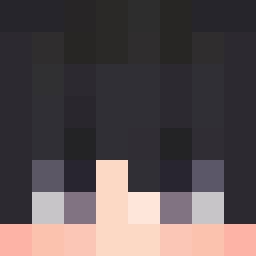 XIAOWKING SamIsC00L xAlone_
 zwn007 LilREDjoker PEDROFF2011 CannonBarr62 yyuzuleaf creepyjosh TheStabil poohome _xkcd ivan_drg Yuseong_311 Cobra30200 DominikO2017
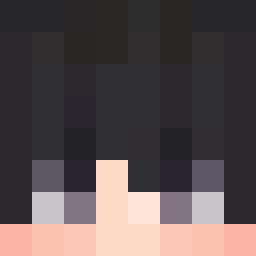 OroGivan22 Mrcheren_ Igris10S SShadowN1 Stacheworks Shadow_G20 Dinga03 _Aura_Aura_ MichaelMK16 Erikaven zWEEDz AbnerFilipe SANTMT W7rckHavoc czbp YTRY_MOANER LUKGM qwq_zt MattCKHK _fanqie_ HU_A1 manu193 Tehvaholic JudoL0621 MICZA_ evanlegeek xXKITKENXx Justin_Time3427 hairyshrimp Zenethe317 ANS2345 Ditaozera KIM1106 odysseing dongdong34 Papazito69 Elcojo_16 S1urple oYakshaa Facu077XD suo710 Skywalker5730 freshing_ alswns10214
How to install the SpicyGamja skin
- Press the Download button above to save the skin as a PNG file.
- Minecraft: Bedrock Edition (PE): open the Dressing Room from the main menu (or tap your character → Edit Character), go to Classic Skins → Owned, press the + (new skin) button, choose the downloaded PNG and pick the Slim (Alex) model. Works on PC and mobile; consoles cannot import custom skins.
- Minecraft: Java Edition: open the Minecraft Launcher, go to the Skins tab, click New Skin, load the PNG, pick the Slim (Alex) model and press Save & Use. You can also upload it at minecraft.net → Profile → Change Skin.
The skin does not show up after import - what should I do?
Restart Minecraft and open the Dressing Room again - imported skins sometimes appear only after a restart. Also make sure you selected the imported skin and picked the Slim (Alex) model.
Which model should I choose, Classic or Slim?
This skin is designed for the Slim (Alex) model. If you pick the wrong model, the arms of the skin will look stretched or squeezed.
Is the skin of SpicyGamja free to download?
Yes. Press Download, save the PNG file and use it in Minecraft: Bedrock Edition or Java Edition - no payment or registration needed. The skin also works on multiplayer servers and Realms.
More skins
Looking for more? Go back to all Minecraft skins and check the top skins of the week, month and all time, or find any player's skin by nickname.