
Spenceralt - Minecraft Skins & Skin History
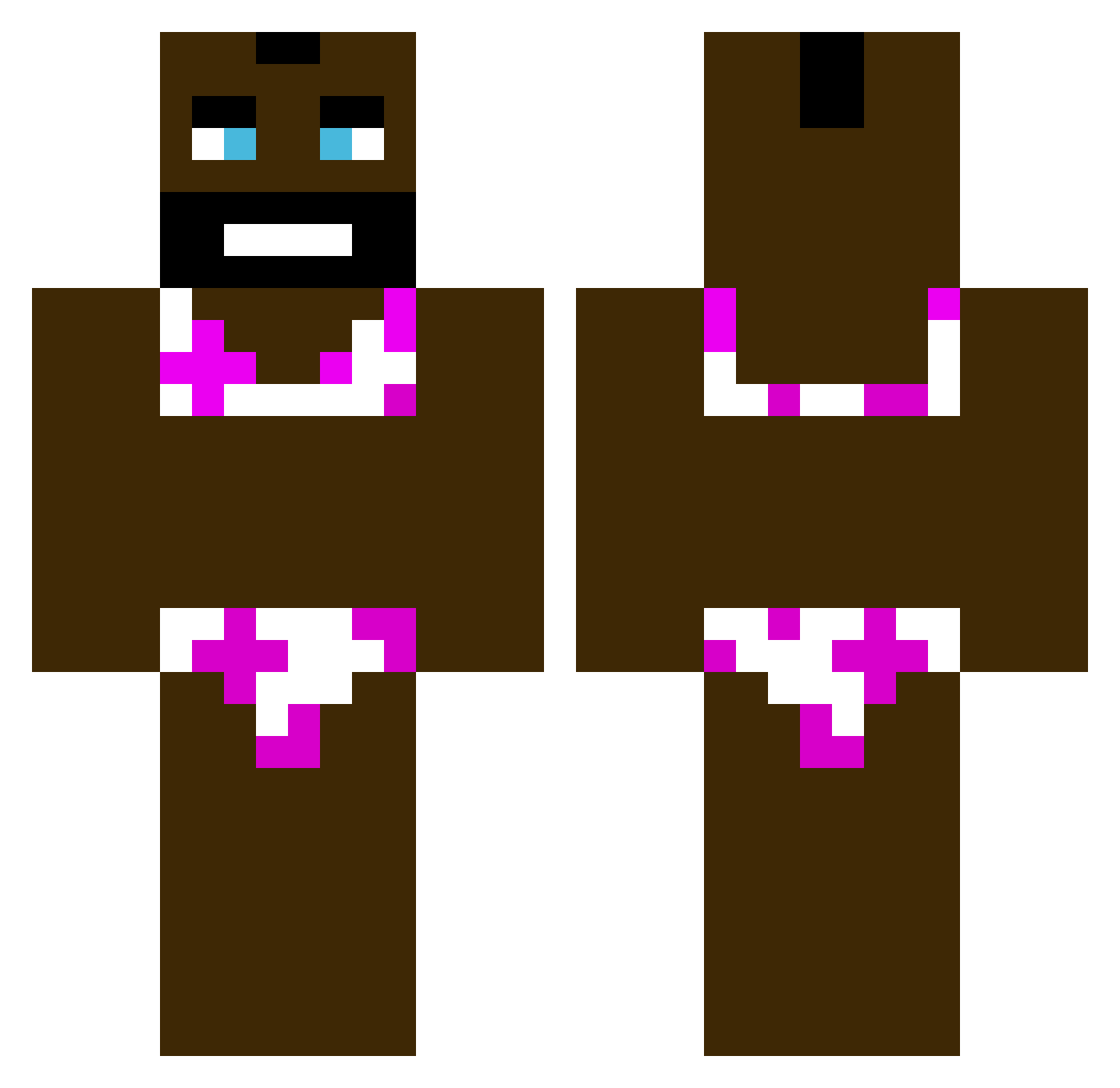
Current Minecraft skin of the player Spenceralt, loaded from the official Mojang API. Rotate the 3D model with your mouse or finger, then download the skin as a PNG file and use it in Minecraft: Bedrock Edition or Java Edition for free. When Spenceralt changes their skin, this page updates automatically and the old skin stays in the history below.
Other players with this skin (377)
Spenceralt was the 112th player we have seen with this skin, first spotted on 28.08.2026. The same skin was seen on these players. Open a nickname to see their current skin and skin history.
 OrphanOcliteratr aidenpal
 springzong paperbreakstick alphagaming159 VHS4 desertoyerxy saneeek__ veneo_ HellishToucan Flyn_7 Dualeys MishesOCE Yabujinn kkce Haidyn464 chingylad maxh999 Folkinos tonhas udidyeg vypsanyfix gievemelove CTA1232 Puno_Ga_Drkam Assology Allopov MichelGoonTokids Margo34 DeadlyFlippers R9mu_ amorti2006 BurdN_ Snoxy69 Matus5630 ShootersInMyCrib kr_blackman CaptainCapotia 1mariyo1 Tarosmedziotojas cableeater FluffyAdept Hosco0 TheChosenBush Wojtaszek__ memoistfett Pepito_lu deathpancake666 Tiny_Ebony cosolic rst4444 NiWordSayer20 Sadnesss2137 JEFF_THE_NOOB41 SPITFIRECHEF Pen1sBmCoom TheGGhipperGamer jiwoong2305 Tokaiito FornoAhMicrondeh
More Mr T Minecraft skins
How to install the Spenceralt skin
- Press the Download button above to save the skin as a PNG file.
- Minecraft: Bedrock Edition (PE): open the Dressing Room from the main menu (or tap your character → Edit Character), go to Classic Skins → Owned, press the + (new skin) button, choose the downloaded PNG and pick the Classic (Steve) model. Works on PC and mobile; consoles cannot import custom skins.
- Minecraft: Java Edition: open the Minecraft Launcher, go to the Skins tab, click New Skin, load the PNG, pick the Classic (Steve) model and press Save & Use. You can also upload it at minecraft.net → Profile → Change Skin.
The skin does not show up after import - what should I do?
Restart Minecraft and open the Dressing Room again - imported skins sometimes appear only after a restart. Also make sure you selected the imported skin and picked the Classic (Steve) model.
Which model should I choose, Classic or Slim?
This skin is designed for the Classic (Steve) model. If you pick the wrong model, the arms of the skin will look stretched or squeezed.
Is the skin of Spenceralt free to download?
Yes. Press Download, save the PNG file and use it in Minecraft: Bedrock Edition or Java Edition - no payment or registration needed. The skin also works on multiplayer servers and Realms.
More skins
Looking for more? Go back to all Minecraft skins and check the top skins of the week, month and all time, or find any player's skin by nickname.