
SpamPlays - Minecraft Skins & Skin History
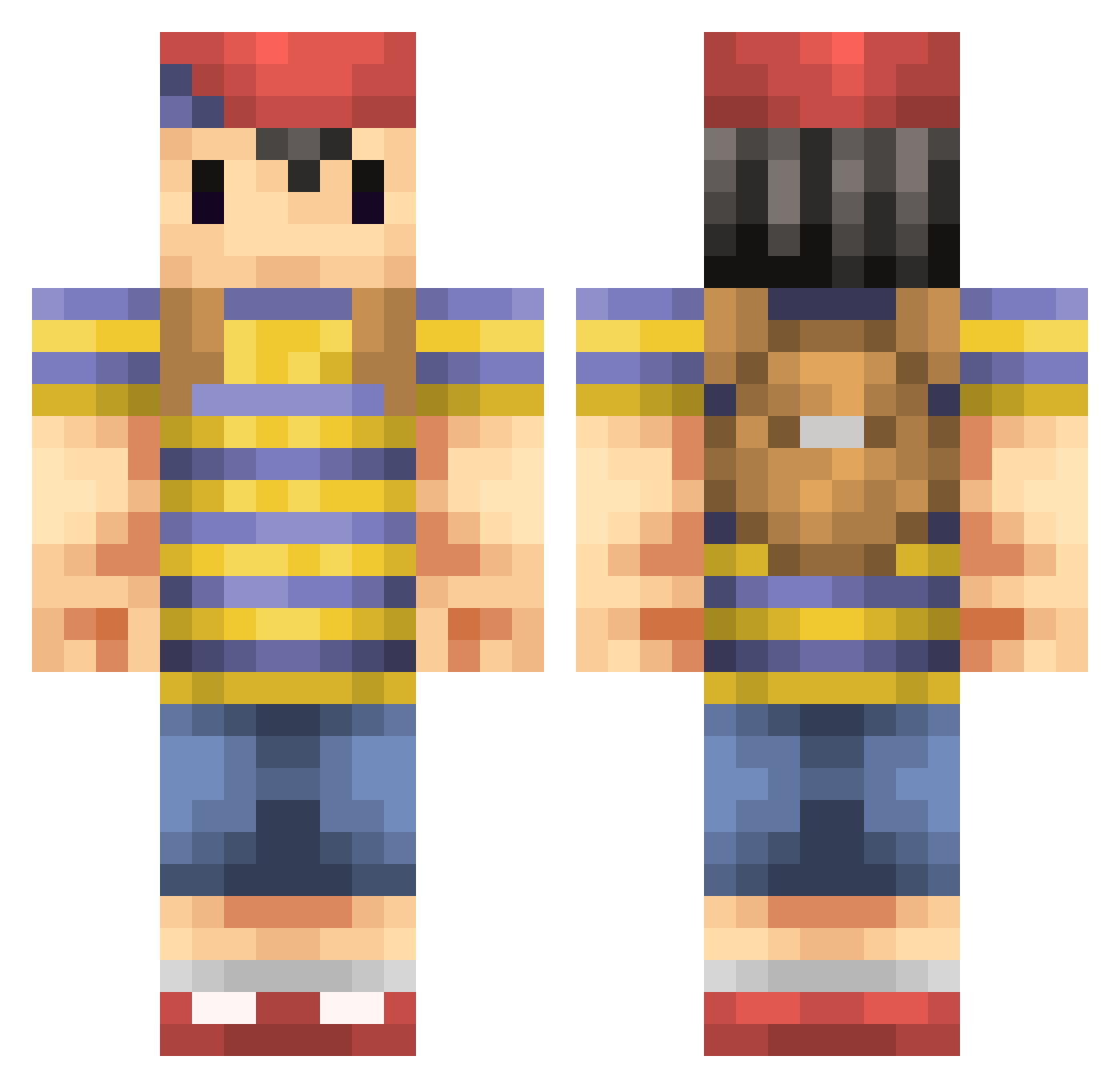
Current Minecraft skin of the player SpamPlays, loaded from the official Mojang API. Rotate the 3D model with your mouse or finger, then download the skin as a PNG file and use it in Minecraft: Bedrock Edition or Java Edition for free. When SpamPlays changes their skin, this page updates automatically and the old skin stays in the history below.
Other players with this skin (235)
SpamPlays was the 195th player we have seen with this skin, first spotted on 18.10.2026. The same skin was seen on these players. Open a nickname to see their current skin and skin history.
 gabe02 henry1196 AKOODA babycapybara Mad_MagicTaco321 Minewim HazaxsPvP MIYASOU Darknalful Haksto06 Naak attackingguy101 t5Ace kavs cheverisimo LaxPlays advent89 Jaeperdices AngelitoxBlack ShadowGamerOmega BLEXVI ElRastita itsfrisco Blue_human Lasmoore SantiPistolero Nimbus_Soul kong58 TomatenWilli skames ghou DukeofWupass EatsGnomes BuilderofG Anime_Bagel Squirter ElysianMonarch 123rayman4567 dylanskimask krissreisa Lingl1ng matthewg82 Jick1227 Mavikk PJNess leavanny_1948 S1LV3R_BULL3T carphreak Mazereon panforeverz LegoMyEggo Crafty425 Rovelius Senny_Boy Lord_Eskinio MlXERY L33tTr0ll Mottie777 nyome MegaLuc3
More Smash Bros Minecraft skins
How to install the SpamPlays skin
- Press the Download button above to save the skin as a PNG file.
- Minecraft: Bedrock Edition (PE): open the Dressing Room from the main menu (or tap your character → Edit Character), go to Classic Skins → Owned, press the + (new skin) button, choose the downloaded PNG and pick the Classic (Steve) model. Works on PC and mobile; consoles cannot import custom skins.
- Minecraft: Java Edition: open the Minecraft Launcher, go to the Skins tab, click New Skin, load the PNG, pick the Classic (Steve) model and press Save & Use. You can also upload it at minecraft.net → Profile → Change Skin.
The skin does not show up after import - what should I do?
Restart Minecraft and open the Dressing Room again - imported skins sometimes appear only after a restart. Also make sure you selected the imported skin and picked the Classic (Steve) model.
Which model should I choose, Classic or Slim?
This skin is designed for the Classic (Steve) model. If you pick the wrong model, the arms of the skin will look stretched or squeezed.
Is the skin of SpamPlays free to download?
Yes. Press Download, save the PNG file and use it in Minecraft: Bedrock Edition or Java Edition - no payment or registration needed. The skin also works on multiplayer servers and Realms.
More skins
Looking for more? Go back to all Minecraft skins and check the top skins of the week, month and all time, or find any player's skin by nickname.