
SpNxioo - Minecraft Skins & Skin History
Current Minecraft skin of the player SpNxioo, loaded from the official Mojang API. Rotate the 3D model with your mouse or finger, then download the skin as a PNG file and use it in Minecraft: Bedrock Edition or Java Edition for free. When SpNxioo changes their skin, this page updates automatically and the old skin stays in the history below.
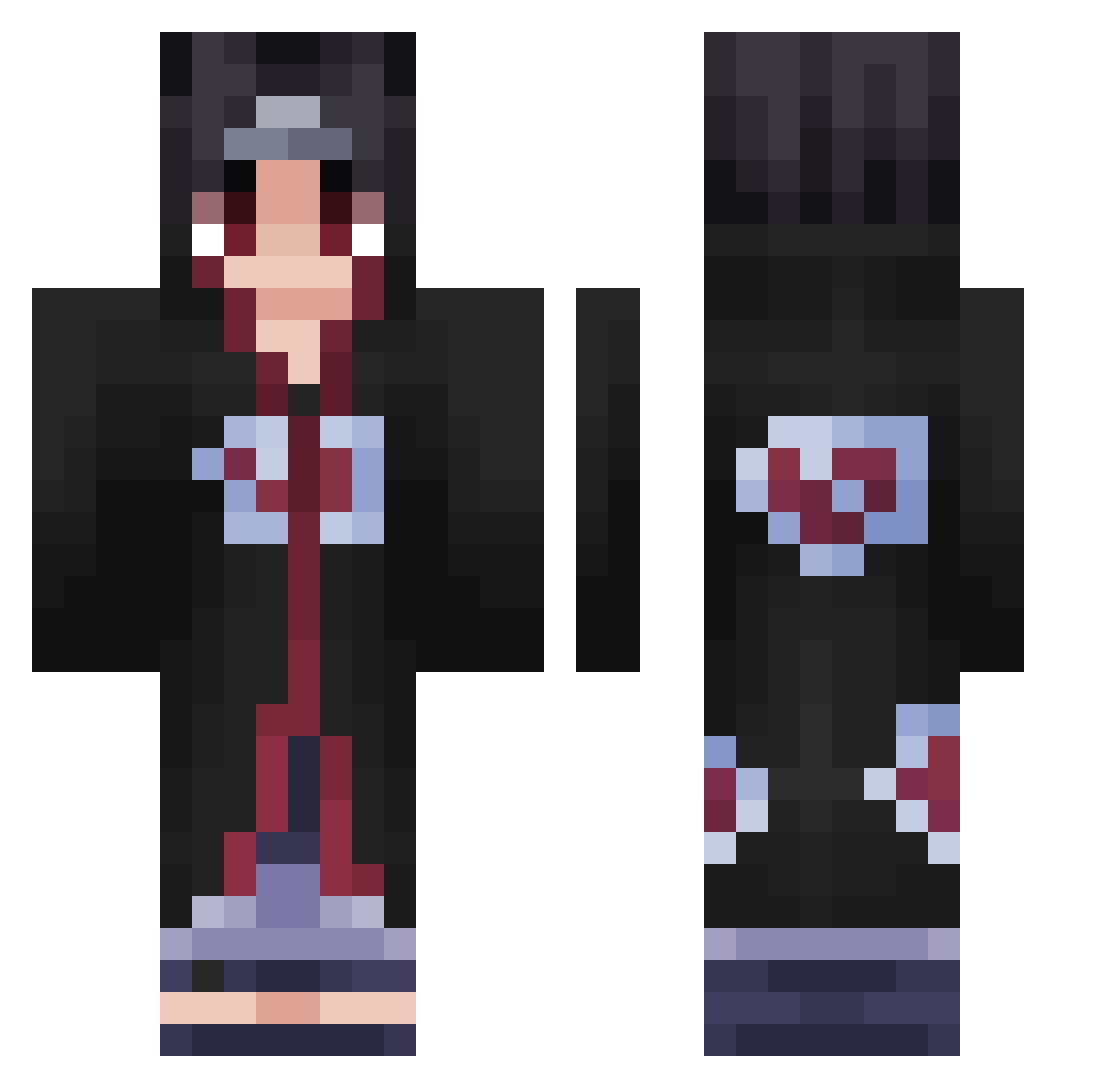
Other players with this skin (424)
SpNxioo was the 83rd player we have seen with this skin, first spotted on 12.08.2026. The same skin was seen on these players. Open a nickname to see their current skin and skin history.
 Jaydito
 jrdqnn bruvkage jhs88 VssChecks TheDivinedOn3 Kbar23 BigBabaBubu0_o Shurik3nz Kiwiz054 Duartin g0ok69 SugarDaddyBear JOONWOOKING ESDEFENCE6225 Polarlys_0416 ImPROmo eyupe2 JustAItachii Hufffo cavaliere24 PieRhooo Gravity6917 Braxien xSeiky TtvErii21 hon00dle PunjabiPWR kakashi_5339 Fuchshunter kpyjohn Cristobal6996 deterank Zeenoah B00stedBarraWS6 AKAGAMI1
 Civrooo 0Itanchik0 Leo0330_ ELPAPl frogger202 Ronexo ItachiUchiha2231 Jebs7 GOLDKarate_ OdASyrox AikowRinnegan Mako_MR TalkyWheat Jouin DARKSHADOW4G Okroschka SKR_3 Ao7Ao7 StewHyrne34 ElGrandeSamos xFelixGamerHDx AlvaroKun Knight_Dv Ryuu965
More Itachi Uchiha Minecraft skins
See all 320 Itachi Uchiha skins
How to install the SpNxioo skin
- Press the Download button above to save the skin as a PNG file.
- Minecraft: Bedrock Edition (PE): open the Dressing Room from the main menu (or tap your character → Edit Character), go to Classic Skins → Owned, press the + (new skin) button, choose the downloaded PNG and pick the Classic (Steve) model. Works on PC and mobile; consoles cannot import custom skins.
- Minecraft: Java Edition: open the Minecraft Launcher, go to the Skins tab, click New Skin, load the PNG, pick the Classic (Steve) model and press Save & Use. You can also upload it at minecraft.net → Profile → Change Skin.
The skin does not show up after import - what should I do?
Restart Minecraft and open the Dressing Room again - imported skins sometimes appear only after a restart. Also make sure you selected the imported skin and picked the Classic (Steve) model.
Which model should I choose, Classic or Slim?
This skin is designed for the Classic (Steve) model. If you pick the wrong model, the arms of the skin will look stretched or squeezed.
Is the skin of SpNxioo free to download?
Yes. Press Download, save the PNG file and use it in Minecraft: Bedrock Edition or Java Edition - no payment or registration needed. The skin also works on multiplayer servers and Realms.
More skins
Looking for more? Go back to all Minecraft skins and check the top skins of the week, month and all time, or find any player's skin by nickname.