
Soulja_Baby - Minecraft Skins & Skin History
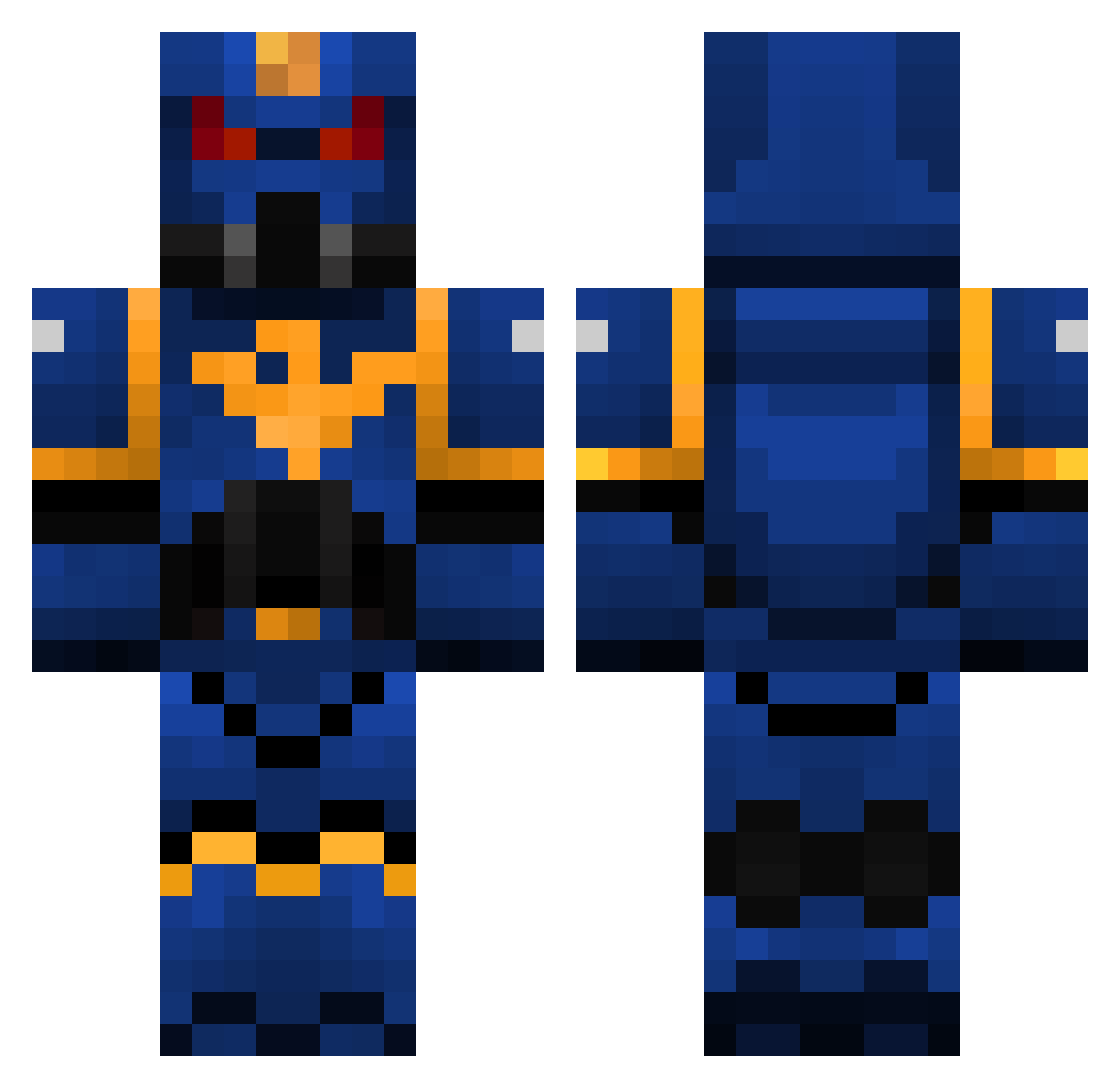
Current Minecraft skin of the player Soulja_Baby, loaded from the official Mojang API. Rotate the 3D model with your mouse or finger, then download the skin as a PNG file and use it in Minecraft: Bedrock Edition or Java Edition for free. When Soulja_Baby changes their skin, this page updates automatically and the old skin stays in the history below.
Other players with this skin (325)
Soulja_Baby was the 87th player we have seen with this skin, first spotted on 29.08.2026. The same skin was seen on these players. Open a nickname to see their current skin and skin history.
 Blackenese gerneralleopold Kalorun duckcraft35 Sinner_95 warmbrodt_jon xAmarettox PhaedoUltio Elvithrax thebigcrafters tecrids DJmaxn75 Lucronaj FlaviusHeraclius heart991202 shotputhenri Comidiot MarKOsaurus1 lismuss crusi78 govester501 maschrene XxLunaWolvesXx Tacky315 Fuego_Roboto Maximus845 mosica1998 ImNotFabian Fouyo hrng9044 11057 drewbylicious JimJams101 Toxywarrior leo83400 chris3211234 Xeprah Havech Torgonn TwitterFrenzy chchunkmonsta TheHeroSM Hullmar Superbrot224 joe44820 Cyraga Grazie_ markojohn daedricbob wertboy100 ciannaic Dixonman GuillemR Oculus_Drift Wilder654 Stormcrow2691 Banzaiguy15 sima4 Gautcha KrasekFTW
More Warhammer Minecraft skins
How to install the Soulja_Baby skin
- Press the Download button above to save the skin as a PNG file.
- Minecraft: Bedrock Edition (PE): open the Dressing Room from the main menu (or tap your character → Edit Character), go to Classic Skins → Owned, press the + (new skin) button, choose the downloaded PNG and pick the Classic (Steve) model. Works on PC and mobile; consoles cannot import custom skins.
- Minecraft: Java Edition: open the Minecraft Launcher, go to the Skins tab, click New Skin, load the PNG, pick the Classic (Steve) model and press Save & Use. You can also upload it at minecraft.net → Profile → Change Skin.
The skin does not show up after import - what should I do?
Restart Minecraft and open the Dressing Room again - imported skins sometimes appear only after a restart. Also make sure you selected the imported skin and picked the Classic (Steve) model.
Which model should I choose, Classic or Slim?
This skin is designed for the Classic (Steve) model. If you pick the wrong model, the arms of the skin will look stretched or squeezed.
Is the skin of Soulja_Baby free to download?
Yes. Press Download, save the PNG file and use it in Minecraft: Bedrock Edition or Java Edition - no payment or registration needed. The skin also works on multiplayer servers and Realms.
More skins
Looking for more? Go back to all Minecraft skins and check the top skins of the week, month and all time, or find any player's skin by nickname.