
Soozey - Minecraft Skins & Skin History
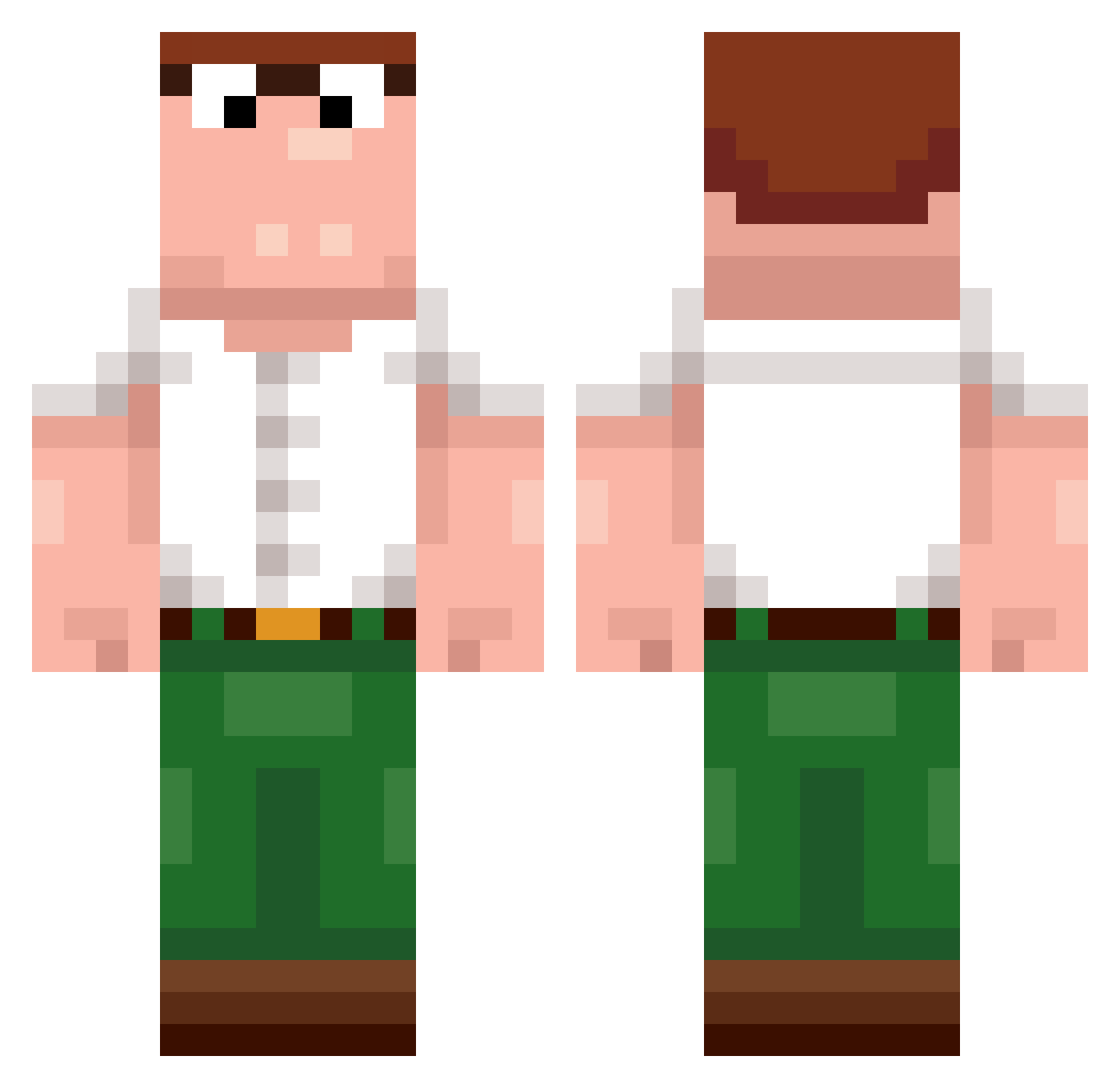
Current Minecraft skin of the player Soozey, loaded from the official Mojang API. Rotate the 3D model with your mouse or finger, then download the skin as a PNG file and use it in Minecraft: Bedrock Edition or Java Edition for free. When Soozey changes their skin, this page updates automatically and the old skin stays in the history below.
Other players with this skin (456)
Soozey was the 235th player we have seen with this skin, first spotted on 17.09.2026. The same skin was seen on these players. Open a nickname to see their current skin and skin history.
 ehsqy Ducklantis wegfrei Eraa02 0verlay TripleDoubleUCom cxsredead Trixxer2233 TurroFit balxnceeeee kebabmasterr Invite_Accept GerryScotti_ maenglish BusyFunny Braun_zydzi MaydayMorrison washiesteall002 JuGoN_pRoO LODODO Kevin176 frogggyman123 MinecraftBest189 fritte02 jojopinky hpunesu CoffeeDrinker0 Z2Nathan196 DaddyJaike Aminoso BradleyBax MUCHmonkey nosoposo HamburgarMaster Holy_____ huaAying sakobaka FlatGPT Ubside
 SilentGhostX mellonssss ilyDewier Takemuro_ yunzhou_ Kazoktnemom Kentackymini Reesey_triplet1t zclownZ3951 dogonbutter AtlasB0T T3NG13A expiredche3se no4htc JunoD2 dewier_qwq dewbedwarsbaddie AlexSaniol Not_Centic u8v_Abdou_d2u jrs2776
More Peter Griffin Minecraft skins
See all 223 Peter Griffin skins
How to install the Soozey skin
- Press the Download button above to save the skin as a PNG file.
- Minecraft: Bedrock Edition (PE): open the Dressing Room from the main menu (or tap your character → Edit Character), go to Classic Skins → Owned, press the + (new skin) button, choose the downloaded PNG and pick the Classic (Steve) model. Works on PC and mobile; consoles cannot import custom skins.
- Minecraft: Java Edition: open the Minecraft Launcher, go to the Skins tab, click New Skin, load the PNG, pick the Classic (Steve) model and press Save & Use. You can also upload it at minecraft.net → Profile → Change Skin.
The skin does not show up after import - what should I do?
Restart Minecraft and open the Dressing Room again - imported skins sometimes appear only after a restart. Also make sure you selected the imported skin and picked the Classic (Steve) model.
Which model should I choose, Classic or Slim?
This skin is designed for the Classic (Steve) model. If you pick the wrong model, the arms of the skin will look stretched or squeezed.
Is the skin of Soozey free to download?
Yes. Press Download, save the PNG file and use it in Minecraft: Bedrock Edition or Java Edition - no payment or registration needed. The skin also works on multiplayer servers and Realms.
More skins
Looking for more? Go back to all Minecraft skins and check the top skins of the week, month and all time, or find any player's skin by nickname.