
SohailRehman - Minecraft Skins & Skin History
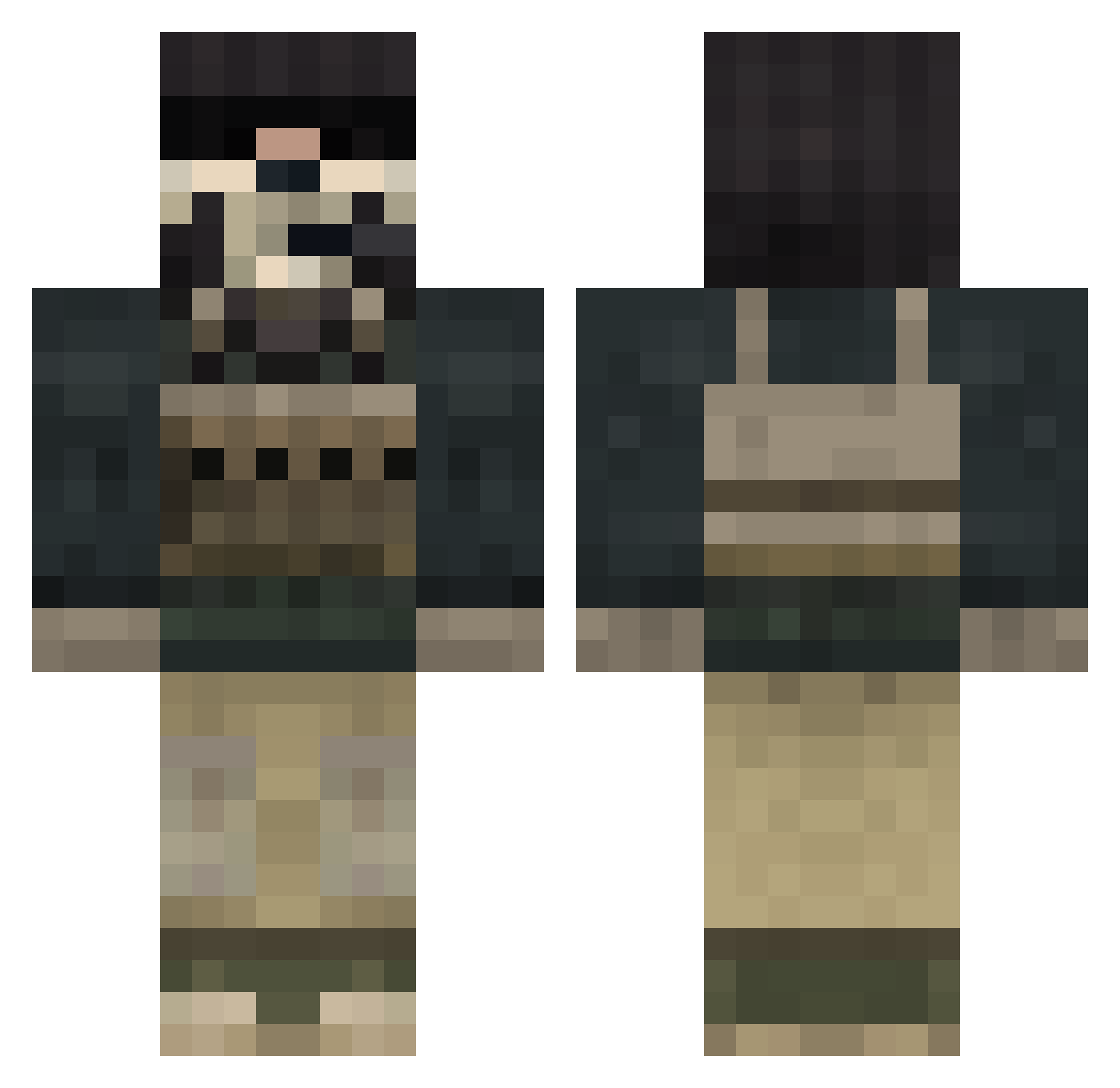
Current Minecraft skin of the player SohailRehman, loaded from the official Mojang API. Rotate the 3D model with your mouse or finger, then download the skin as a PNG file and use it in Minecraft: Bedrock Edition or Java Edition for free. When SohailRehman changes their skin, this page updates automatically and the old skin stays in the history below.
Other players with this skin (124)
SohailRehman was the 46th player we have seen with this skin, first spotted on 02.09.2026. The same skin was seen on these players. Open a nickname to see their current skin and skin history.
 SeergioML GHT_TRE Kanano_ ElZeroX plumides damon133 TheSneakyLatino mcpeely Lil_Echidna
 Vulpiz_Ghost PropagandaCZE tumbling_down The_Misteri longholiday Jope_ togimert aflac99 N0_oN AdryanBOOSS TheY3rrowMan1 Ghosted45 SytexGaming kkerr28 xKcimx BlocksterJax Owlon WillDorBeast Madlad_Malad ARES_V Der_Lord112 Gh0stm4k3r treeman8 Kimzuke TayWood Braasss BRAD_04 SANSAY_1 icewolfpup Ghostkiller1785 xXZ0T4KXx Mercenario_24 Rogneberries aidedprime
 ZombieKingy DavidSanz99 lockerman23 likeaglove05 Ghost__2007 xManosanx Aeon_Constantine sjoel UnknownGhostXx imr117 SgtJackson
 KingPing000 GoHamorGoHome SkyX1213 Kromexus JOSELES77 Nukenoid
More Call Of Duty Minecraft skins
See all 163 Call Of Duty skins
How to install the SohailRehman skin
- Press the Download button above to save the skin as a PNG file.
- Minecraft: Bedrock Edition (PE): open the Dressing Room from the main menu (or tap your character → Edit Character), go to Classic Skins → Owned, press the + (new skin) button, choose the downloaded PNG and pick the Classic (Steve) model. Works on PC and mobile; consoles cannot import custom skins.
- Minecraft: Java Edition: open the Minecraft Launcher, go to the Skins tab, click New Skin, load the PNG, pick the Classic (Steve) model and press Save & Use. You can also upload it at minecraft.net → Profile → Change Skin.
The skin does not show up after import - what should I do?
Restart Minecraft and open the Dressing Room again - imported skins sometimes appear only after a restart. Also make sure you selected the imported skin and picked the Classic (Steve) model.
Which model should I choose, Classic or Slim?
This skin is designed for the Classic (Steve) model. If you pick the wrong model, the arms of the skin will look stretched or squeezed.
Is the skin of SohailRehman free to download?
Yes. Press Download, save the PNG file and use it in Minecraft: Bedrock Edition or Java Edition - no payment or registration needed. The skin also works on multiplayer servers and Realms.
More skins
Looking for more? Go back to all Minecraft skins and check the top skins of the week, month and all time, or find any player's skin by nickname.