
Snxxw93 - Minecraft Skins & Skin History
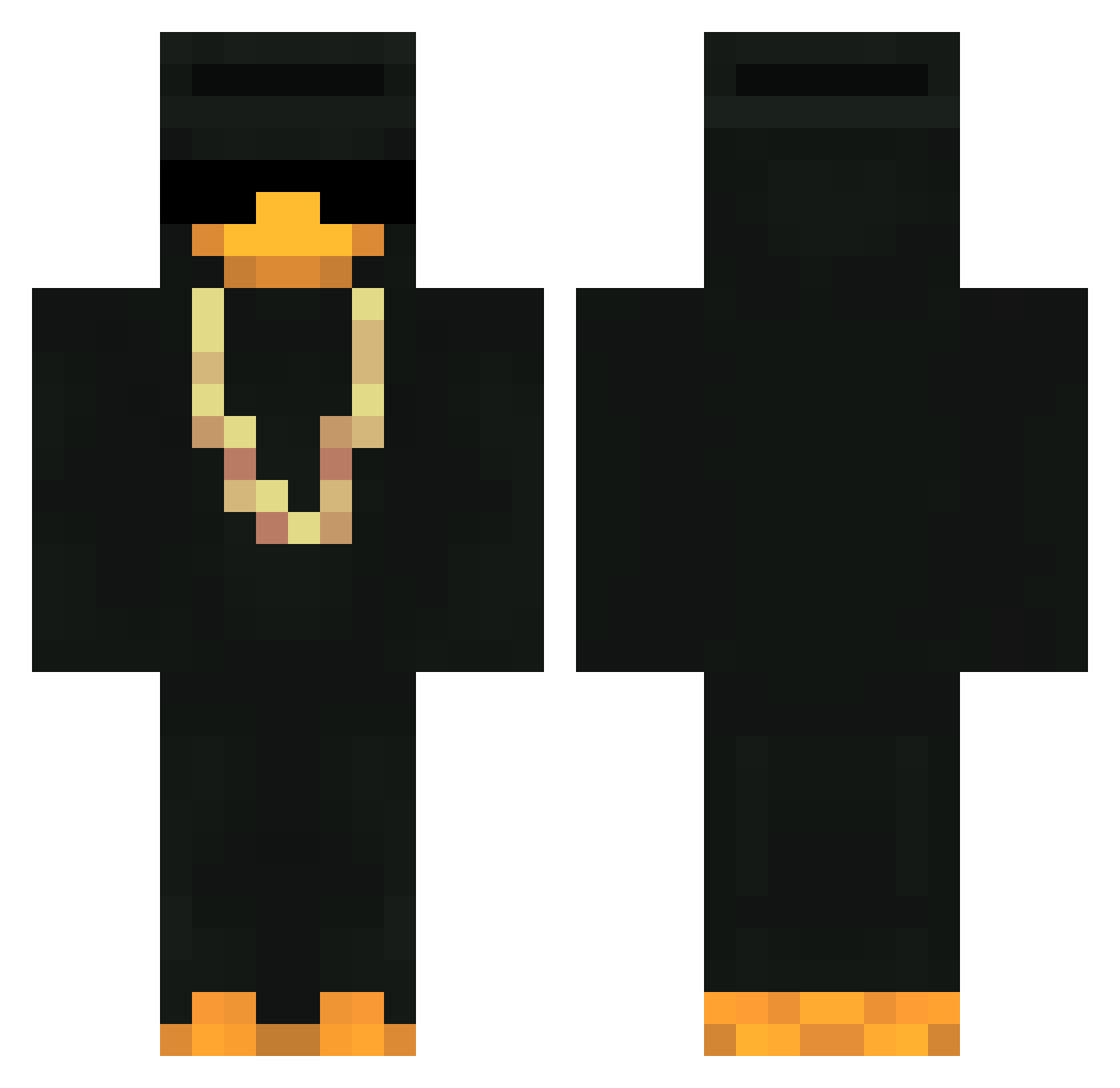
Current Minecraft skin of the player Snxxw93, loaded from the official Mojang API. Rotate the 3D model with your mouse or finger, then download the skin as a PNG file and use it in Minecraft: Bedrock Edition or Java Edition for free. When Snxxw93 changes their skin, this page updates automatically and the old skin stays in the history below.
Other players with this skin (384)
Snxxw93 was the 219th player we have seen with this skin, first spotted on 24.09.2026. The same skin was seen on these players. Open a nickname to see their current skin and skin history.
 Spinepple MonsoonAlt50 Correlacion Silmera racso3838 crislacras YaBoiiSUS Vyxor_ PaidMoney 7dwek Duckster1146 Lynon4 pcdek Koursg D_Dany FayRtricK Sheloveslewz ALEXVKK MLK93 _c4nn daianmey HellGreat B14Ckl BESTGERMAN ZigsonSzefuncio Windzoza SoulS3 qbsontoziomal monsoonalt25 KingOfWoolWars Keghs Jonasglw HappyTeeps rudy32 Alex_Bravo TraDeRGeT bmw05 Dosix92 1OMalBesseralsDu SasukeEH Gabrizx gggett DwarfedHuman69 MacArDuck Bombiie wehatechildren entimerKDR Cormac93 resolve___ fmb853DMC Snodoms gabitoVilla22 xxxMimi Ryzen_ay GHzx7 ShadowsNinja NAFOORA PiotreyOff CEL0S ReadyToYou
More Gold Chain Minecraft skins
How to install the Snxxw93 skin
- Press the Download button above to save the skin as a PNG file.
- Minecraft: Bedrock Edition (PE): open the Dressing Room from the main menu (or tap your character → Edit Character), go to Classic Skins → Owned, press the + (new skin) button, choose the downloaded PNG and pick the Classic (Steve) model. Works on PC and mobile; consoles cannot import custom skins.
- Minecraft: Java Edition: open the Minecraft Launcher, go to the Skins tab, click New Skin, load the PNG, pick the Classic (Steve) model and press Save & Use. You can also upload it at minecraft.net → Profile → Change Skin.
The skin does not show up after import - what should I do?
Restart Minecraft and open the Dressing Room again - imported skins sometimes appear only after a restart. Also make sure you selected the imported skin and picked the Classic (Steve) model.
Which model should I choose, Classic or Slim?
This skin is designed for the Classic (Steve) model. If you pick the wrong model, the arms of the skin will look stretched or squeezed.
Is the skin of Snxxw93 free to download?
Yes. Press Download, save the PNG file and use it in Minecraft: Bedrock Edition or Java Edition - no payment or registration needed. The skin also works on multiplayer servers and Realms.
More skins
Looking for more? Go back to all Minecraft skins and check the top skins of the week, month and all time, or find any player's skin by nickname.