
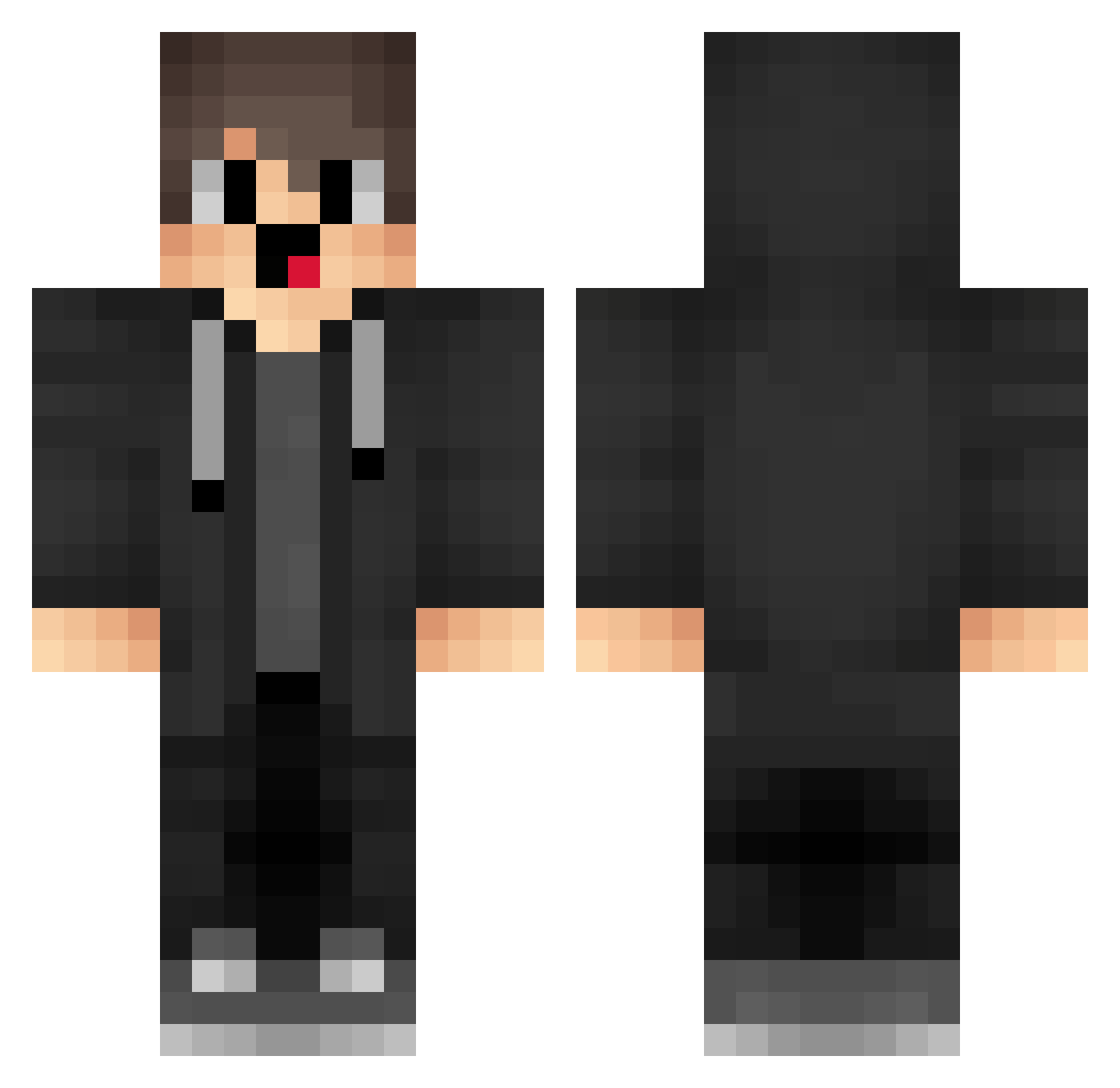
Current Minecraft skin of the player Snowhazard24, loaded from the official Mojang API. Rotate the 3D model with your mouse or finger, then download the skin as a PNG file and use it in Minecraft: Bedrock Edition or Java Edition for free. When Snowhazard24 changes their skin, this page updates automatically and the old skin stays in the history below.
Other players with this skin (1288)
Snowhazard24 was the 975th player we have seen with this skin, first spotted on 29.09.2026. The same skin was seen on these players. Open a nickname to see their current skin and skin history.
 xke915 fxE335 MerziBiliBili yukuz _SongMouRen tNJ372 Estee_34 MerryzzAFK eWW958 Vml311 NullHoney vGP947 PPp290 fKm181 Mku673 Lurvx kYQ304 hutao_tEb1m_1001 KIi575 gZm82 SEz774 box_zYmemCJCW297 EBc831 WgP312 rMl125 Six644 QPR689 lmH580 greshant001ByPas Kyh253 nIT844 Grr547 dream658 andresbtw TempoCheater dEE862 ChewingGum320498 loT27 Sa3ura_7 caJ775 box_BvOIngVuj387 box_hbnRuPPFA822 plc445 uvZ765 Xak276 Ebetinn lEo249 ghA697 fDZ989 box_zkCpKoUTb673 otZ391 Merryzzvapeop RJb623 WsQ957 IZB115 wQV287 stifte456 The_laughing_sna GUM450 yZs620
How to install the Snowhazard24 skin
- Press the Download button above to save the skin as a PNG file.
- Minecraft: Bedrock Edition (PE): open the Dressing Room from the main menu (or tap your character → Edit Character), go to Classic Skins → Owned, press the + (new skin) button, choose the downloaded PNG and pick the Classic (Steve) model. Works on PC and mobile; consoles cannot import custom skins.
- Minecraft: Java Edition: open the Minecraft Launcher, go to the Skins tab, click New Skin, load the PNG, pick the Classic (Steve) model and press Save & Use. You can also upload it at minecraft.net → Profile → Change Skin.
The skin does not show up after import - what should I do?
Restart Minecraft and open the Dressing Room again - imported skins sometimes appear only after a restart. Also make sure you selected the imported skin and picked the Classic (Steve) model.
Which model should I choose, Classic or Slim?
This skin is designed for the Classic (Steve) model. If you pick the wrong model, the arms of the skin will look stretched or squeezed.
Is the skin of Snowhazard24 free to download?
Yes. Press Download, save the PNG file and use it in Minecraft: Bedrock Edition or Java Edition - no payment or registration needed. The skin also works on multiplayer servers and Realms.
More skins
Looking for more? Go back to all Minecraft skins and check the top skins of the week, month and all time, or find any player's skin by nickname.