
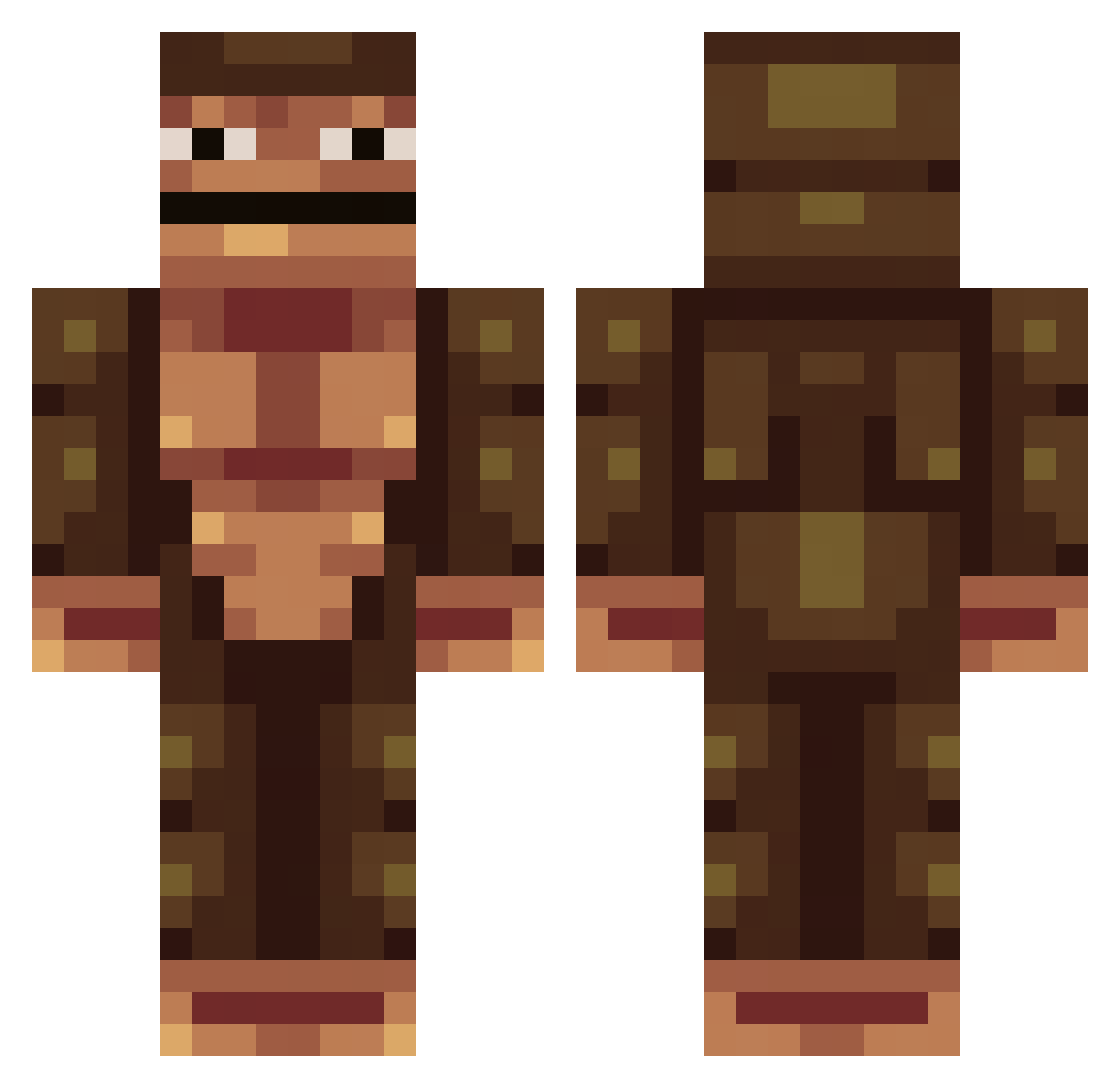
Current Minecraft skin of the player Sniftag_Wog, loaded from the official Mojang API. Rotate the 3D model with your mouse or finger, then download the skin as a PNG file and use it in Minecraft: Bedrock Edition or Java Edition for free. When Sniftag_Wog changes their skin, this page updates automatically and the old skin stays in the history below.
Other players with this skin (233)
Sniftag_Wog was the 55th player we have seen with this skin, first spotted on 11.08.2026. The same skin was seen on these players. Open a nickname to see their current skin and skin history.
 keeeni lemmenletku ric13373 Ax3le fabiomahon plamatalud Owennn7 LoadingTheBooter Kietjeispro xxcavexx thambi MIGHITY MohammedAlAyoub Zoobyman RoyaltyFtop Aiirn Sonderzeichen27 Cool_ninja137 YOYO_Fred squeezy100 DoofyDiddles miigss Ksif johnbro007 Gman_Great Gjoda MikiMonkey07 LIONBURP mrukkeli IronSlade Br3mi Loym comdotau Puunkt Laviouz darin15r omgitsme1199 Faeshul CLIPPERDUDE Bombay FranksumMcFrank Juice_Jungle castriul mike_hunt18 XGreenxViperX Trennemo JeppJepp717 KingKryOS KingJett Sp4n BBarringer11 tonninseteli polhem21 xgamemoroctogon jjslion20 strawberrydrink Scrumma CyberTheif RobeXGames enikuti
More Colossal Titan Minecraft skins
See all 24 Colossal Titan skins
How to install the Sniftag_Wog skin
- Press the Download button above to save the skin as a PNG file.
- Minecraft: Bedrock Edition (PE): open the Dressing Room from the main menu (or tap your character → Edit Character), go to Classic Skins → Owned, press the + (new skin) button, choose the downloaded PNG and pick the Classic (Steve) model. Works on PC and mobile; consoles cannot import custom skins.
- Minecraft: Java Edition: open the Minecraft Launcher, go to the Skins tab, click New Skin, load the PNG, pick the Classic (Steve) model and press Save & Use. You can also upload it at minecraft.net → Profile → Change Skin.
The skin does not show up after import - what should I do?
Restart Minecraft and open the Dressing Room again - imported skins sometimes appear only after a restart. Also make sure you selected the imported skin and picked the Classic (Steve) model.
Which model should I choose, Classic or Slim?
This skin is designed for the Classic (Steve) model. If you pick the wrong model, the arms of the skin will look stretched or squeezed.
Is the skin of Sniftag_Wog free to download?
Yes. Press Download, save the PNG file and use it in Minecraft: Bedrock Edition or Java Edition - no payment or registration needed. The skin also works on multiplayer servers and Realms.
More skins
Looking for more? Go back to all Minecraft skins and check the top skins of the week, month and all time, or find any player's skin by nickname.