
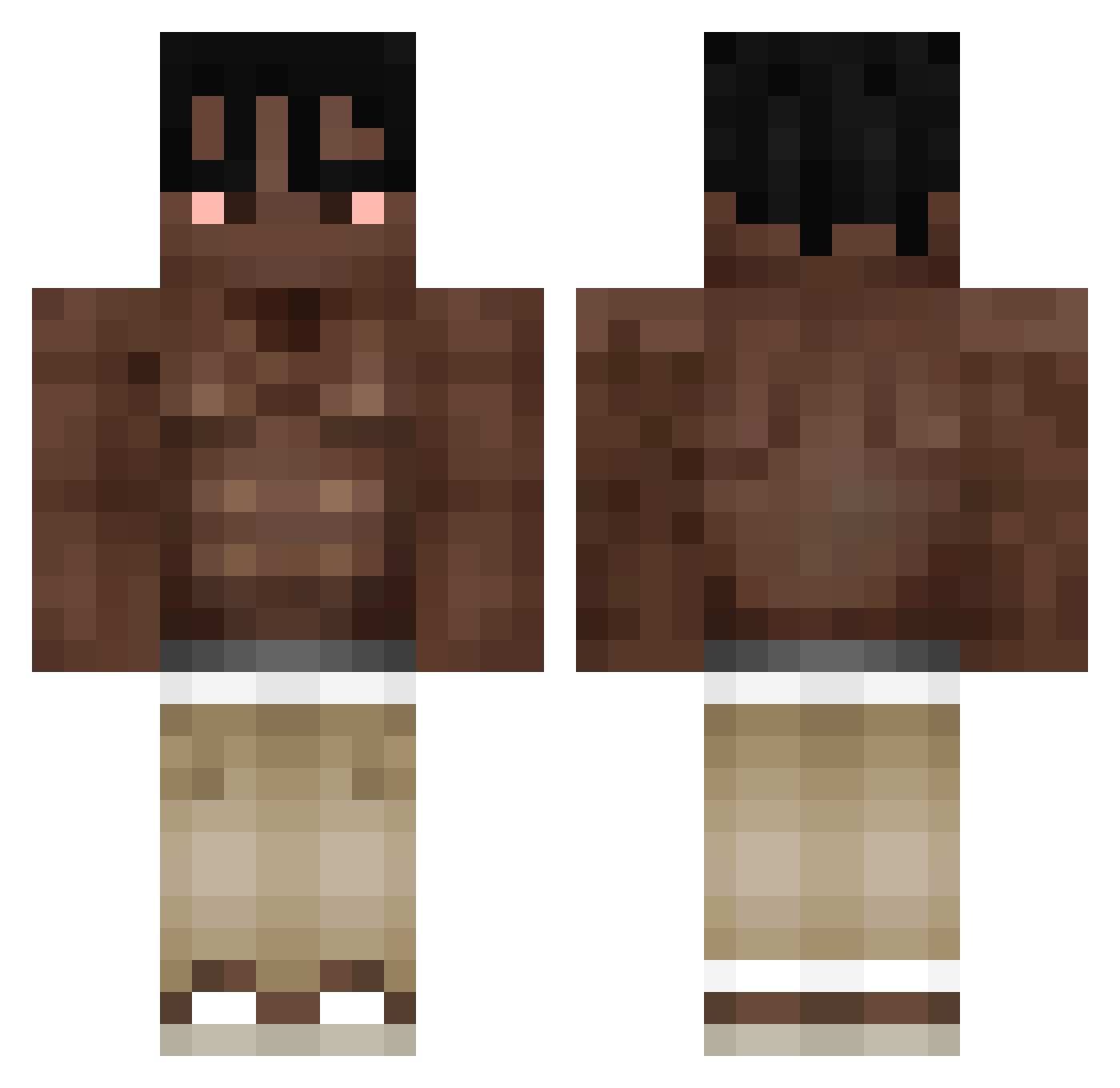
Current Minecraft skin of the player SnD____, loaded from the official Mojang API. Rotate the 3D model with your mouse or finger, then download the skin as a PNG file and use it in Minecraft: Bedrock Edition or Java Edition for free. When SnD____ changes their skin, this page updates automatically and the old skin stays in the history below.
Other players with this skin (295)
SnD____ was the 243rd player we have seen with this skin, first spotted on 05.10.2026. The same skin was seen on these players. Open a nickname to see their current skin and skin history.
 snqwie gueram Eznanobka0 wasbannedxD SamarciXD Daragon669 luscofusco10 iloveoreoos Goddid123_ Stefciop Laweamala_5 YUrAru090 Niklasmusiker kubixzk AnYeluxe redshadow26400 Terre1021 skitt_tt Seo_00 NicoLingua athlaan TravisTeraScotta NAOAORACISMO GoManPool M3KAI iikerbaloo pauljtm BadGuyALL123 MeatDestroyer69 matthiu_ Zarkodox PrzybylSKAJ Nox_135 Neqerlyncher makritx RichardMilly1 Eien_no GhostFrik PRZEMO789 Kristofefpodloga sSaron Djpee07 itsbee8 Malayasia Gerlucas2 PPx_775889 Taizy17 szczypiooor_ blvditrouble762 kainefrom42 Sunnnnnnnnnnyx patrickraoul Karasov_Legend t4m4k1n Rokas2222 Lucas807 mendupendu DJ1816 cyen2011 PatoFut
More Shirtless Minecraft skins
How to install the SnD____ skin
- Press the Download button above to save the skin as a PNG file.
- Minecraft: Bedrock Edition (PE): open the Dressing Room from the main menu (or tap your character → Edit Character), go to Classic Skins → Owned, press the + (new skin) button, choose the downloaded PNG and pick the Classic (Steve) model. Works on PC and mobile; consoles cannot import custom skins.
- Minecraft: Java Edition: open the Minecraft Launcher, go to the Skins tab, click New Skin, load the PNG, pick the Classic (Steve) model and press Save & Use. You can also upload it at minecraft.net → Profile → Change Skin.
The skin does not show up after import - what should I do?
Restart Minecraft and open the Dressing Room again - imported skins sometimes appear only after a restart. Also make sure you selected the imported skin and picked the Classic (Steve) model.
Which model should I choose, Classic or Slim?
This skin is designed for the Classic (Steve) model. If you pick the wrong model, the arms of the skin will look stretched or squeezed.
Is the skin of SnD____ free to download?
Yes. Press Download, save the PNG file and use it in Minecraft: Bedrock Edition or Java Edition - no payment or registration needed. The skin also works on multiplayer servers and Realms.
More skins
Looking for more? Go back to all Minecraft skins and check the top skins of the week, month and all time, or find any player's skin by nickname.