
SlimeBomb04 - Minecraft Skins & Skin History
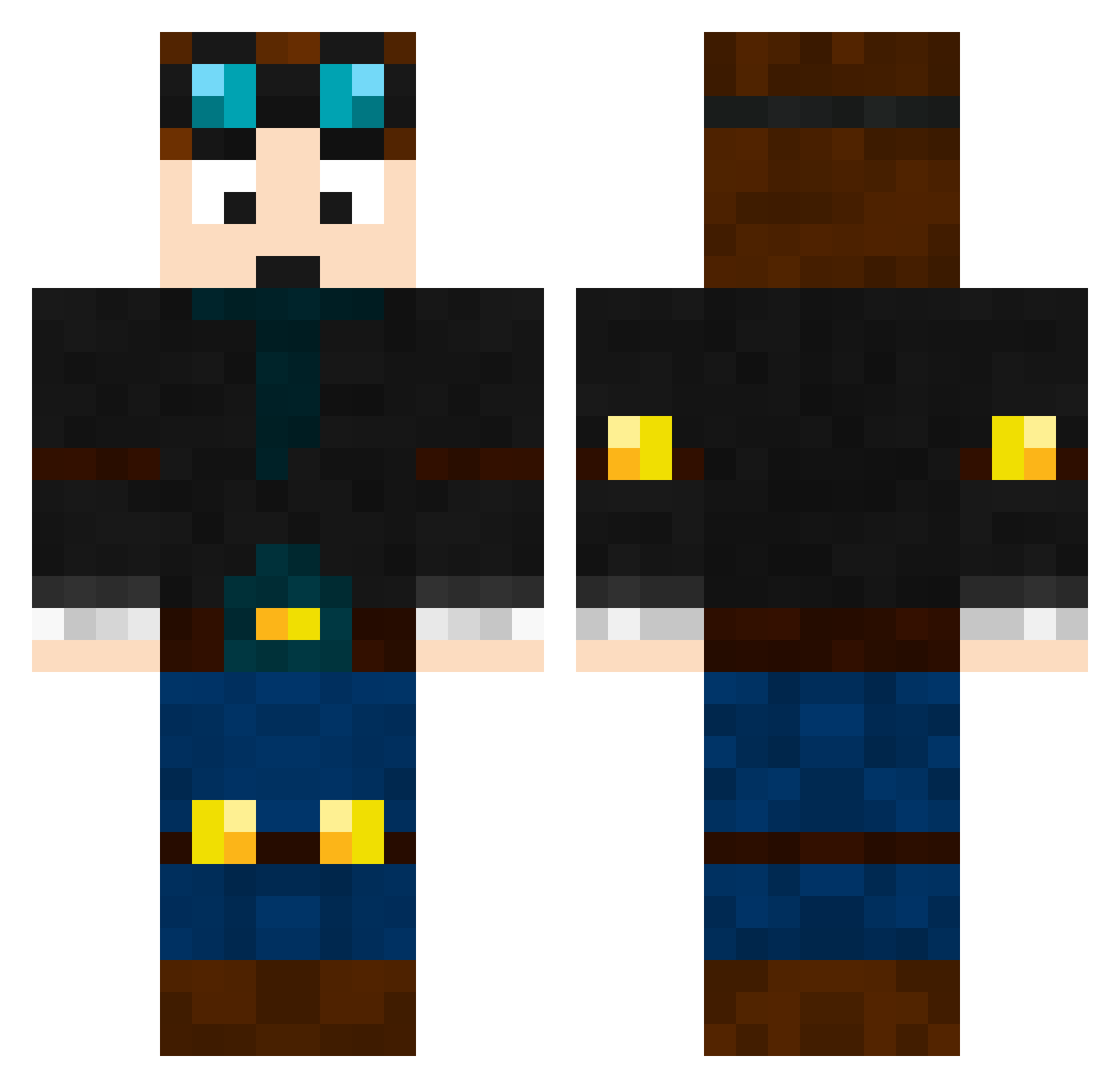
Current Minecraft skin of the player SlimeBomb04, loaded from the official Mojang API. Rotate the 3D model with your mouse or finger, then download the skin as a PNG file and use it in Minecraft: Bedrock Edition or Java Edition for free. When SlimeBomb04 changes their skin, this page updates automatically and the old skin stays in the history below.
Other players with this skin (465)
SlimeBomb04 was the 257th player we have seen with this skin, first spotted on 20.09.2026. The same skin was seen on these players. Open a nickname to see their current skin and skin history.
 z03fke Boovent08 DannyQuirk Minecraftman155 JTCoop78 cjm0922 Dantdm129 CrazyLegs1 mr_trolo Backup Fcporto2004 SoCoolICantEven Lonneke2015 CK71 wrestlemaster01 SchoolDude79 TH3L8GAM3R SolXan smallsmaster115 Sethgamer7 Vivvianna cards05 dalmatialaine nickdog11 JChannelVlogs danielromero64 Ben_821 simmepimme NiteNinja123 AznThaoSterBoy WELlaurens adambispham Philipp78910 Awesomebeeman InfiniteDiamond7 Dragomir_ meowpower12345 samtigs Declanginger koletonjason musicmanjack11 BryantGuy GamerPlayer1234 Gabrielmester JohnnyisKING FreddieW6000 GriffinMJ AdrienBoi nerfnoah3000 TheTank96 NickMYSTA27 peterquillop donatello3 Nick12160 dantdmsbrother Axanthic tictaceater Kveldr killzone12354 codiecool8599
More Engineer Minecraft skins
How to install the SlimeBomb04 skin
- Press the Download button above to save the skin as a PNG file.
- Minecraft: Bedrock Edition (PE): open the Dressing Room from the main menu (or tap your character → Edit Character), go to Classic Skins → Owned, press the + (new skin) button, choose the downloaded PNG and pick the Classic (Steve) model. Works on PC and mobile; consoles cannot import custom skins.
- Minecraft: Java Edition: open the Minecraft Launcher, go to the Skins tab, click New Skin, load the PNG, pick the Classic (Steve) model and press Save & Use. You can also upload it at minecraft.net → Profile → Change Skin.
The skin does not show up after import - what should I do?
Restart Minecraft and open the Dressing Room again - imported skins sometimes appear only after a restart. Also make sure you selected the imported skin and picked the Classic (Steve) model.
Which model should I choose, Classic or Slim?
This skin is designed for the Classic (Steve) model. If you pick the wrong model, the arms of the skin will look stretched or squeezed.
Is the skin of SlimeBomb04 free to download?
Yes. Press Download, save the PNG file and use it in Minecraft: Bedrock Edition or Java Edition - no payment or registration needed. The skin also works on multiplayer servers and Realms.
More skins
Looking for more? Go back to all Minecraft skins and check the top skins of the week, month and all time, or find any player's skin by nickname.