
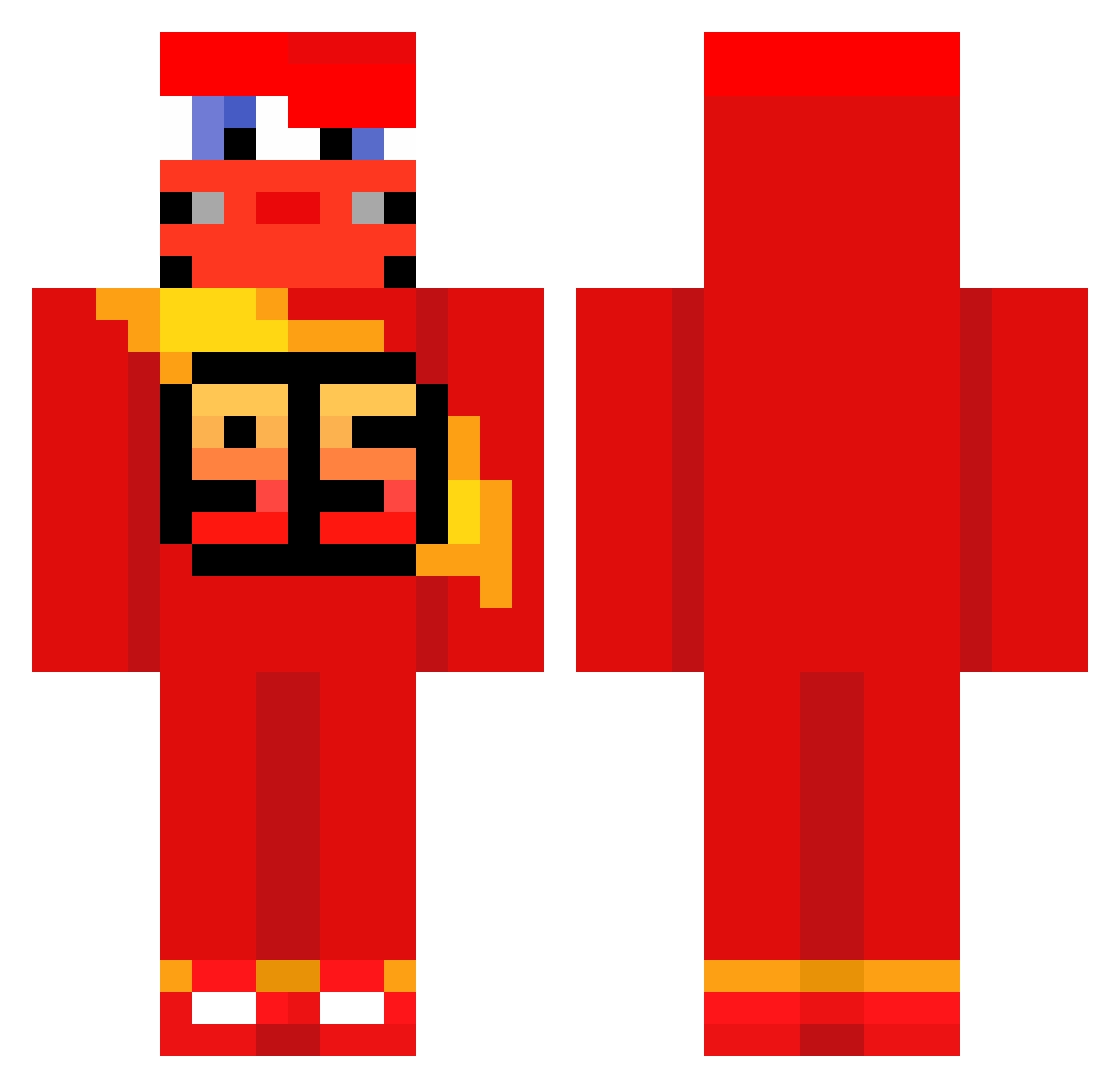
Current Minecraft skin of the player Skyf_, loaded from the official Mojang API. Rotate the 3D model with your mouse or finger, then download the skin as a PNG file and use it in Minecraft: Bedrock Edition or Java Edition for free. When Skyf_ changes their skin, this page updates automatically and the old skin stays in the history below.
Other players with this skin (513)
Skyf_ was the 482nd player we have seen with this skin, first spotted on 10.10.2026. The same skin was seen on these players. Open a nickname to see their current skin and skin history.
 bistaa Parth99 MoriAMB skibidiPasir c1re_ daN1NO ArdaMustang TheCass_10 HallvarErKul VroomVroommmm skinnylegg __ZygzakMcQueen_ Chelseaboi_101 GergiLebron Top1_NeXon Ojsann vishooooo777 NOIRSAUVAGE74 VegaPunkAKD 72D HAMERS_123 Luckeyboy974 Liquiz_ annoyingbrat Guerro18 Cl1pzyz Zofis_ KaptanJHO Xx_KaChow69_xX The_Flame_Nico 0space_ mizael142 Havoc8125 davddddd Nheexx Maki_Milka crivaldo_ kotchous ezf1nn szjhanii Righter7 MoonSummoner JpXp16 heraishere Tnzxs zerounoguii Rexi833 Bibictor2004 chitasss hrwd 1907efe2005 crack779 ayomartin08 ivor567 Pastelk1 _lxca_ soccerboi11 Hank2330 KoRoX_0 Rhys2504
More Lightning Mcqueen Minecraft skins
See all 105 Lightning Mcqueen skins
How to install the Skyf_ skin
- Press the Download button above to save the skin as a PNG file.
- Minecraft: Bedrock Edition (PE): open the Dressing Room from the main menu (or tap your character → Edit Character), go to Classic Skins → Owned, press the + (new skin) button, choose the downloaded PNG and pick the Classic (Steve) model. Works on PC and mobile; consoles cannot import custom skins.
- Minecraft: Java Edition: open the Minecraft Launcher, go to the Skins tab, click New Skin, load the PNG, pick the Classic (Steve) model and press Save & Use. You can also upload it at minecraft.net → Profile → Change Skin.
The skin does not show up after import - what should I do?
Restart Minecraft and open the Dressing Room again - imported skins sometimes appear only after a restart. Also make sure you selected the imported skin and picked the Classic (Steve) model.
Which model should I choose, Classic or Slim?
This skin is designed for the Classic (Steve) model. If you pick the wrong model, the arms of the skin will look stretched or squeezed.
Is the skin of Skyf_ free to download?
Yes. Press Download, save the PNG file and use it in Minecraft: Bedrock Edition or Java Edition - no payment or registration needed. The skin also works on multiplayer servers and Realms.
More skins
Looking for more? Go back to all Minecraft skins and check the top skins of the week, month and all time, or find any player's skin by nickname.