
SkyLordSlay - Minecraft Skins & Skin History
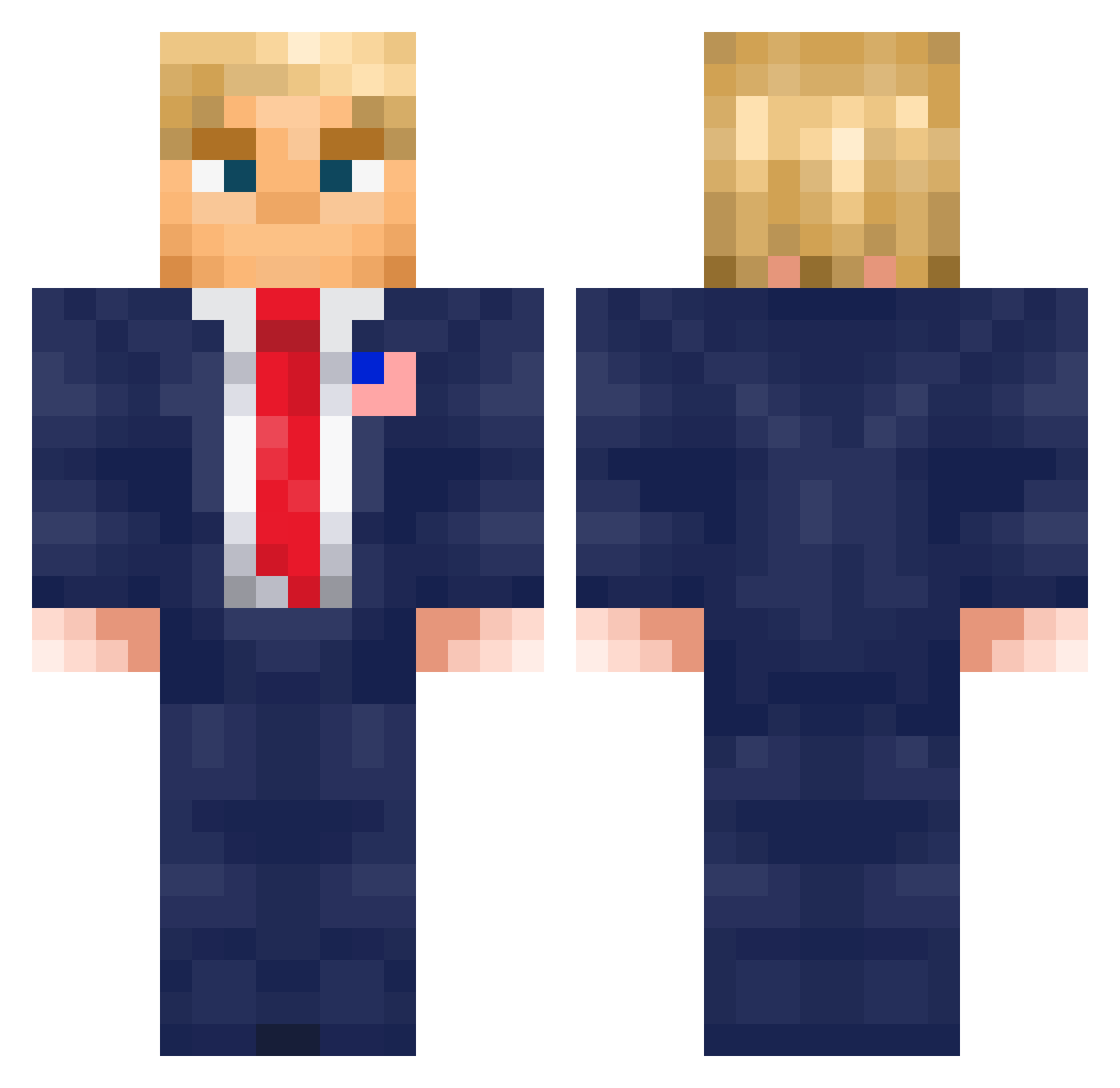
Current Minecraft skin of the player SkyLordSlay, loaded from the official Mojang API. Rotate the 3D model with your mouse or finger, then download the skin as a PNG file and use it in Minecraft: Bedrock Edition or Java Edition for free. When SkyLordSlay changes their skin, this page updates automatically and the old skin stays in the history below.
Other players with this skin (576)
SkyLordSlay was the 161st player we have seen with this skin, first spotted on 23.08.2026. The same skin was seen on these players. Open a nickname to see their current skin and skin history.
 belbell32 SH3RM0N SDXD36 YUWE3 _eumel_ HunnyBunny546 Areyoufc2013 Donald_Trump_26 NoSleepJustGrind HUGGY2SPLASHY Dysco101 EL_COXI DonasTromp_ Bedeeeevok hallurmax __EVIL PPmoris300 KingKannon miko238 sigmaboy428
 nino0929 belgican0 Kris_ters MortiSport Juli0o Frozz57 NotSoCrazyTee GeneralJackL deddart ThickRock420 Gabrielthemenac Jealouz Bismark39 RuneBoy detal_mick MACzime24 Kampftom TraashPanda9449 MrNextgen Hsunnnn Toft30 TyraeIsAshy Shirou7 MatteoNK1 jotek_58 Glace_08 makf12 brakington Joelit0 Hugxx8 benno_18 duruduru42 BobbyBoy012 Bole80 _LouisR_ Lightforget
 Snikersz CashMan5000 WhiteWolf692 JohnHere7
More Donald Trump Minecraft skins
See all 325 Donald Trump skins
How to install the SkyLordSlay skin
- Press the Download button above to save the skin as a PNG file.
- Minecraft: Bedrock Edition (PE): open the Dressing Room from the main menu (or tap your character → Edit Character), go to Classic Skins → Owned, press the + (new skin) button, choose the downloaded PNG and pick the Classic (Steve) model. Works on PC and mobile; consoles cannot import custom skins.
- Minecraft: Java Edition: open the Minecraft Launcher, go to the Skins tab, click New Skin, load the PNG, pick the Classic (Steve) model and press Save & Use. You can also upload it at minecraft.net → Profile → Change Skin.
The skin does not show up after import - what should I do?
Restart Minecraft and open the Dressing Room again - imported skins sometimes appear only after a restart. Also make sure you selected the imported skin and picked the Classic (Steve) model.
Which model should I choose, Classic or Slim?
This skin is designed for the Classic (Steve) model. If you pick the wrong model, the arms of the skin will look stretched or squeezed.
Is the skin of SkyLordSlay free to download?
Yes. Press Download, save the PNG file and use it in Minecraft: Bedrock Edition or Java Edition - no payment or registration needed. The skin also works on multiplayer servers and Realms.
More skins
Looking for more? Go back to all Minecraft skins and check the top skins of the week, month and all time, or find any player's skin by nickname.