
Skup_ - Minecraft Skins & Skin History
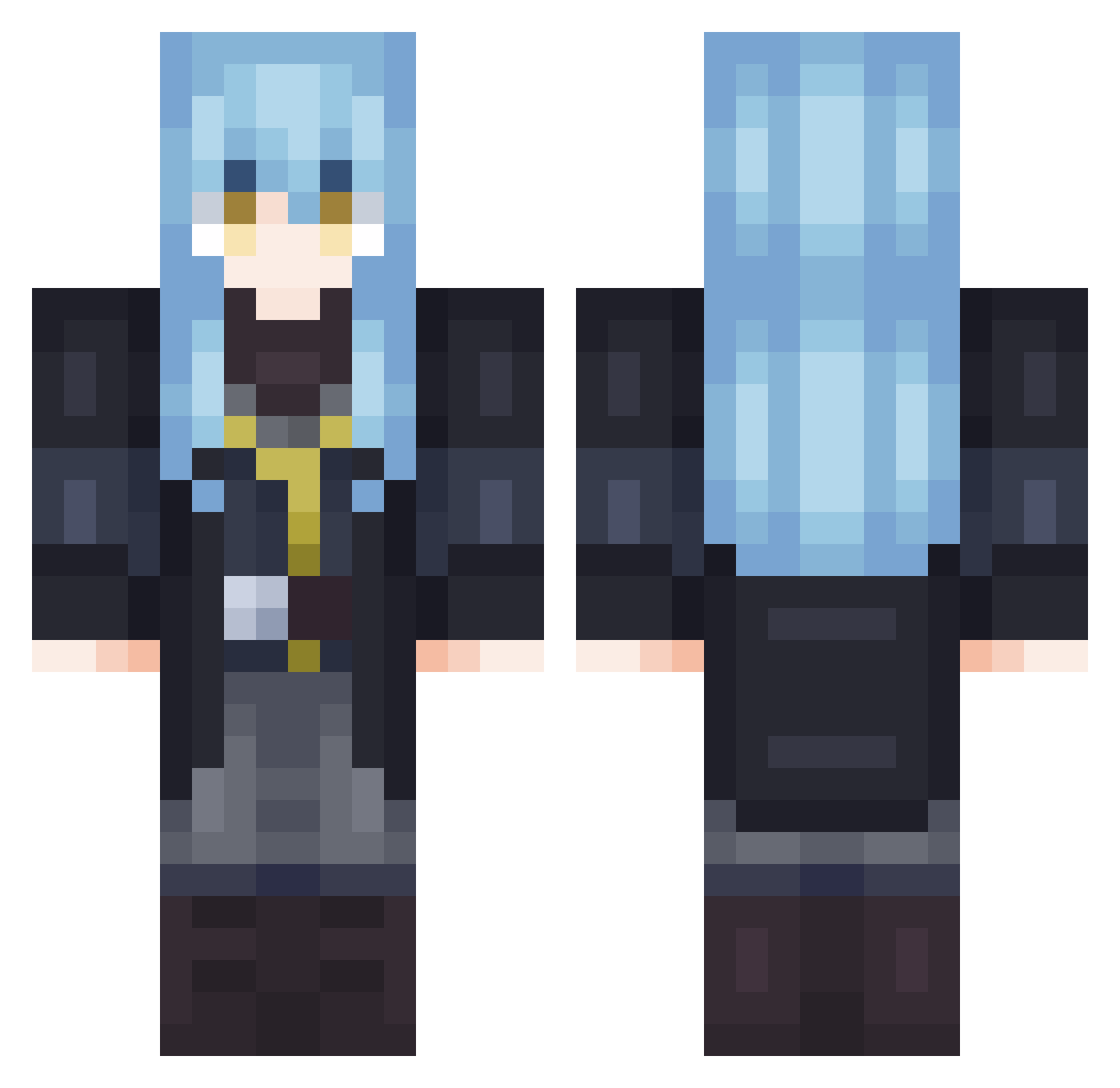
Current Minecraft skin of the player Skup_, loaded from the official Mojang API. Rotate the 3D model with your mouse or finger, then download the skin as a PNG file and use it in Minecraft: Bedrock Edition or Java Edition for free. When Skup_ changes their skin, this page updates automatically and the old skin stays in the history below.
Other players with this skin (702)
Skup_ was the 427th player we have seen with this skin, first spotted on 28.09.2026. The same skin was seen on these players. Open a nickname to see their current skin and skin history.
 Cherni_ins gateaumoka05 xeros1_ GeckoFeliz El_Orito BE_TOXIC wuzneverenough RIMURU747 LYR_0903 RiverTek Leseilleur Noarex1204 ArcherLeonhart haruki_1111 Lyberta Gurval35 tSr7x Tototati10 BadAtCommands23 Trueloveprevails LukeyBr Shinshiya xspyroxx _____Haru_____ Suzaku1798 Tumnin luka1116 tempestian Xeroo LifelikeRylie BriskPainter09 bananyke Kurose422 MANOLO1020 JLm0n Danillov3 Y8L2 Stray_Iris TheMapIe Tueur228 Prarok Cowsrgud4u OGGI1 lXxheroxXl CHARGER__68 Iceking1732 Xusroth VinnyBelmont E___24 henriqs2 ayanh ArabicPi kezJt Dr1p1k SkywardZach SonoUnCamaBlu alex008c Seukajin charpentex cheeee1247
More Rimuru Tempest Minecraft skins
See all 251 Rimuru Tempest skins
How to install the Skup_ skin
- Press the Download button above to save the skin as a PNG file.
- Minecraft: Bedrock Edition (PE): open the Dressing Room from the main menu (or tap your character → Edit Character), go to Classic Skins → Owned, press the + (new skin) button, choose the downloaded PNG and pick the Classic (Steve) model. Works on PC and mobile; consoles cannot import custom skins.
- Minecraft: Java Edition: open the Minecraft Launcher, go to the Skins tab, click New Skin, load the PNG, pick the Classic (Steve) model and press Save & Use. You can also upload it at minecraft.net → Profile → Change Skin.
The skin does not show up after import - what should I do?
Restart Minecraft and open the Dressing Room again - imported skins sometimes appear only after a restart. Also make sure you selected the imported skin and picked the Classic (Steve) model.
Which model should I choose, Classic or Slim?
This skin is designed for the Classic (Steve) model. If you pick the wrong model, the arms of the skin will look stretched or squeezed.
Is the skin of Skup_ free to download?
Yes. Press Download, save the PNG file and use it in Minecraft: Bedrock Edition or Java Edition - no payment or registration needed. The skin also works on multiplayer servers and Realms.
More skins
Looking for more? Go back to all Minecraft skins and check the top skins of the week, month and all time, or find any player's skin by nickname.