
Siverin0 - Minecraft Skins & Skin History
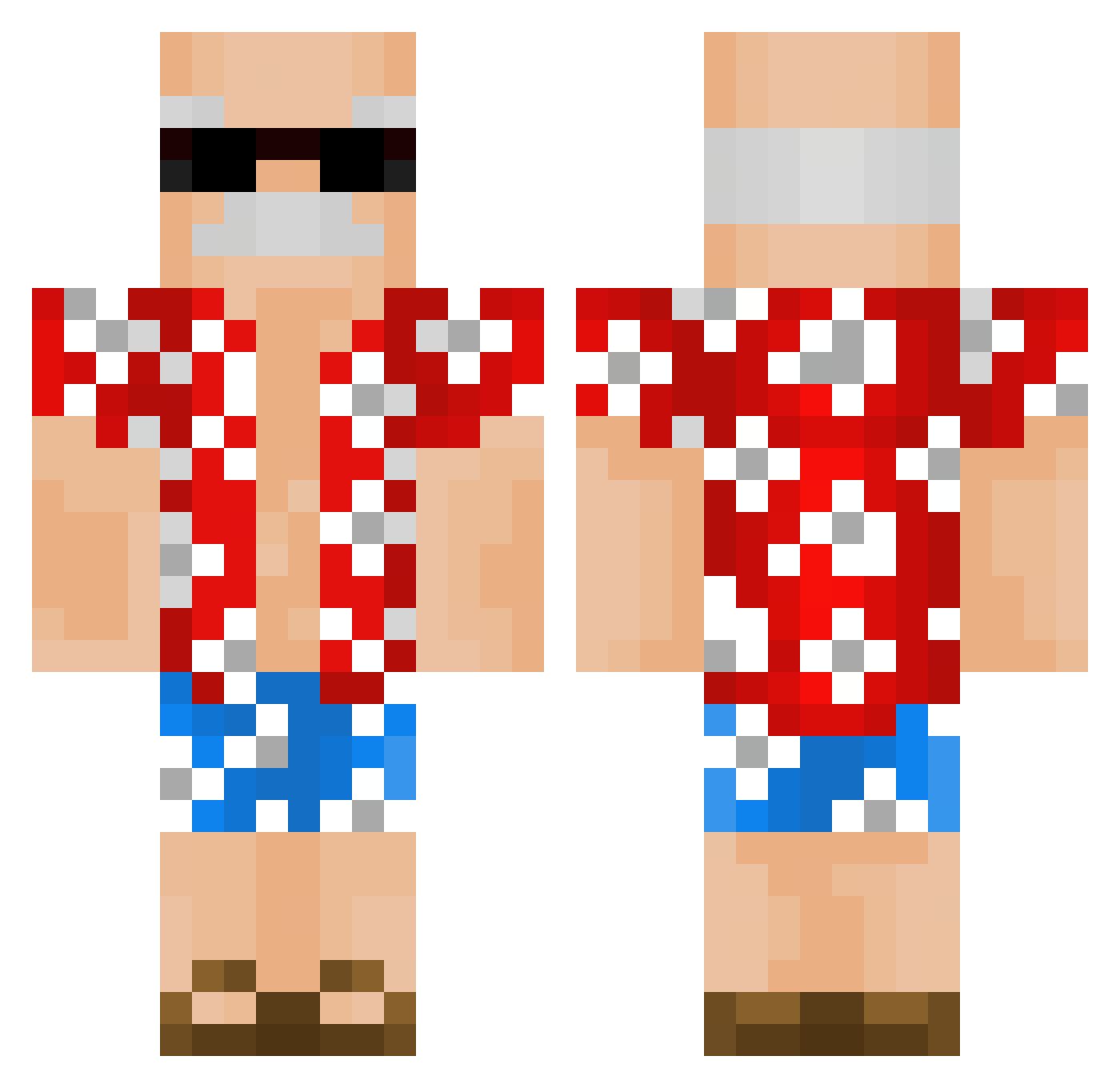
Current Minecraft skin of the player Siverin0, loaded from the official Mojang API. Rotate the 3D model with your mouse or finger, then download the skin as a PNG file and use it in Minecraft: Bedrock Edition or Java Edition for free. When Siverin0 changes their skin, this page updates automatically and the old skin stays in the history below.
Other players with this skin (337)
Siverin0 was the 215th player we have seen with this skin, first spotted on 02.10.2026. The same skin was seen on these players. Open a nickname to see their current skin and skin history.
 DerFyggo yogurtimees Ahmshere85 BogaFurioso SrValter meIxdiq shoot_matrixx HogwartsDroptOut Lugiax porter633 Zp2001 XFlappo Mcgee02 loresam7521 MrJalokim LaReyPappi Grampas 5illy _Dannee IrmaoDoAmoeba Serzola SchediTV UNBAN_MADIET Chowmeower rodalor Jorbowsky em0323 _OldGuy zSleepy_ FunkyDrongo cbjy0 PaulinGanache JeSuisLucas D1nma francis4664 TucanoHulk Bignose11 GORBI10 bkawesomeness Papiito birubiruu VelhoCaloteiro ZyToaK RychuKrzychuPL alexlee02130213 leegunwoo06 Leopardovaya OhCraZzY87 Bardino09 EinWeiserMann henriqueadf el3vn Insarofice Chance12234 Friesee jptarus Qskoff Cleen_Ween Lipster_ J4nusz_Killer
More Old Man Minecraft skins
How to install the Siverin0 skin
- Press the Download button above to save the skin as a PNG file.
- Minecraft: Bedrock Edition (PE): open the Dressing Room from the main menu (or tap your character → Edit Character), go to Classic Skins → Owned, press the + (new skin) button, choose the downloaded PNG and pick the Classic (Steve) model. Works on PC and mobile; consoles cannot import custom skins.
- Minecraft: Java Edition: open the Minecraft Launcher, go to the Skins tab, click New Skin, load the PNG, pick the Classic (Steve) model and press Save & Use. You can also upload it at minecraft.net → Profile → Change Skin.
The skin does not show up after import - what should I do?
Restart Minecraft and open the Dressing Room again - imported skins sometimes appear only after a restart. Also make sure you selected the imported skin and picked the Classic (Steve) model.
Which model should I choose, Classic or Slim?
This skin is designed for the Classic (Steve) model. If you pick the wrong model, the arms of the skin will look stretched or squeezed.
Is the skin of Siverin0 free to download?
Yes. Press Download, save the PNG file and use it in Minecraft: Bedrock Edition or Java Edition - no payment or registration needed. The skin also works on multiplayer servers and Realms.
More skins
Looking for more? Go back to all Minecraft skins and check the top skins of the week, month and all time, or find any player's skin by nickname.