
Sipadoo - Minecraft Skins & Skin History
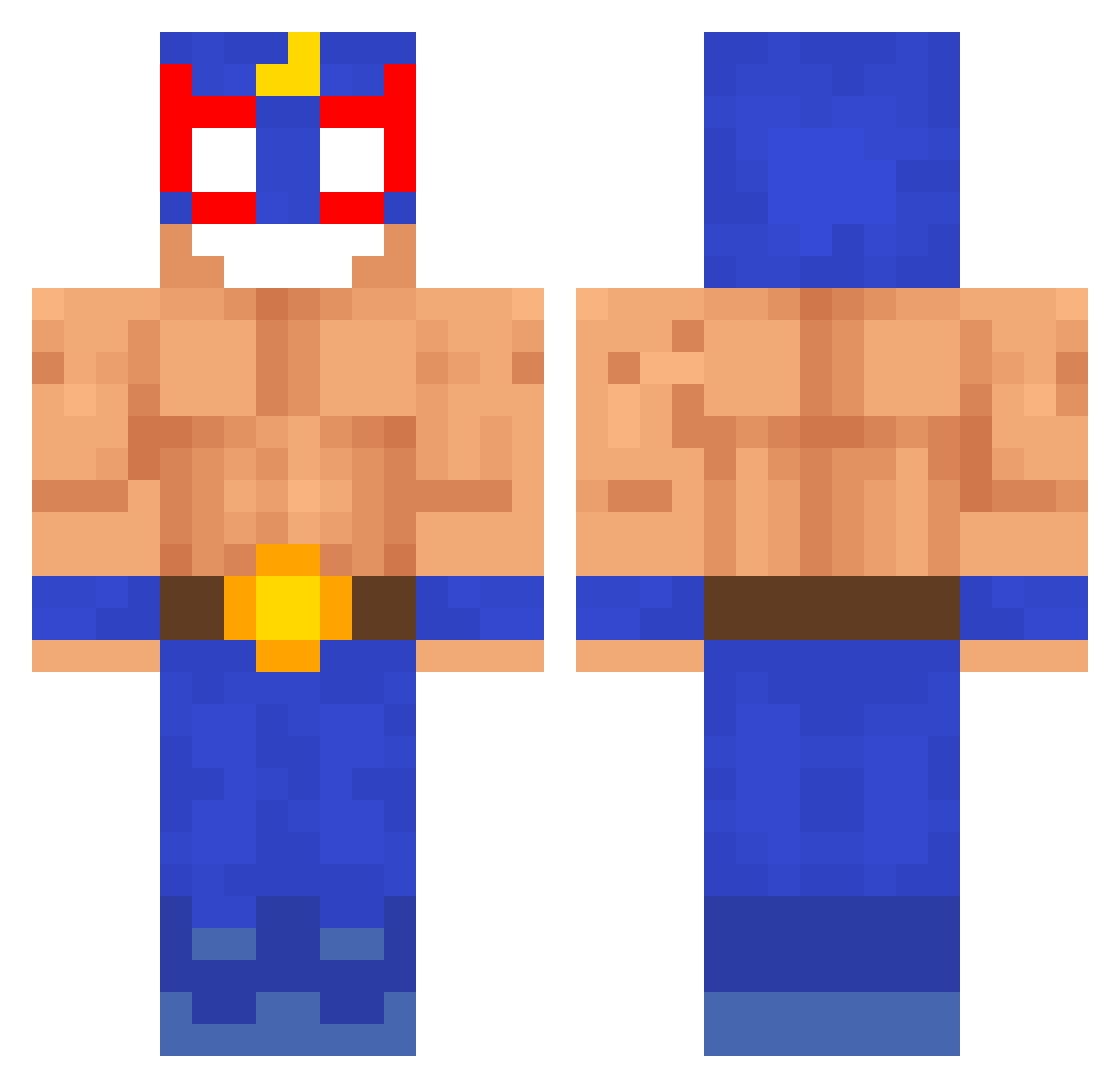
Current Minecraft skin of the player Sipadoo, loaded from the official Mojang API. Rotate the 3D model with your mouse or finger, then download the skin as a PNG file and use it in Minecraft: Bedrock Edition or Java Edition for free. When Sipadoo changes their skin, this page updates automatically and the old skin stays in the history below.
Other players with this skin (233)
Sipadoo was the 176th player we have seen with this skin, first spotted on 08.10.2026. The same skin was seen on these players. Open a nickname to see their current skin and skin history.
 Ninja_Cagri nitek2137kulka Chzzk Jaivass ElChapax DAVTHEGOUT kl0xyn K1apciu P0yManOff Jorroe Br4zz aro243 gobelino Radek7 Its_Joop seluj3380 Czcigodny_Rolnik Adrifu19 tpfr4gr Patroclooo GloriaaGarou n3kit4 zimna aYetih se1nt StJulfy Linitos PykoblydDanil Newbropro purpp44 Riroks iloveeneco sosis__ ChaosDefence ventuinha2024 TheRealGabeM tamagoChen MrGary xtrams Slence3131 santiirizza sImson23 MrLittleMonkey aboda124 lejekurwebatem ToetFlodderr jesusphobic ATOYA17 _LITWIN_ I_NIJI Debboss Bardulfus Orageou TalpazzoSgravato noooahm TradingHat95463 Drieu207 VazeMiner Ezioderhaider SuperTurbo1028
More El Primo Minecraft skins
How to install the Sipadoo skin
- Press the Download button above to save the skin as a PNG file.
- Minecraft: Bedrock Edition (PE): open the Dressing Room from the main menu (or tap your character → Edit Character), go to Classic Skins → Owned, press the + (new skin) button, choose the downloaded PNG and pick the Classic (Steve) model. Works on PC and mobile; consoles cannot import custom skins.
- Minecraft: Java Edition: open the Minecraft Launcher, go to the Skins tab, click New Skin, load the PNG, pick the Classic (Steve) model and press Save & Use. You can also upload it at minecraft.net → Profile → Change Skin.
The skin does not show up after import - what should I do?
Restart Minecraft and open the Dressing Room again - imported skins sometimes appear only after a restart. Also make sure you selected the imported skin and picked the Classic (Steve) model.
Which model should I choose, Classic or Slim?
This skin is designed for the Classic (Steve) model. If you pick the wrong model, the arms of the skin will look stretched or squeezed.
Is the skin of Sipadoo free to download?
Yes. Press Download, save the PNG file and use it in Minecraft: Bedrock Edition or Java Edition - no payment or registration needed. The skin also works on multiplayer servers and Realms.
More skins
Looking for more? Go back to all Minecraft skins and check the top skins of the week, month and all time, or find any player's skin by nickname.