
Singh0912 - Minecraft Skins & Skin History
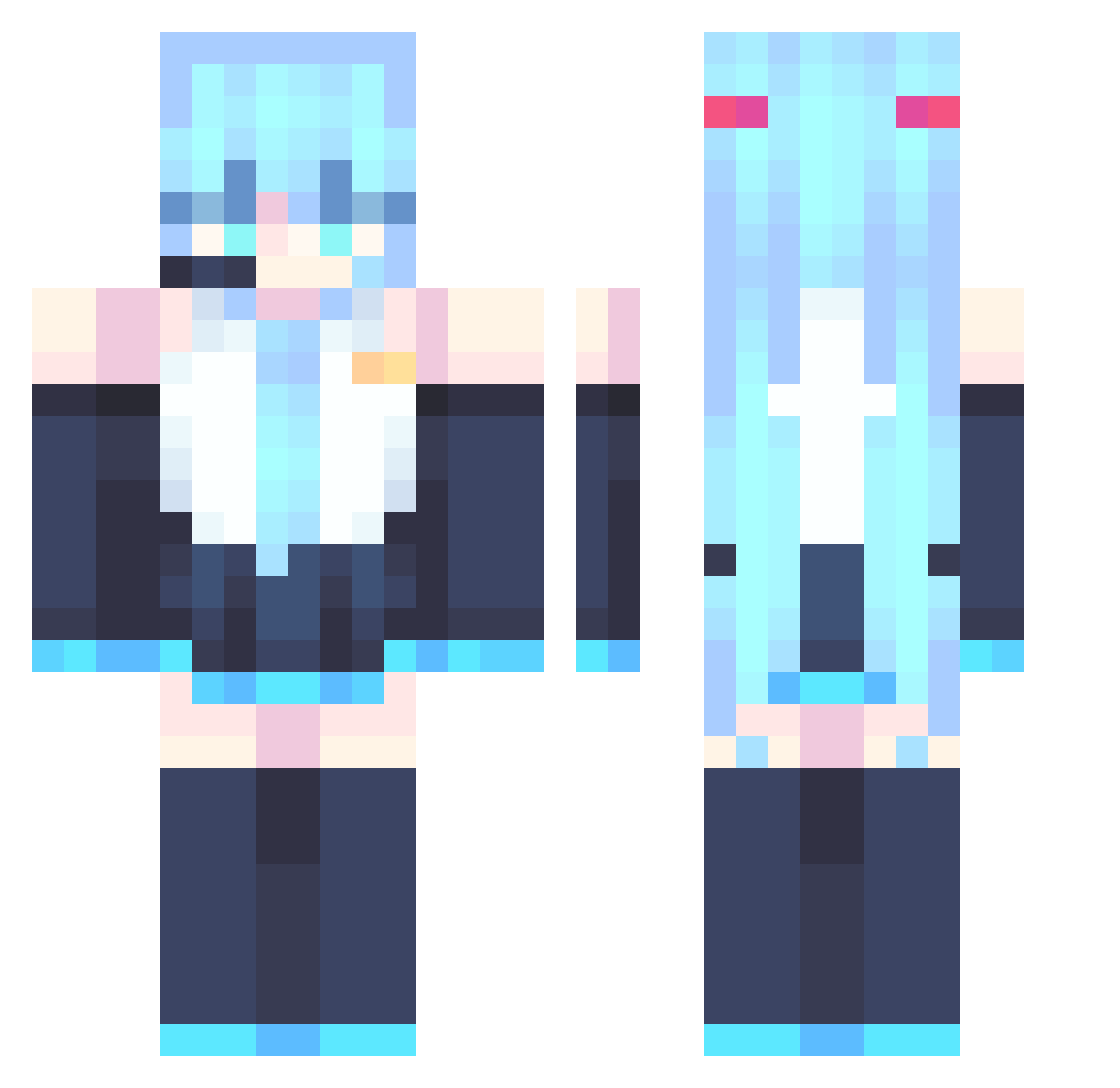
Current Minecraft skin of the player Singh0912, loaded from the official Mojang API. Rotate the 3D model with your mouse or finger, then download the skin as a PNG file and use it in Minecraft: Bedrock Edition or Java Edition for free. When Singh0912 changes their skin, this page updates automatically and the old skin stays in the history below.
Other players with this skin (890)
Singh0912 was the 556th player we have seen with this skin, first spotted on 04.10.2026. The same skin was seen on these players. Open a nickname to see their current skin and skin history.
 Ayasaka_3127 eevexuu jimitop psnhubix Dust_Knight PHOHzane Tangkeke520 Sadpotatoqwq Z3veX_X RemilliaLove Aceargon Protecaon U91 Dogboy858 PrincokQwQ whiteflower55 Walteralex20 DIO548 Magicwards Fra_ITA SSSaya Bootylicker69 Cipher2k4 XMatak NicolasCastro Dragon_Sosza lancerk11 mcc123456 KaczorekJP Akita_Ama qhh666 MystMares shusheng1997 TrapCuwummies Savia123 Thay2nn fuyuxiang9 Savecross BitBoiz BaconPancake690 YOXIGO kaylieplay Skibidisigma10 CAI258 Kamperix12 piliarn frey617 ladee224 Camthecat827 Nilusape amogusissussy999 juzi2025 KomodoCOL pitaland notost palladi0n Gemini704 Kittywolf_13 Playroom8775 Louis_Yami
More Hatsune Miku Minecraft skins
See all 904 Hatsune Miku skins
How to install the Singh0912 skin
- Press the Download button above to save the skin as a PNG file.
- Minecraft: Bedrock Edition (PE): open the Dressing Room from the main menu (or tap your character → Edit Character), go to Classic Skins → Owned, press the + (new skin) button, choose the downloaded PNG and pick the Classic (Steve) model. Works on PC and mobile; consoles cannot import custom skins.
- Minecraft: Java Edition: open the Minecraft Launcher, go to the Skins tab, click New Skin, load the PNG, pick the Classic (Steve) model and press Save & Use. You can also upload it at minecraft.net → Profile → Change Skin.
The skin does not show up after import - what should I do?
Restart Minecraft and open the Dressing Room again - imported skins sometimes appear only after a restart. Also make sure you selected the imported skin and picked the Classic (Steve) model.
Which model should I choose, Classic or Slim?
This skin is designed for the Classic (Steve) model. If you pick the wrong model, the arms of the skin will look stretched or squeezed.
Is the skin of Singh0912 free to download?
Yes. Press Download, save the PNG file and use it in Minecraft: Bedrock Edition or Java Edition - no payment or registration needed. The skin also works on multiplayer servers and Realms.
More skins
Looking for more? Go back to all Minecraft skins and check the top skins of the week, month and all time, or find any player's skin by nickname.