
Silks - Minecraft Skins & Skin History
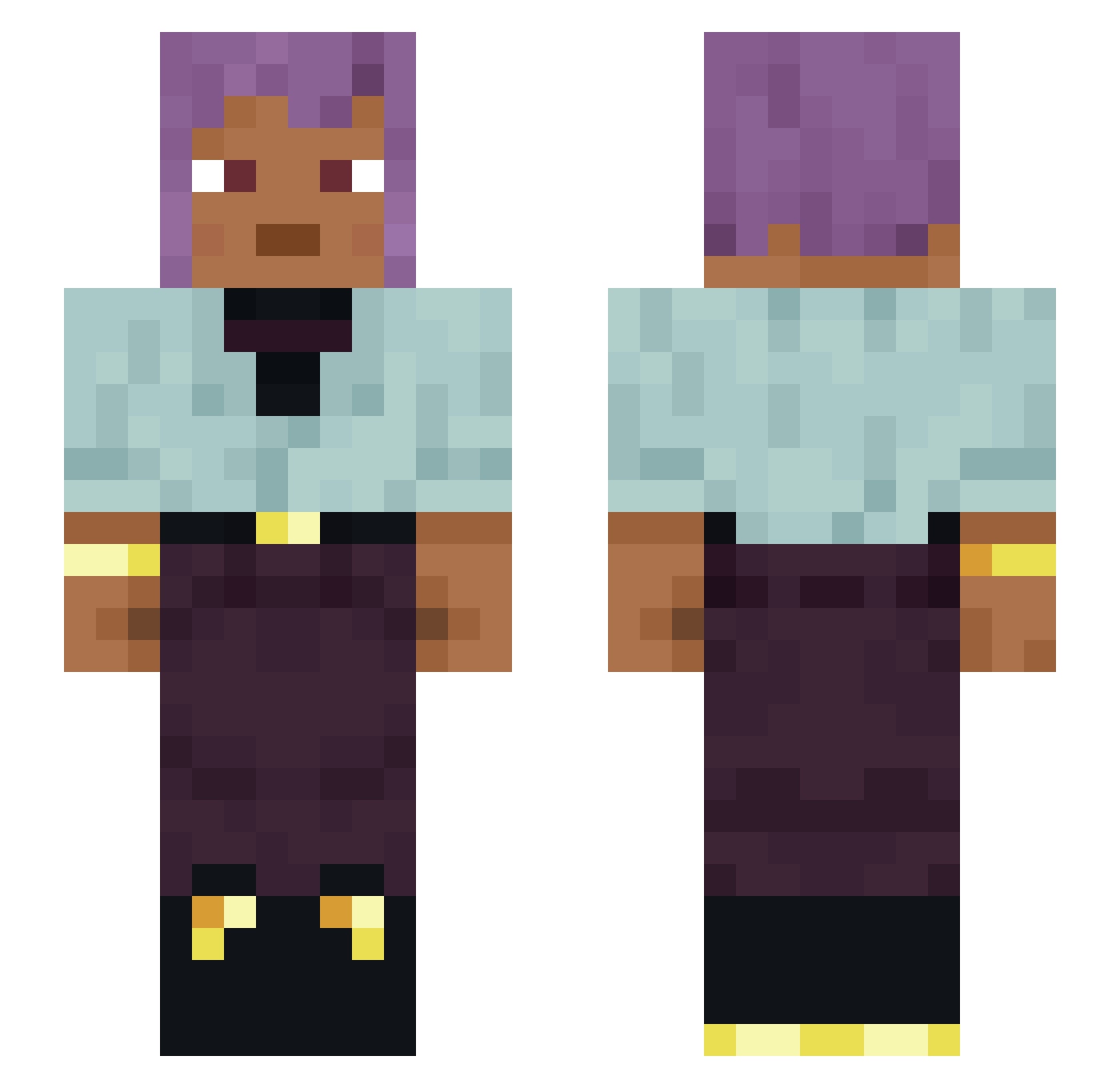
Current Minecraft skin of the player Silks, loaded from the official Mojang API. Rotate the 3D model with your mouse or finger, then download the skin as a PNG file and use it in Minecraft: Bedrock Edition or Java Edition for free. When Silks changes their skin, this page updates automatically and the old skin stays in the history below.
Other players with this skin (1128)
Silks was the 322nd player we have seen with this skin, first spotted on 22.08.2026. The same skin was seen on these players. Open a nickname to see their current skin and skin history.
 Autobot schizocarp Arcturus_XD Behold breastfast Animagus1000 UniRex89 nik_xh Aristeia kxzontop SteveDaAkatsuki Bigonrice dddminer kcakca VICUSIA brAiNWAshEs STOEGER2404 DeadOnion drumeo713 BriarD laddish taitim6128 P34B0DY medullary huguera_ Phototropy LeonCZ10 Amban Nightowl22 Braxton556 PickleDipple 2SPHYST0 Suitcat4 MarlonAbreo_ Sniffily pecksniff TopStone MasterBombadil Matthias199 Sundby91 igalgal Finalization kyarsuB dipotassium Poncelet 21Ago Extemporaneously Friednooldes17 Bugbane mortician BestDogeEver yks1004 Flectine Heccdog Apocadood Maligned Blote killua187 Null10 Fraudless
How to install the Silks skin
- Press the Download button above to save the skin as a PNG file.
- Minecraft: Bedrock Edition (PE): open the Dressing Room from the main menu (or tap your character → Edit Character), go to Classic Skins → Owned, press the + (new skin) button, choose the downloaded PNG and pick the Slim (Alex) model. Works on PC and mobile; consoles cannot import custom skins.
- Minecraft: Java Edition: open the Minecraft Launcher, go to the Skins tab, click New Skin, load the PNG, pick the Slim (Alex) model and press Save & Use. You can also upload it at minecraft.net → Profile → Change Skin.
The skin does not show up after import - what should I do?
Restart Minecraft and open the Dressing Room again - imported skins sometimes appear only after a restart. Also make sure you selected the imported skin and picked the Slim (Alex) model.
Which model should I choose, Classic or Slim?
This skin is designed for the Slim (Alex) model. If you pick the wrong model, the arms of the skin will look stretched or squeezed.
Is the skin of Silks free to download?
Yes. Press Download, save the PNG file and use it in Minecraft: Bedrock Edition or Java Edition - no payment or registration needed. The skin also works on multiplayer servers and Realms.
More skins
Looking for more? Go back to all Minecraft skins and check the top skins of the week, month and all time, or find any player's skin by nickname.