
SibbaSubba - Minecraft Skins & Skin History
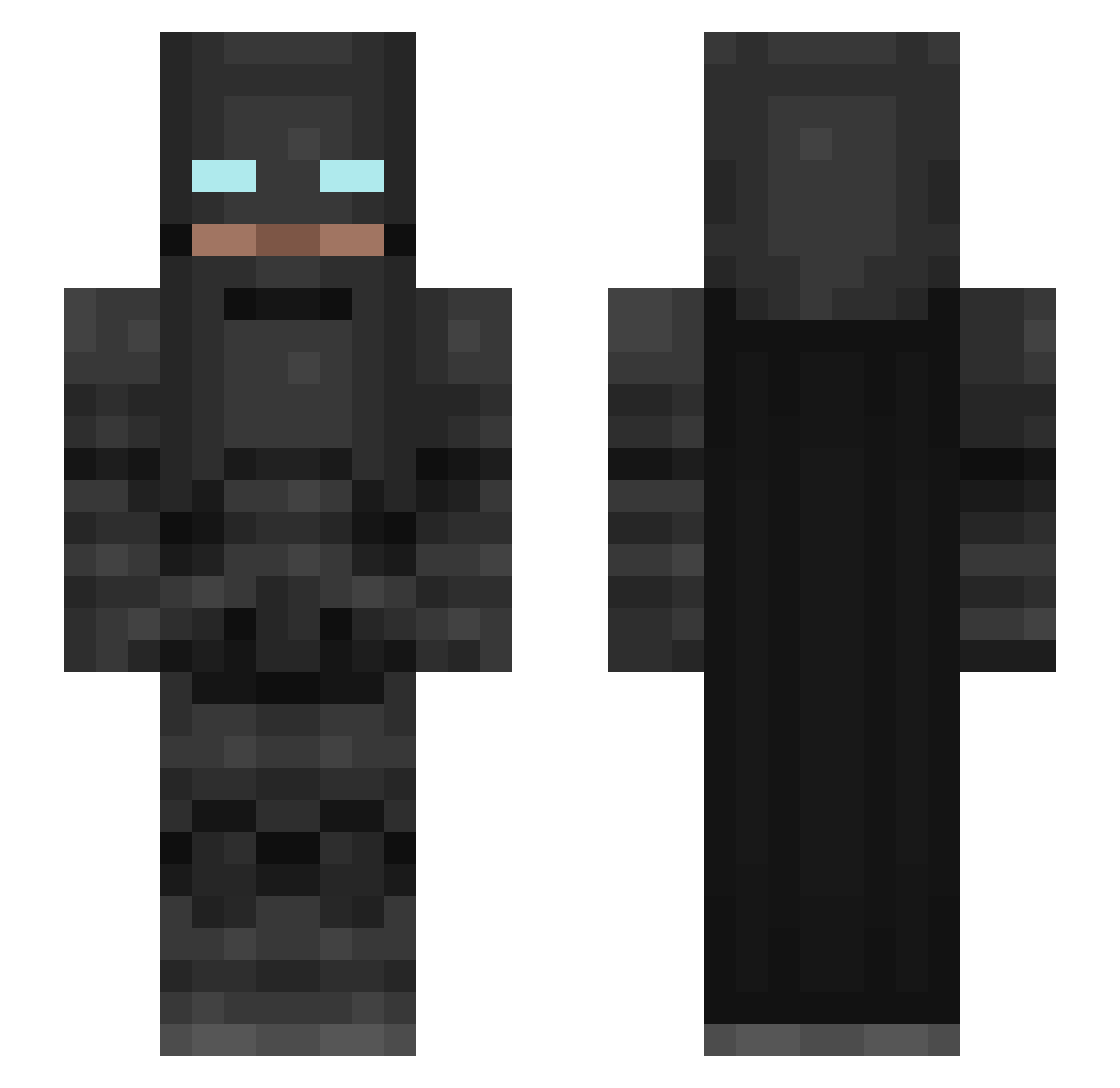
Current Minecraft skin of the player SibbaSubba, loaded from the official Mojang API. Rotate the 3D model with your mouse or finger, then download the skin as a PNG file and use it in Minecraft: Bedrock Edition or Java Edition for free. When SibbaSubba changes their skin, this page updates automatically and the old skin stays in the history below.
Other players with this skin (176)
SibbaSubba was the 140th player we have seen with this skin, first spotted on 10.10.2026. The same skin was seen on these players. Open a nickname to see their current skin and skin history.
 stepaaaaan Dastruggle88 Batoracle14 merosipptdaslean Mateoo02 Beberaenn Loot1s iROB5 Zyperno312 zhoudama CiclopeSonolento M4NUK Super_Lin_ _D1OS_ MEKKO111 Latortuga15 Loudsound21 JUDBLOX Krosty199 xtill999 SkullXCrushrr marcosthegreat1 TechSniper Pottpoter bryankok DumptruckGeorge Ozanali1 RyDizzleDawg 11abbbb11 Shadowalker1390 Amirytb liuzijian01 Alex21rp_X Wentraa23 CammanderGaming5 Batman_DK1 cjlambre MisterF5 nimbostratus_521 andreiuuu14 vsebasri Edgokuxx alenasheeee Thunder545 LaxBorren lirem520 cristiiian98 TimHatz bossman_L2 LeHunter01 theodiomc Juforce SuperSKRSKR ShadowScout46 SikaGod opaisuki Jamel1s Wozz04 EM89 N1ghtRav3n
More Batman Minecraft skins
How to install the SibbaSubba skin
- Press the Download button above to save the skin as a PNG file.
- Minecraft: Bedrock Edition (PE): open the Dressing Room from the main menu (or tap your character → Edit Character), go to Classic Skins → Owned, press the + (new skin) button, choose the downloaded PNG and pick the Slim (Alex) model. Works on PC and mobile; consoles cannot import custom skins.
- Minecraft: Java Edition: open the Minecraft Launcher, go to the Skins tab, click New Skin, load the PNG, pick the Slim (Alex) model and press Save & Use. You can also upload it at minecraft.net → Profile → Change Skin.
The skin does not show up after import - what should I do?
Restart Minecraft and open the Dressing Room again - imported skins sometimes appear only after a restart. Also make sure you selected the imported skin and picked the Slim (Alex) model.
Which model should I choose, Classic or Slim?
This skin is designed for the Slim (Alex) model. If you pick the wrong model, the arms of the skin will look stretched or squeezed.
Is the skin of SibbaSubba free to download?
Yes. Press Download, save the PNG file and use it in Minecraft: Bedrock Edition or Java Edition - no payment or registration needed. The skin also works on multiplayer servers and Realms.
More skins
Looking for more? Go back to all Minecraft skins and check the top skins of the week, month and all time, or find any player's skin by nickname.