
SiaGirlz - Minecraft Skins & Skin History
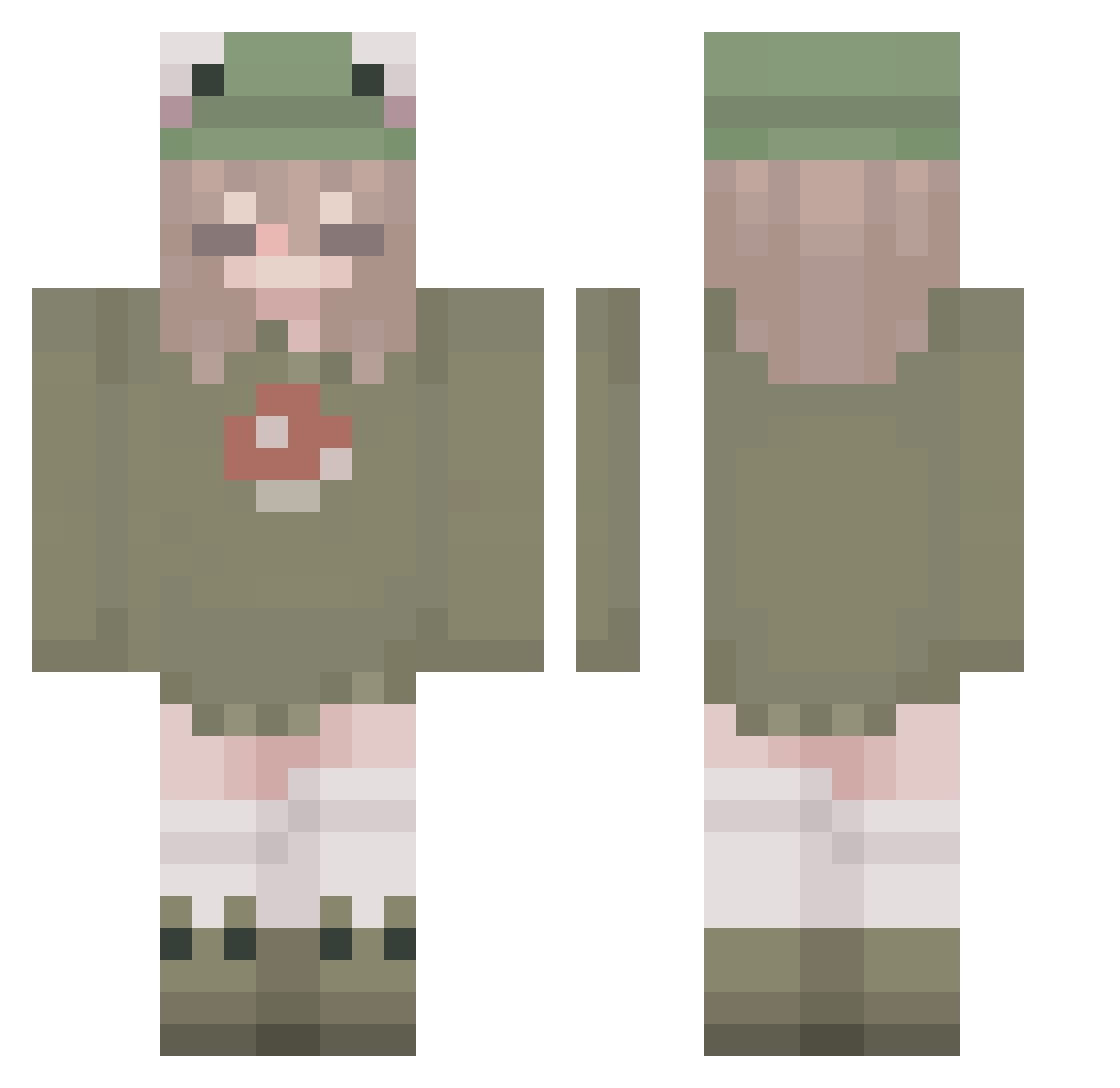
Current Minecraft skin of the player SiaGirlz, loaded from the official Mojang API. Rotate the 3D model with your mouse or finger, then download the skin as a PNG file and use it in Minecraft: Bedrock Edition or Java Edition for free. When SiaGirlz changes their skin, this page updates automatically and the old skin stays in the history below.
Other players with this skin (265)
SiaGirlz was the 151st player we have seen with this skin, first spotted on 22.09.2026. The same skin was seen on these players. Open a nickname to see their current skin and skin history.
 Gahne joni12poop Roichi61 LeCat98 Radicallo w8ird EN_KI7 loulouazeur ghosteaterz Viossoul Kweekiee Redcherryy ZiYanQinMo_ Fu_Sang_Won Joyisdying kureesha hella_g26 Bean_Go_Brrr RubyHirai emmathebean5526 Venusx3 crystalfnaflover RealOnlyava Kilyria 01BLUE01 persephone179 cluztz ewvsiaaa Dam611 charliewalton1 Bellyuh _Qfuzl linchen_sch ventis_tiddies ZaiZaiya smileszoe 411ki11 clepclepclep ArtemisHunter912 HiIamHenni 1up8bit curlyfries434 norahkhaled leonie2604 muddyrose Iliossol hyinth _mo0x_1 zoethecoolcat Avigai1ee melikedi sigsig__ PigeonTheOnly goofyg00bert xxEspeonxx llamausername lkyovo MooLush andr32008 em707
More Mushroom Minecraft skins
How to install the SiaGirlz skin
- Press the Download button above to save the skin as a PNG file.
- Minecraft: Bedrock Edition (PE): open the Dressing Room from the main menu (or tap your character → Edit Character), go to Classic Skins → Owned, press the + (new skin) button, choose the downloaded PNG and pick the Classic (Steve) model. Works on PC and mobile; consoles cannot import custom skins.
- Minecraft: Java Edition: open the Minecraft Launcher, go to the Skins tab, click New Skin, load the PNG, pick the Classic (Steve) model and press Save & Use. You can also upload it at minecraft.net → Profile → Change Skin.
The skin does not show up after import - what should I do?
Restart Minecraft and open the Dressing Room again - imported skins sometimes appear only after a restart. Also make sure you selected the imported skin and picked the Classic (Steve) model.
Which model should I choose, Classic or Slim?
This skin is designed for the Classic (Steve) model. If you pick the wrong model, the arms of the skin will look stretched or squeezed.
Is the skin of SiaGirlz free to download?
Yes. Press Download, save the PNG file and use it in Minecraft: Bedrock Edition or Java Edition - no payment or registration needed. The skin also works on multiplayer servers and Realms.
More skins
Looking for more? Go back to all Minecraft skins and check the top skins of the week, month and all time, or find any player's skin by nickname.