
Shyver - Minecraft Skins & Skin History
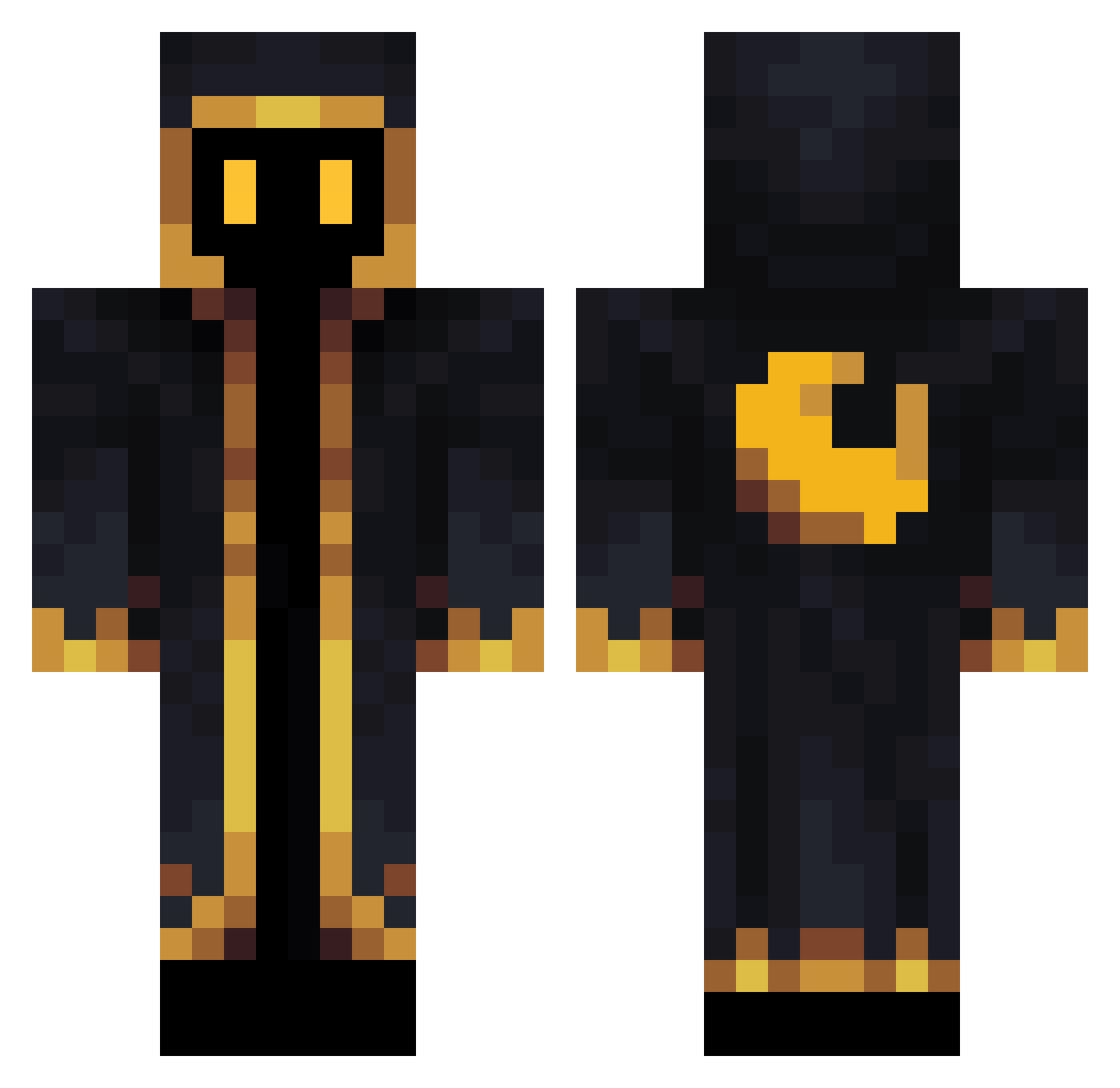
Current Minecraft skin of the player Shyver, loaded from the official Mojang API. Rotate the 3D model with your mouse or finger, then download the skin as a PNG file and use it in Minecraft: Bedrock Edition or Java Edition for free. When Shyver changes their skin, this page updates automatically and the old skin stays in the history below.
Other players with this skin (427)
Shyver was the 336th player we have seen with this skin, first spotted on 30.10.2026. The same skin was seen on these players. Open a nickname to see their current skin and skin history.
 VANS_BOY Rayl47 Vermeshelllka236 _Barnabax_ Papiciulo_ NPPi49 WakWak2 Arrestingwriter Landrynek3 niloko2000 CorentX smm1lee MarcoDCrow Matsumiki Tofuhoon TessTichol HenningHavrefras tobagyl Berto2410 Fabian28bb xiaomaymay PhAkiN Crunchy_Leaves julienfhx beastyguy309112 Anonymous_Meli karlitooooow T1_Teddy_ADC LucisCaelum98 Fonxo_PT build585 Seasons132 AMO54 Khepri555 LION_I Arimasama hyeun1222 Petek25 botmap pi_el Cyon_Pil Heorashar Whoknows18 Warlockeds BlackoutVortex BowlingSquad3 skdhfdl Neax_So crazymame1023 FullMetalBBA AnalogSoul Sneyker18 demoni22 Chicletiw1v9 GQuasar RynetheGrynd NightVale Night_List KadynTheeBest11 artweght
More Cultist Minecraft skins
How to install the Shyver skin
- Press the Download button above to save the skin as a PNG file.
- Minecraft: Bedrock Edition (PE): open the Dressing Room from the main menu (or tap your character → Edit Character), go to Classic Skins → Owned, press the + (new skin) button, choose the downloaded PNG and pick the Classic (Steve) model. Works on PC and mobile; consoles cannot import custom skins.
- Minecraft: Java Edition: open the Minecraft Launcher, go to the Skins tab, click New Skin, load the PNG, pick the Classic (Steve) model and press Save & Use. You can also upload it at minecraft.net → Profile → Change Skin.
The skin does not show up after import - what should I do?
Restart Minecraft and open the Dressing Room again - imported skins sometimes appear only after a restart. Also make sure you selected the imported skin and picked the Classic (Steve) model.
Which model should I choose, Classic or Slim?
This skin is designed for the Classic (Steve) model. If you pick the wrong model, the arms of the skin will look stretched or squeezed.
Is the skin of Shyver free to download?
Yes. Press Download, save the PNG file and use it in Minecraft: Bedrock Edition or Java Edition - no payment or registration needed. The skin also works on multiplayer servers and Realms.
More skins
Looking for more? Go back to all Minecraft skins and check the top skins of the week, month and all time, or find any player's skin by nickname.