
Shupedo - Minecraft Skins & Skin History
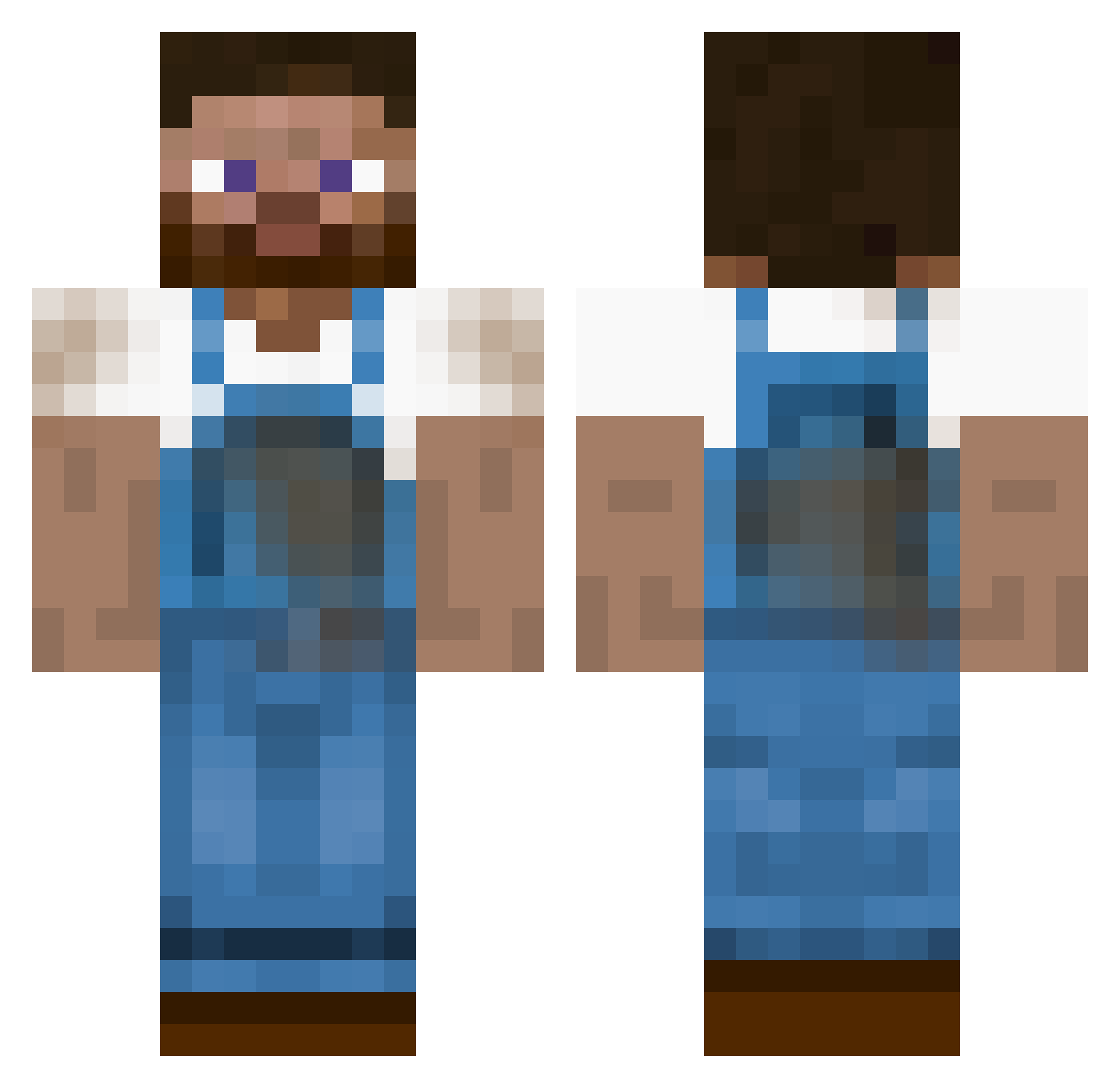
Current Minecraft skin of the player Shupedo, loaded from the official Mojang API. Rotate the 3D model with your mouse or finger, then download the skin as a PNG file and use it in Minecraft: Bedrock Edition or Java Edition for free. When Shupedo changes their skin, this page updates automatically and the old skin stays in the history below.
Other players with this skin (344)
Shupedo was the 230th player we have seen with this skin, first spotted on 27.09.2026. The same skin was seen on these players. Open a nickname to see their current skin and skin history.
 Macedonian2003 pota_ zlatoroh kris2608 Frosting556 Gwims Asc0 ItsFarmerJimmy JWH1T3 jempierre Tburch ColtSkull bsennikoff PierrEau lafite2023 Kurzen01 Collin712 CORAb1 XxMinoOoxX Dissapears Samper666 Mikesmittze MeinKruft ParkerMc Pexutin Kongomor Surf_Wax mrjaas v13jay Amphinom CrimeTec BPSBlackDeath gunterspielt jenss121 Tjommen joelsky _Finn__ paul_167 haakon1113 chillbill1 TheCheyst dc4life95 MrMCPro SubarashiGojira junky103 stadt_kind ChizzledCow aprilsnar Niggi Rensis That_3rd_Guy Razor3G JAK472 Opsahl97 ScottFarmer Sulpitz Josse2013 Mad_Nach0 buddybrad klaChrissi
More Farmer Minecraft skins
How to install the Shupedo skin
- Press the Download button above to save the skin as a PNG file.
- Minecraft: Bedrock Edition (PE): open the Dressing Room from the main menu (or tap your character → Edit Character), go to Classic Skins → Owned, press the + (new skin) button, choose the downloaded PNG and pick the Classic (Steve) model. Works on PC and mobile; consoles cannot import custom skins.
- Minecraft: Java Edition: open the Minecraft Launcher, go to the Skins tab, click New Skin, load the PNG, pick the Classic (Steve) model and press Save & Use. You can also upload it at minecraft.net → Profile → Change Skin.
The skin does not show up after import - what should I do?
Restart Minecraft and open the Dressing Room again - imported skins sometimes appear only after a restart. Also make sure you selected the imported skin and picked the Classic (Steve) model.
Which model should I choose, Classic or Slim?
This skin is designed for the Classic (Steve) model. If you pick the wrong model, the arms of the skin will look stretched or squeezed.
Is the skin of Shupedo free to download?
Yes. Press Download, save the PNG file and use it in Minecraft: Bedrock Edition or Java Edition - no payment or registration needed. The skin also works on multiplayer servers and Realms.
More skins
Looking for more? Go back to all Minecraft skins and check the top skins of the week, month and all time, or find any player's skin by nickname.