
Shuggy0 - Minecraft Skins & Skin History
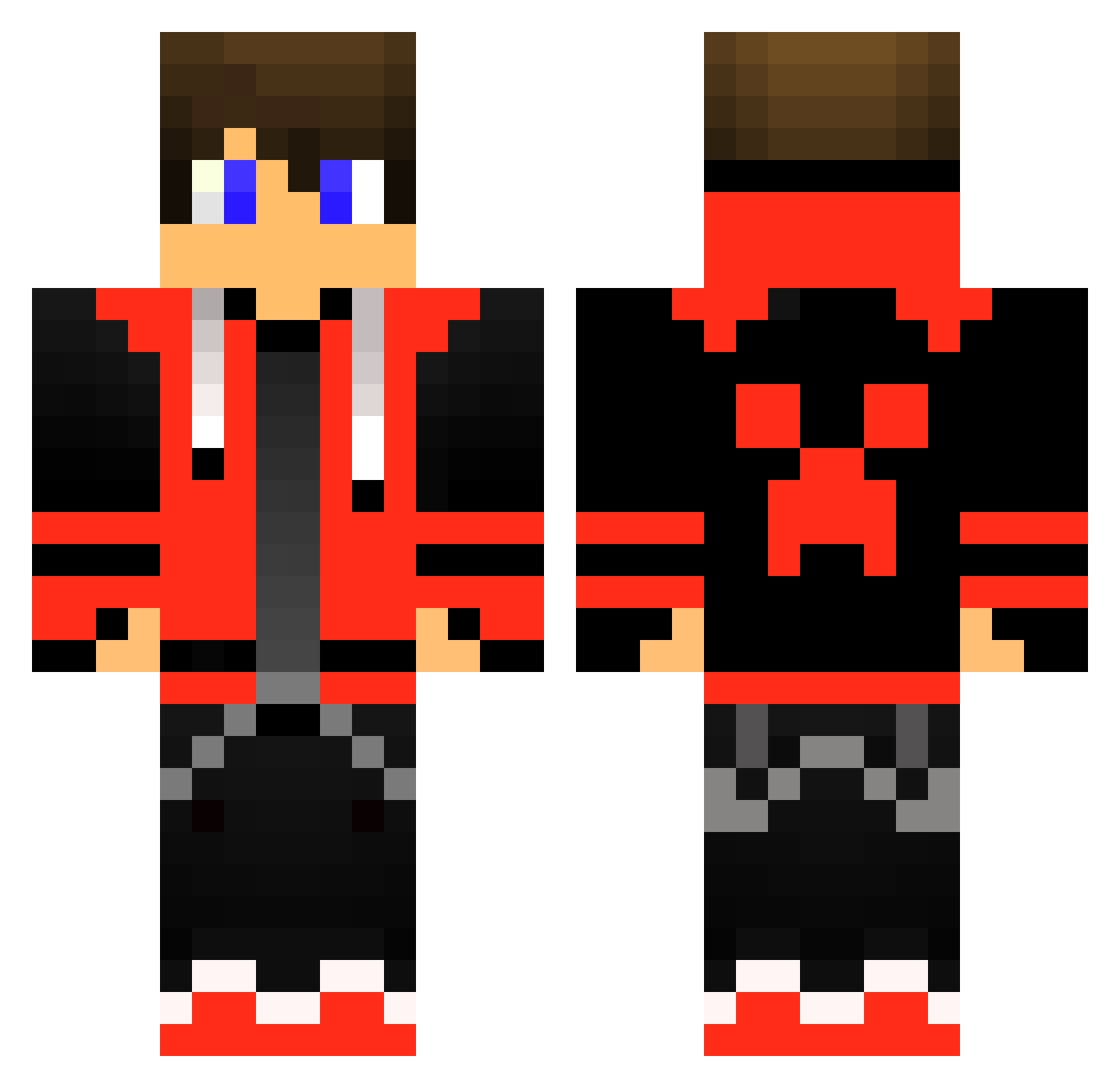
Current Minecraft skin of the player Shuggy0, loaded from the official Mojang API. Rotate the 3D model with your mouse or finger, then download the skin as a PNG file and use it in Minecraft: Bedrock Edition or Java Edition for free. When Shuggy0 changes their skin, this page updates automatically and the old skin stays in the history below.
Other players with this skin (415)
Shuggy0 was the 54th player we have seen with this skin, first spotted on 05.08.2026. The same skin was seen on these players. Open a nickname to see their current skin and skin history.
 govm haydenplayz Narcotiik01 Ashura_12 Devin_Grayson EStoor Thanoslimp ATRAX556 Sophano02 alexmitico009 job2501 10Walls Stasios333 rsetina XxXB1ack0P Chromewolve Kayolino Hazza1293 DR3W_Gaming DonutStalker XDSyrox Mitchcraft10 valgunig lollermanabc Donners69420 Giganto754 YoungDuck10 Skileya Zonogaming54 InphaseMC ZaYoTiCYT michaelbradley91 LuizFGamer Fabjjj StormCreator433 ZootAk Alexx235 WcaleNieElliott Dude420BP Dj_Janko CasaBorge joh_block DragonDogBob THENAMTV1407 kimchi090113 oOXorsOo Wizox78 SilverPotato707 iskito jjkoletar Kylian_V Hirschi1010 Teriel DoctorOfWhom James_391 Baked_Waffle420 affv Bobgamer1 WilburInitt hattrickhaines
More Gamer Minecraft skins
How to install the Shuggy0 skin
- Press the Download button above to save the skin as a PNG file.
- Minecraft: Bedrock Edition (PE): open the Dressing Room from the main menu (or tap your character → Edit Character), go to Classic Skins → Owned, press the + (new skin) button, choose the downloaded PNG and pick the Classic (Steve) model. Works on PC and mobile; consoles cannot import custom skins.
- Minecraft: Java Edition: open the Minecraft Launcher, go to the Skins tab, click New Skin, load the PNG, pick the Classic (Steve) model and press Save & Use. You can also upload it at minecraft.net → Profile → Change Skin.
The skin does not show up after import - what should I do?
Restart Minecraft and open the Dressing Room again - imported skins sometimes appear only after a restart. Also make sure you selected the imported skin and picked the Classic (Steve) model.
Which model should I choose, Classic or Slim?
This skin is designed for the Classic (Steve) model. If you pick the wrong model, the arms of the skin will look stretched or squeezed.
Is the skin of Shuggy0 free to download?
Yes. Press Download, save the PNG file and use it in Minecraft: Bedrock Edition or Java Edition - no payment or registration needed. The skin also works on multiplayer servers and Realms.
More skins
Looking for more? Go back to all Minecraft skins and check the top skins of the week, month and all time, or find any player's skin by nickname.